Using
the
camcorder
• The camcorder is not dustproofed, dripproofed
or waterproofed. See "Precautions"
(p.
32).
• Do not do any
of
the following when the
1:1
(Movie)/O
(Still) mode lamps or the
ACCESS lamps (p. 13,
17)
are lit or flashing.
Otherwise, the media may be damaged,
recorded images may be lost or other
malfunctions could occur.
- Eject the "Memory Stick PRO Duo"
- Remove the battery pack or AC Adaptor from
the camcorder
- Apply mechanical shock or vibration to the
camcorder
• When connecting your camcorder to another
device with communication cables, be sure to
insert the connector plug
in
the correct way.
Pushing the plug forcibly into the terminal will
damage the terminal and may result
in
a
malfunction
of
your camcorder.
·:~:~!Q.lll~tu.····
Supplied
items
The numbers in ( ) are the supplied
quantity.
• AC Adaptor (1)
• Power cord (Mains lead) (1)
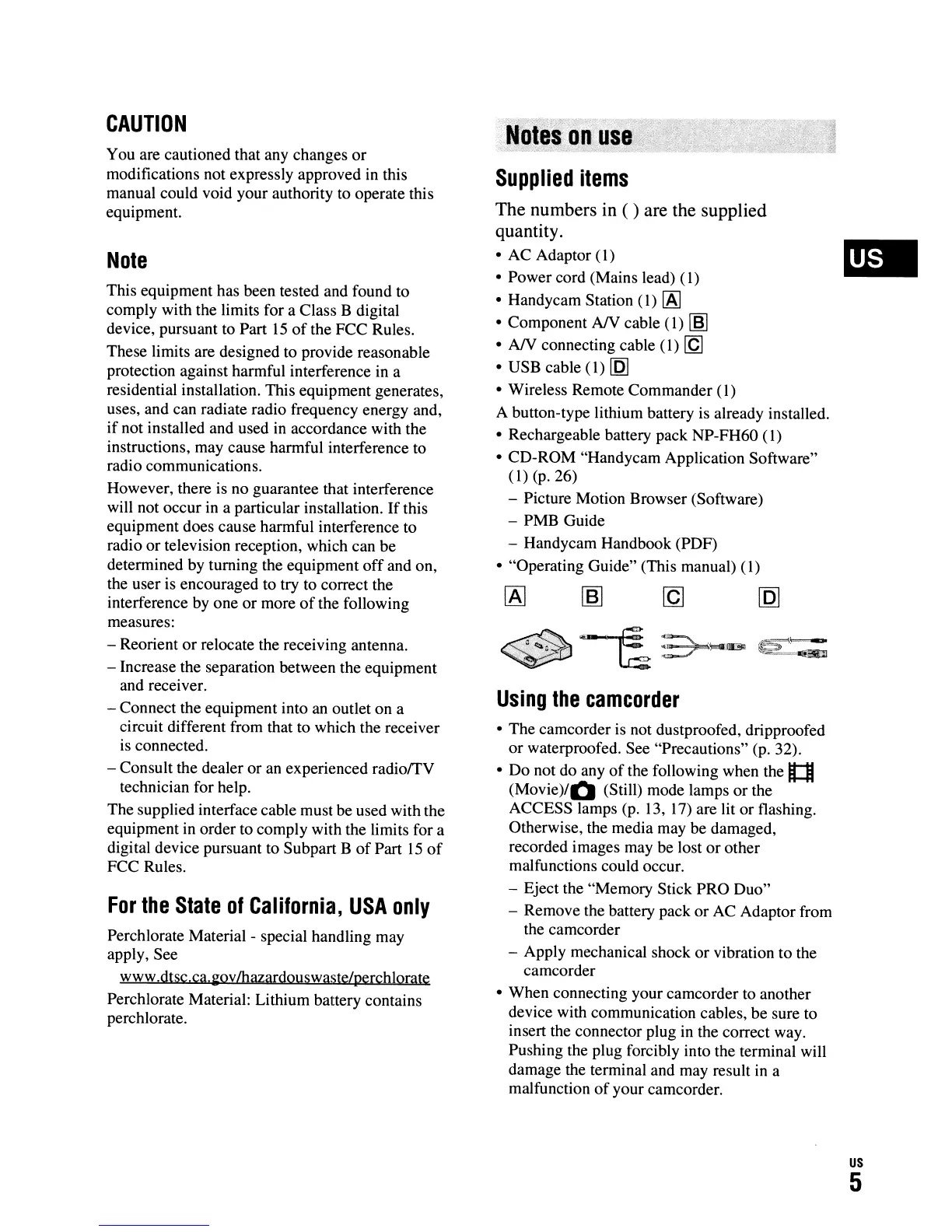
• Handycam Station
(1)
[A]
• Component
AN
cable (1)
rnJ
•
AN
connecting cable (1)
[Q]
• USB cable (1)
[Q]
• Wireless Remote Commander (1)
A button-type lithium battery
is
already installed.
• Rechargeable battery pack NP-FH60
(1)
• CD-ROM "Handycam Application Software"
(1) (p.
26)
- Picture Motion Browser (Software)
- PMB Guide
- Handycam Handbook (PDF)
• "Operating Guide" (This manual) (1)
Perchlorate Material - special handling may
apply, See
www.dtsc.ca.
~ov
Ihazardouswaste/perchlorate
Perchlorate Material: Lithium battery contains
perchlorate.
For
the
State
of
California,
USA
only
This equipment has been tested and found to
comply with the limits for a Class B digital
device, pursuant to Part
15
of
the FCC Rules.
These limits are designed to provide reasonable
protection against harmful interference in a
residential installation. This equipment generates,
uses, and can radiate radio frequency energy and,
if
not installed and used in accordance with the
instructions, may cause harmful interference to
radio communications.
However, there is no guarantee that interference
will not occur in a particular installation.
If
this
equipment does cause harmful interference to
radio or television reception, which can be
determined by turning the equipment
off
and on,
the user is encouraged to try to correct the
interference by one or more
of
the following
measures:
- Reorient or relocate the receiving antenna.
- Increase the separation between the equipment
and receiver.
- Connect the equipment into an outlet on a
circuit different from that to which the receiver
is connected.
- Consult the dealer or an experienced
radiorrV
technician for help.
The supplied interface cable must be used with the
equipment in order to comply with the limits for a
digital device pursuant to Subpart B
of
Part
15
of
FCC Rules.
Note
You are cautioned that any changes
or
modifications not expressly approved in this
manual could void your authority to operate this
equipment.
CAUTION
us
5












 To Next Page