Name
[ID
Numeric
buttons
ill] ENTER
MEMORY
ffQ)
AMP MENU
fi]0)
+1+1.1.
~
OPTIONS
TOOLS
~
MENU
SCREEN/
DSPl
CONTROL
IHl
CATEGORY
+/-
12
GB
Function
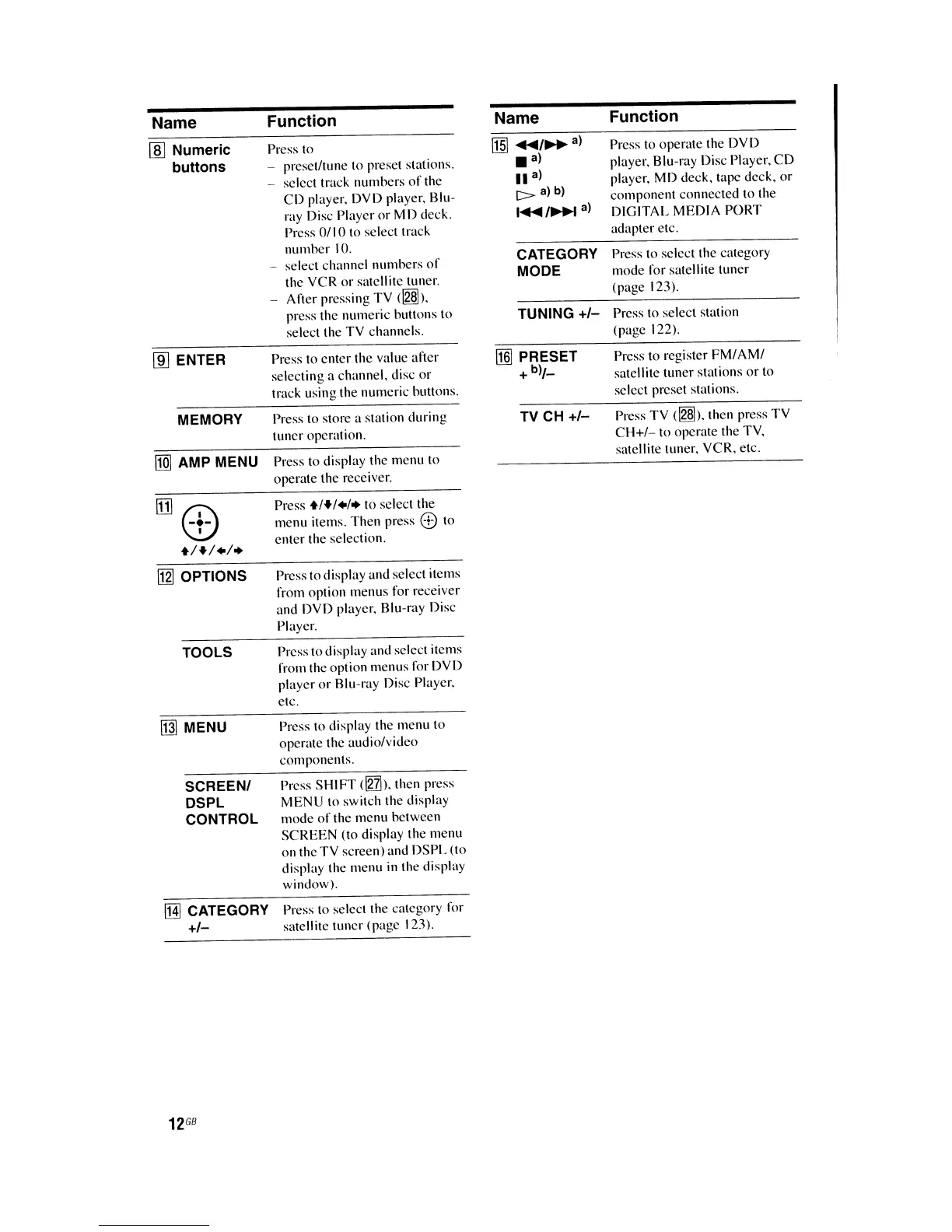
Press to
- preset/tune
(0
preset stations.
select track numbers
of
the
CD
player, DVD player. Blu-
ray Disc Player or MD deck.
Press
0/1
0 to select track
number
10.
select channel numbers
of
the VCR or satellite tuner.
After pressing TV
(~).
press the numeric bullons to
select the TV channels.
Press to enter the value after
selecting a channel. disc or
track using the numeric buttons.
Press to store a station during
tuncr operation.
Press to display the menu to
operate the receiver.
Press
+/+/./.
to select the
menu items. Then press
8 to
enter the selection.
Press to display and select items
from option menus for receiver
and DVD player. Blu-ray Disc
Player.
Press to display and select items
from the option menus for DVD
player
or
Blu-ray Disc Player.
etc.
Press to display the menu to
operate the audio/video
components.
Press
SHIFT
<lnh.
then press
MENU to switch the display
mode
of
the menu between
SCREEN (to display the menu
on the TV screen) and DSPL (to
display the menu
in
the display
window).
Press to select the category for
satellite tuner (page 123).
Name
lffiI
....
/~a)
.a)
II
a)
c>
alb)
I
....
/~a)
CATEGORY
MODE
TUNING
+/-
[§] PRESET
+
b)/_
TV CH
+/-
Function
Press to operate the DVD
player, Blu-ray Disc Player.
CD
player, MD deck, tape deck.
or
component connected to the
DIGITAL MEDIA PORT
adapter etc.
Press to select the category
mode for satellite tuner
(page 123).
Press to select station
(page 122).
Press to register
FM/AM/
satellite tuner stations or to
select preset stations.
Press TV
(~).
then press
TV
CH+/-
to operate the TV,
satellite tuner, VCR, etc.















 To Next Page