INSTRUCTION, USE AND
MAINTENANCE MANUAL
GB
Page 25 of 58
1296-M010-0_P
Space s.r.l.
ER232R - ER234R - ER236R - ER238R - ER238RFM - ER248R - ERP248R
14.0 SWITCHING THE MACHINE ON
AND OFF
The ON/OFF master switch is located on the rear of the
machine. To start the machine and access the program,
switch on the system by turning the master switch.
Wait a few seconds for the operating program to load
and for the first program page to appear on the display
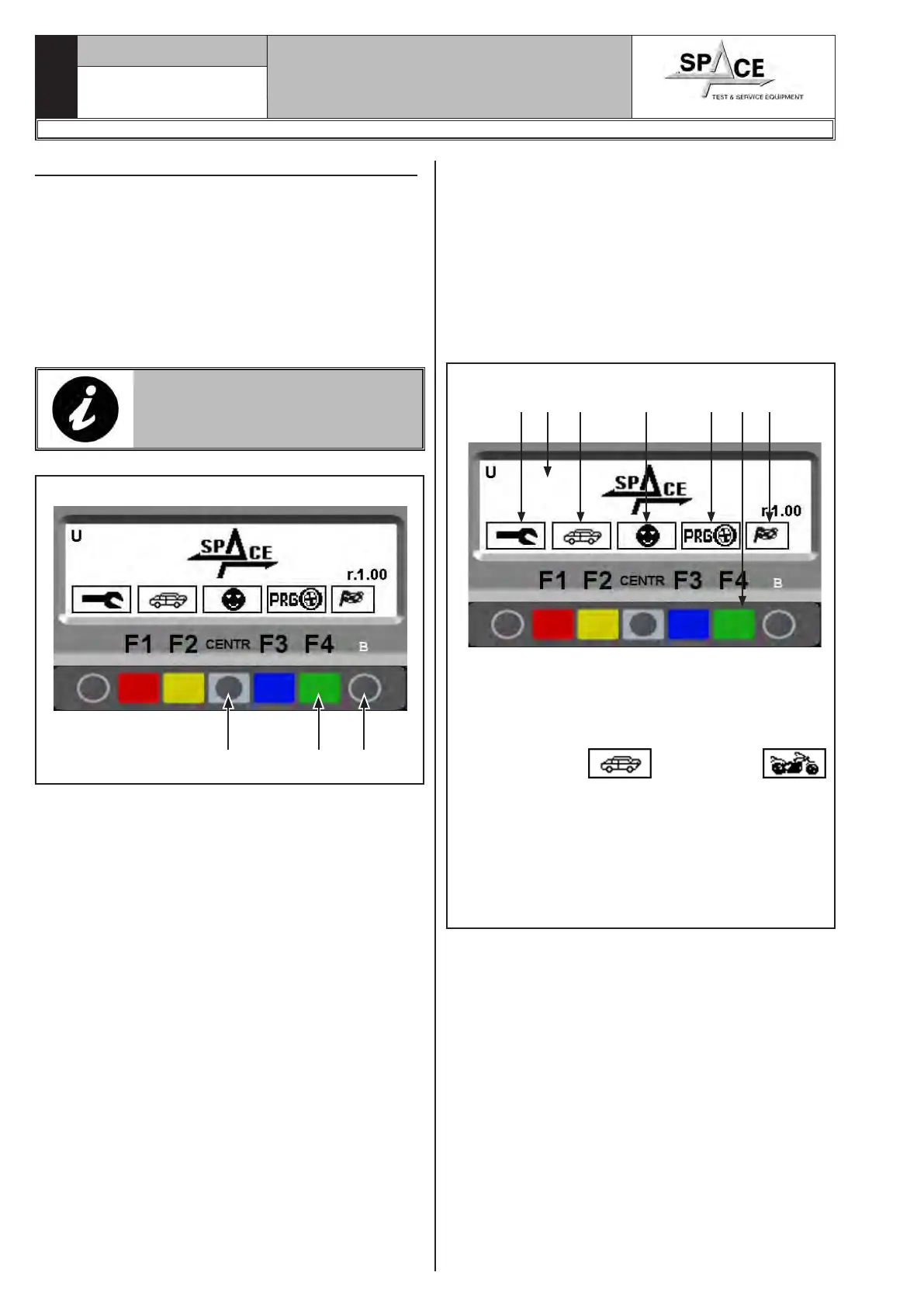
screen (see Fig. 37).
The monitor shows various types of information and
presents the user with numerous operation options.
Fig. 37
12 3 4 5 67
KEY
1 – Start page
2 – Display of program configuration screen play
(RED) (F1)
3 – Display of car or motorcycle
mode (YELLOW) (F2)
4 – Display of the tests of the different users (4 differ-
ent users are managed) (Par. 15.2) (CENTRAL)
5 – Display of auxiliary programs modes (Par. 15.4)
(BLUE) (F3)
6 – The balancing test starts (GREEN) (F4)
7 – Program operation key
13.1 Brightness and contrast adjustment
From the first page of the program, by keeping the
push button (B) (Fig. 36 ref. 3) pressed, push push
button (F4) (Fig. 36 ref. 2) repeatedly in order to raise
brightness/contrast or push push button (CENTR)
(Fig. 36 ref. 1) repeatedly in order to lower bright-
ness/contrast.
Try to find the best settings, going across the all steps,
because the settings can pass through clear, dark and
again clear.
THE ADJUSTMENT REMAINS
ALSO AFTER MACHINE SHUT-
DOWN.
Fig. 36
1 2 3



 To Next Page