GB
Page 30 of 58
INSTRUCTION, USE AND
MAINTENANCE MANUAL
15.2 User control function
To select “User management“, select the following key
“ ” on the presentation page (Par. 14).
Wheel balancers can be used by 4 different users at the
same time, by selecting the above indicated key several
times, until the desired user is reached.
When the user key is pressed, the current user number
appears on the display screen (U1, U2, U3 and U4 in
car mode or M1, M2, M3 and M4 in motorcycle mode).
The system stores the data relating to the last per-
formed spin according to the different operators. The
desired user can be called every time the program
displays the specific key. The measurements stored for
each user are lost when the machine is switched off.
User management is valid for any wheel balancer
function.
TO ENABLE OR DISABLE "USER
CONTROL" FUNCTION, SEE CHAP.
20. ONCE THIS FUNCTION HAS
BEEN DISENGAGED ON THE
PRESENTATION PAGE (CHAP. 14)
ON THE TOP LEFT OF THE MONI-
TOR, THE ONLY USED USER AP-
PEARS “U” IN CAR MODE; OR “M”
IN MOTORCYCLE MODE.
15.3 Unbalance measurement
15.3.1 Dynamic balancing
DYNAMIC balancing is a procedure that offsets the
wheel vibrations using 2 weights on different planes.
To perform a dynamic measurement spin:
- Make sure there are no stones and/or mud on the
wheel.
- Remove any counterweights.
- Fit the wheel and make sure it is fastened properly.
Press the “F3 key”
from the initial program
page (see Chap. 14).
Enter the wheel measurements (Par. 15.1), close the
protection guard, if on issue or press “F4”
to perform the wheel spin; in just a few seconds, the
wheel runs at normal speed and the wheel balancer
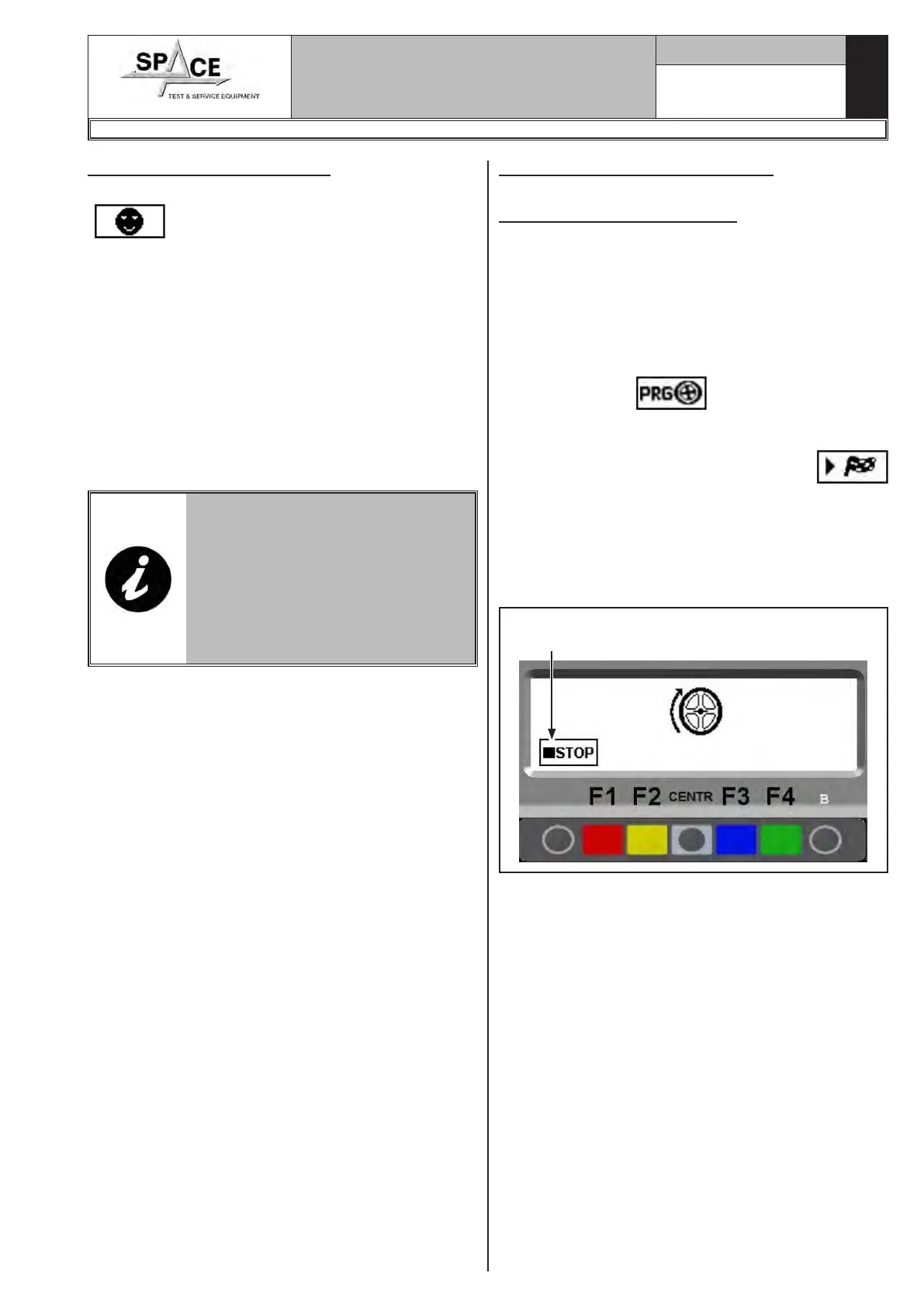
display shows wheel rotation (Fig. 47). After the spin,
the wheel stops automatically, also taking into account
the measured unbalance so that the fitting position of
the outer weight is exactly at 12 o’ clock.
Fig. 47Press in case of
emergency
The display unit indicates the direction in which to
move the wheel to fit the weights and how much weight
is needed to correct the unbalance (Fig. 48).
Weight can be determined in "grams" or "ounces"; in
this manual examples are shown in grams. To change
the unit of measurement from "grams" to "ounces",
see Chap. 20.
Once the unbalance of the inside and outside of the
wheel is known, it is possible to proceed with position-
ing for correction of unbalance (Par. 15.3.2).
1296-M010-0_P
Space s.r.l.
ER232R - ER234R - ER236R - ER238R - ER238RFM - ER248R - ERP248R



 To Next Page