INSTRUCTION, USE AND
MAINTENANCE MANUAL
GB
Page 29 of 58
15.1.2 Wheel dimension manual setting for
ALU-S type correction and auxiliary
programs
Select the ALU-S function as described in Par. 15.4
and press the “CENTRAL” key
to confirm
and enter the measurements. The display will show
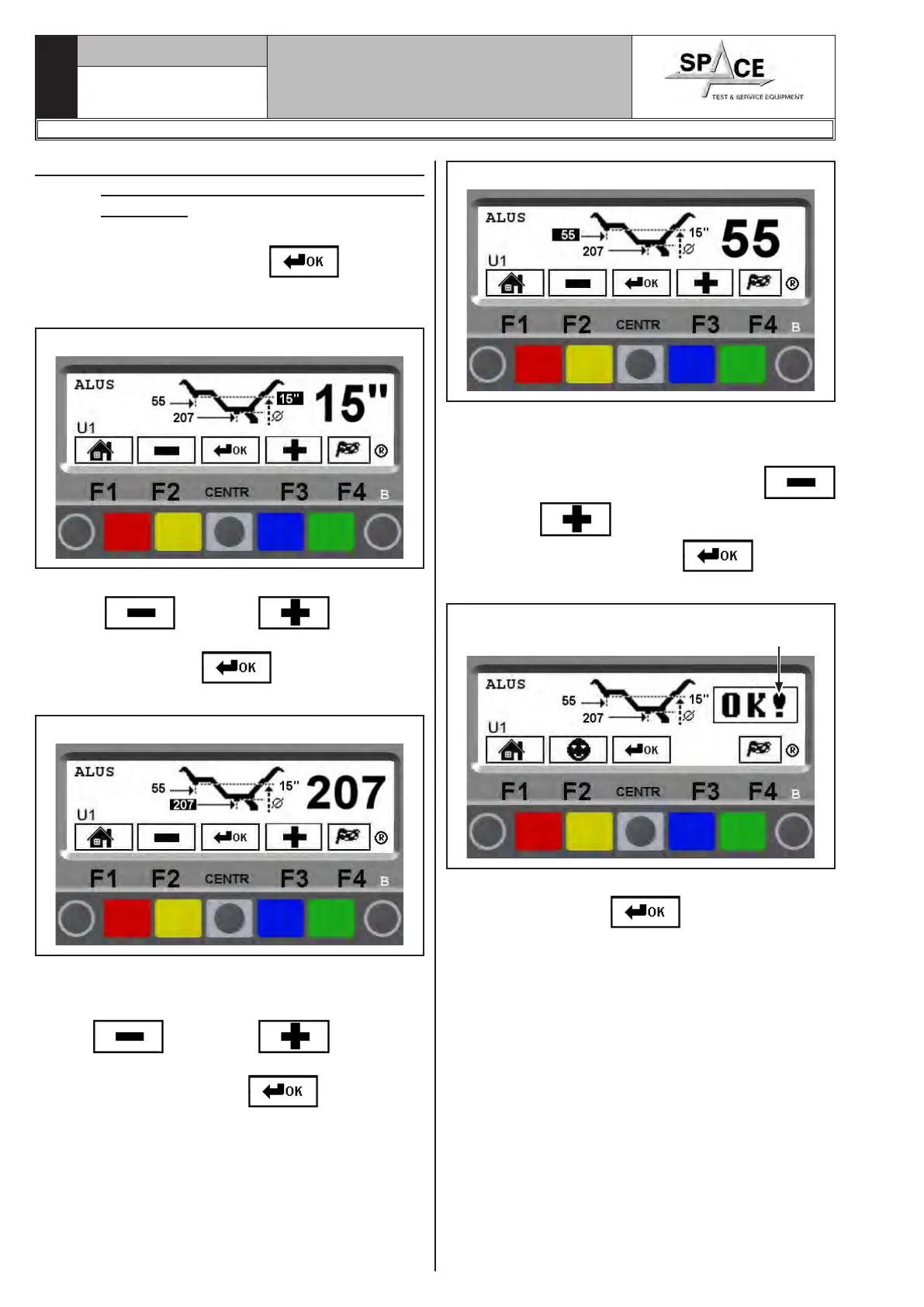
the screen page in Fig. 43.
Fig. 43
Enter the wheel diameter (Fig. 43), by selecting the
“MINUS”
or “PLUS” key until the
desired value is achieved.
Press “CENTRAL” key
to confirm. The pro-
gram will show the screen page in Fig. 44.
Fig. 44
Move the manual distance caliper to the position where
the inner weight is to be fitted. Read the value to be
set on the scale. Enter the distance by selecting the
“PLUS”
or “MINUS” key until the
desired value is achieved.
Press “CENTRAL” key
to confirm.
The display will show the screen page in Fig. 45.
Fig. 45
Move the manual distance caliper to the position where
the outer weight is to be fitted (always hidden inside
the rim). Read the value to be set on the scale.
Enter the distance by selecting the “PLUS”
or “MINUS” key until the desired value is
achieved. Press “CENTRAL” key to confirm.
The display will show the screen page in Fig. 46.
Fig. 46 Dimensions entered
and confirmed
To display all the entered measurements, press a few
times “CENTRAL” key
.
Press the “F4 key” to start spin.
1296-M010-0_P
Space s.r.l.
ER232R - ER234R - ER236R - ER238R - ER238RFM - ER248R - ERP248R



 To Next Page