GB
Page 28 of 58
INSTRUCTION, USE AND
MAINTENANCE MANUAL
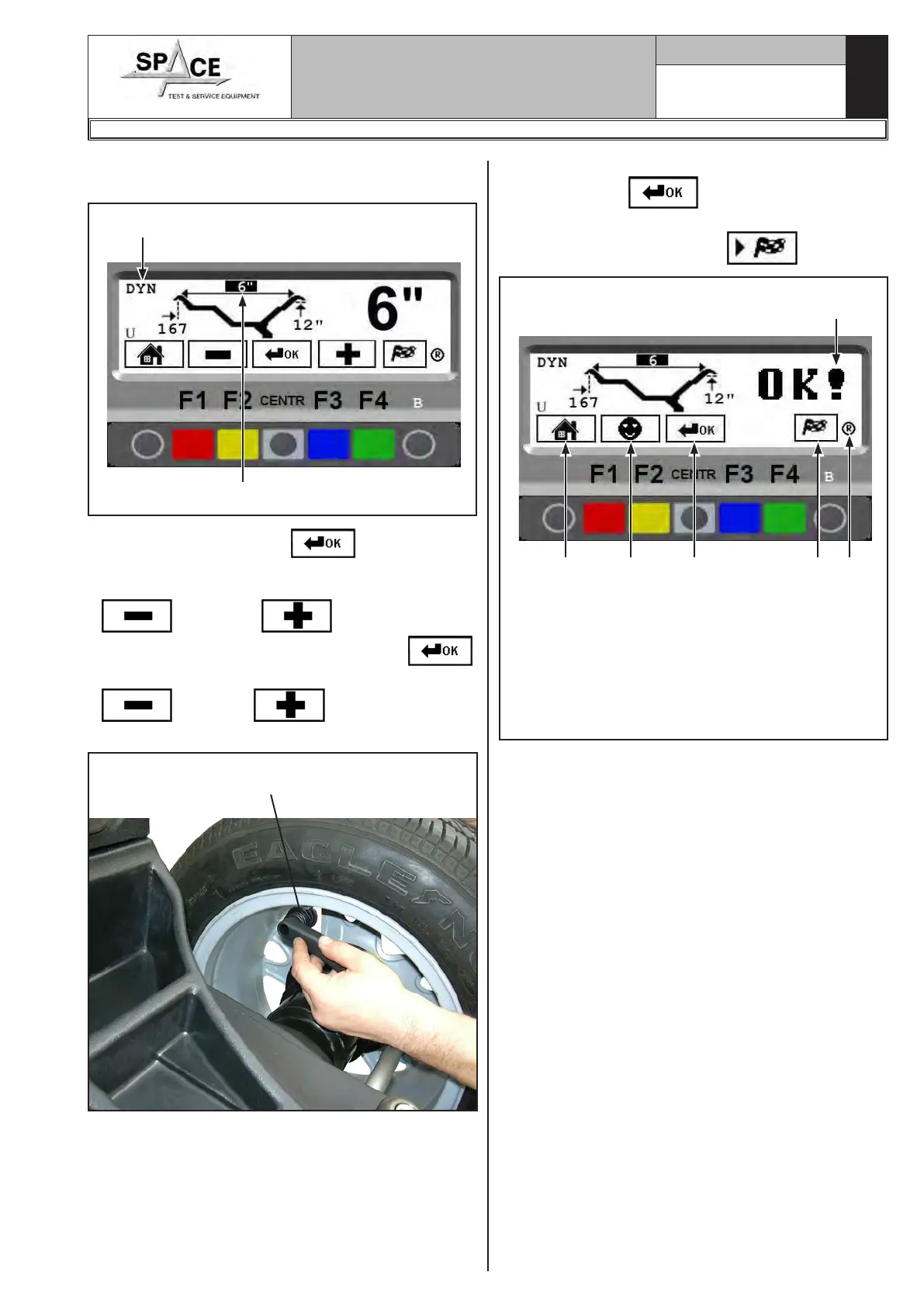
Once wheel width has been input, the program pre-
pares for dynamic mode measuring (Fig. 40)
Fig. 40
Dynamic mode
Width measurement input
Press the “CENTRAL” key to select the rim
diameter dimension.
Enter the rim diameter by selecting the “PLUS”
or “MINUS” key until the desired
value is achieved. Press the “CENTRAL” key .
The width is stored by selecting the “MINUS”
or “PLUS” key until the desired
value is achieved.
Fig. 41
Manual distance caliper in meas-
urement position
After setting all the wheel dimensions, press the
“CENTRAL” key
again to confirm. The pro-
gram will show the screen page in Fig. 42. Execute
the spin by pressing “F4” key
(Fig. 42).
Fig. 42
Dimensions entered
and confirmed
KEY
1 – Return to previous screen page (RED) (F1)
2 – User Control (Par. 15.2) (YELLOW) (F2)
3 – Select and confirm the value to be set (CENTRAL)
4 – Performs spin (GREEN) (F4)
5 – Function key used for recalculation program
(Par. 15.5) (B)
1 2 3 4 5
1296-M010-0_P
Space s.r.l.
ER232R - ER234R - ER236R - ER238R - ER238RFM - ER248R - ERP248R



 To Next Page