INSTRUCTION, USE AND
MAINTENANCE MANUAL
GB
Page 45 of 58
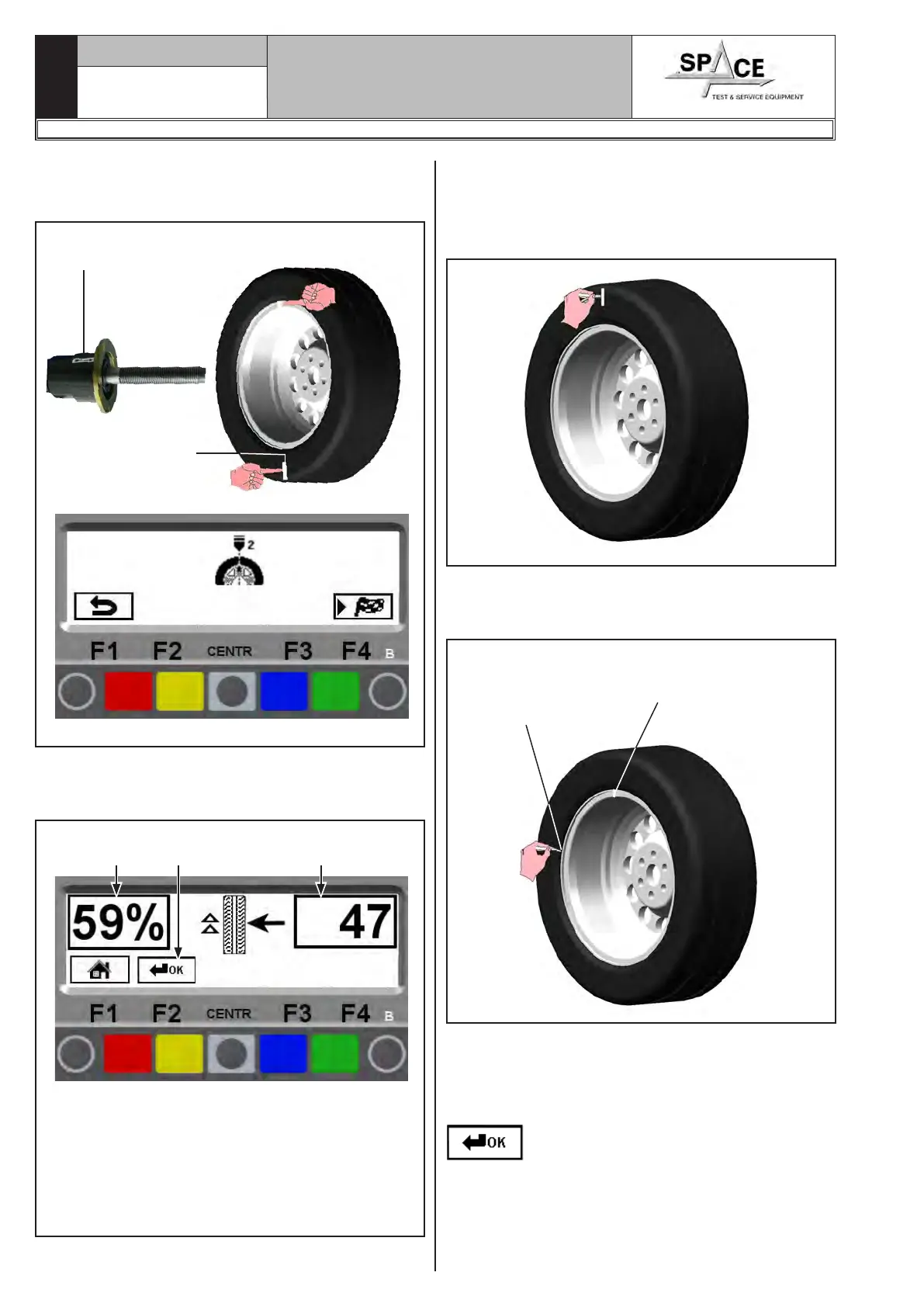
Fit the wheel back on the wheel balancer, positioning
the reference mark on the rim in line with the arrow
on the flange.
Fig. 83
Position the reference mark on the rim in line with
the arrow on the flange.
Position the tyre ref-
erence mark on the
opposite side to the
arrow on the flange
Close the protection guard (if present) to perform the
second spin or press the “F4 key”. At the end of the
spin the monitor will display the following image:
Fig. 84
KEY
1 – % value of the possible unbalance reduction
compared to wheel current situation
2 – Current static unbalance value in grams. It can
be reduced with a further wheel and rim rotation
3 – Display again of the page with previous unbal-
ance values (YELLOW) (F2)
21 3
Cancel the previously made reference marks.
Position the wheel following the arrows on the display
screen. Look at the arrows on the right. When these
are horizontally (see Par. 15.3.2) make the FIRST ref-
erence mark on the rim.
Look at the arrows on the left. When these are placed
horizontally make the SECOND reference mark on
the rim.
SECOND REFER-
ENCE MARK
ON THE RIM
(arrows on the left of
the display screen)
FIRST REFERENCE
MARK ON THE TYRE
(arrows on the right
of the display screen)
Remove the wheel from the wheel balancer. Remove
the wheel and turn the tyre on the rim so that the two
points coincide. Fit the wheel on the balancer (see
Fig. 85) so that the two reference marks next to the
arrow on the mandrel flange and press key “CENTR”
.
1296-M010-0_P
Space s.r.l.
ER232R - ER234R - ER236R - ER238R - ER238RFM - ER248R - ERP248R



 To Next Page