- 19 -
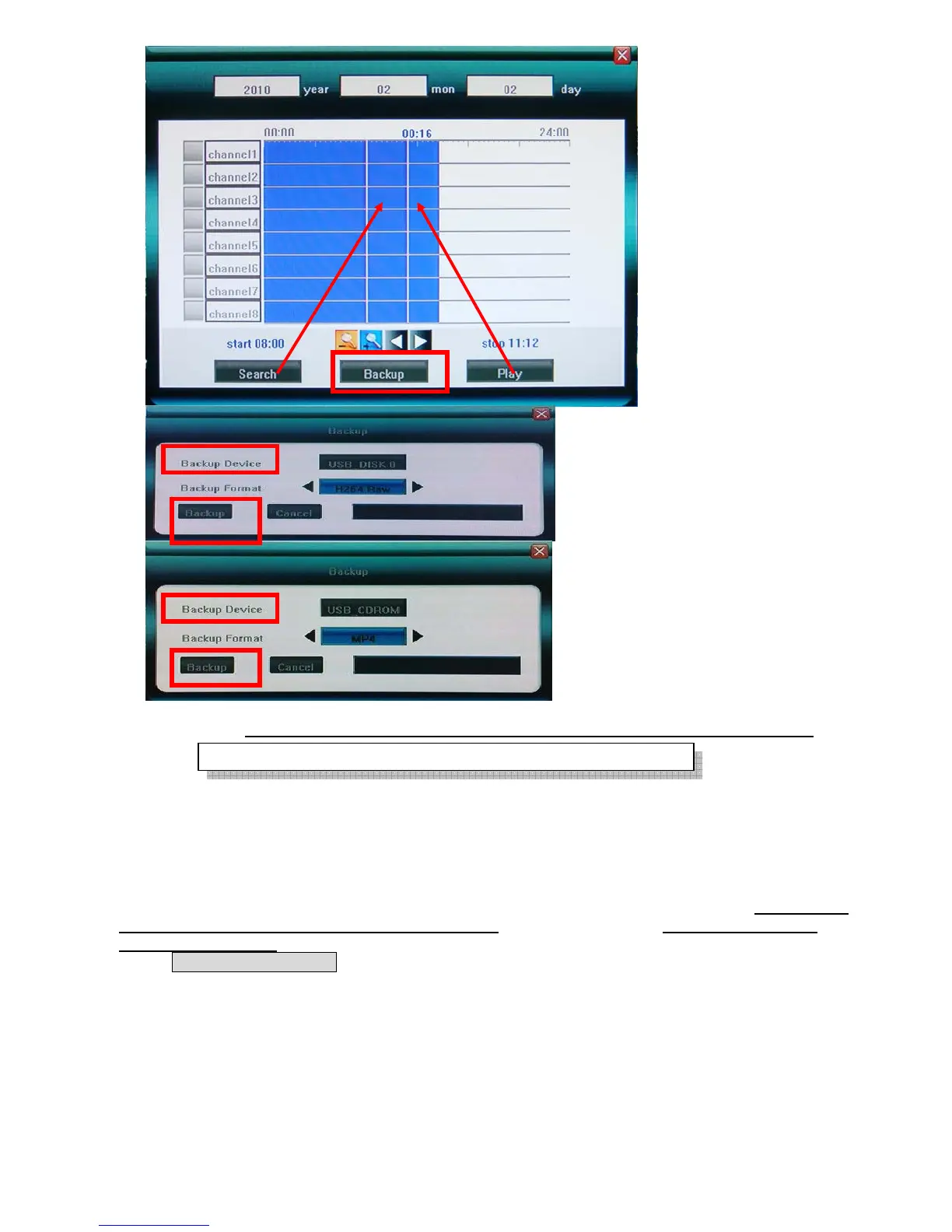
Click [Backup] to enter into the backup screen. System will detect all the backup devices available and
display them. Backup device can use USB flash drive, USB portable HDD and USB DVD Burner.
Please select the suitable device and record type according to requirement first, and click [Backup] to start save
audio/video. If there is no backup device found, a prompt tip will appear to remind users of connecting USB
device well.
The types of record video back up include H.264 Raw, MPEG4 and AV I for USB Flash Drive and portable
HDD(need external power supply), and only MPEG4 can be backed up for USB DVD Burner; when backup
in MPEG4 types, the special video decoder components WMP_MediaFilter.rar will also be backed up
together automatically. After it is decompressed and installed, the stored MPEG4 video files can be playback
only by Windows Media Player.
4.7 Play Backup Video on PC
For MPEG4 video format playback, you must install decoder component for Windows Media Player.
User can find the compressed files “WMP_MediaFilter.rar” inside the backup devices. Uncompressed the
“WMP_MediaFilter.rar” and execute “InstallFilter.bat” to install the decoder component, you can
Only support FAT32 file system



 To Next Page