- 50 -
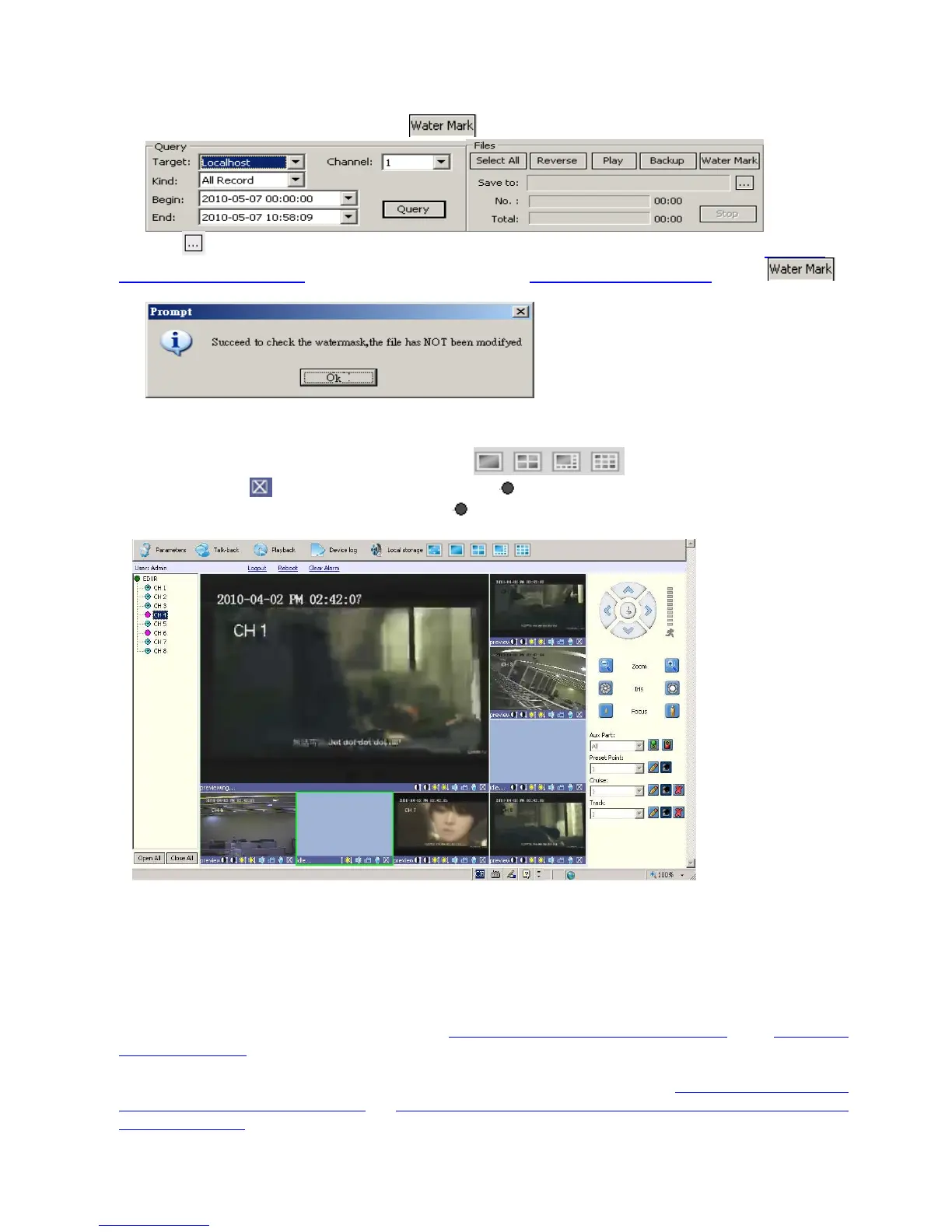
6.6.4 Water Mark Verification
All the record files for this DVR have watermark, but only MPEG4 format for verification. Select the “Local
host” from Target, you will find the find the
shown up in the files Windows:
, click the
, to select the MPEG4 file from your PC, which may comes from Network back up as Chapter
6.6.2 Download Video Files, or USB back up from local DVR(Chapter 4.6 Video Backup), Click
to verify it, then it will shown following if watermarked.
6.7 Channels allocation in Camera view window
When display some certain Camera view windows like , you can disable some channels
display by clicking
, and you can see it turns to be pink from camera list(left side), move the green
cursor to the fixed channel, and right click the pink
of the camera you want to display from the camera
list(left side):
7. 3G/3.5G Mobile Phone/PDA Support
Another state-of-the-art feature of this DVR device is transmitting live feed from the CCTV cameras to your
mobile phone, so that you can have an ‘on the go’ access to your surveillance system from virtually anywhere in
the world. Currently this feature is supported only for phones with the Windows Mobile, Nokia Symbian S60 3
rd/
and 5th Edition OS, Google Android, Black Berry OS 4.x and Apple iPhone 3G/3GS/iPhone 4/iPad.
To streaming from 3/3.5G mobile phone or PDA, you have to open the mobile port of DVR, the default setting is
7050, which may be changed, please refer to 5.5.5 PPPoE/DDNS(Net- Second Page]
or IE 6.5 Device
Parameters Settings
ServerÆNetwork setting, video system
For limited upload bandwidth of internet that DVRs connect, or limited streaming capability of some mobile
phone/PDA, you have to adjust bandwidth of DVR to internet, please refer to 5.3.8 Dual Streaming for
Network(Record- Advanced Setting) or 6.5 Device Parameters Settings - ChannelÆ Camera setting, Sub
Bitstream, Subcode (from IE) for more details



 To Next Page