- 40 -
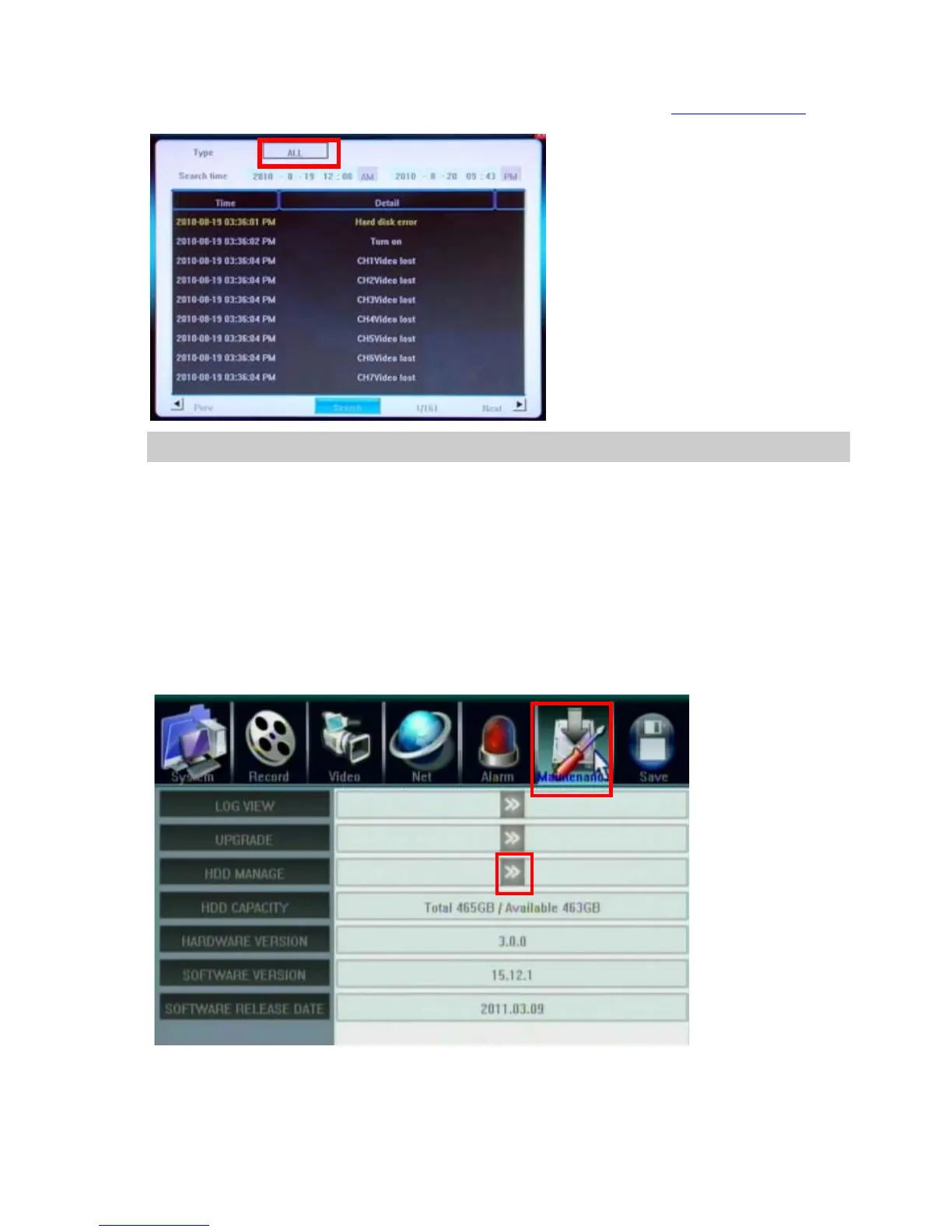
5.7.1 Log View
1. Select the type of log to be searched: All/ Operation/ Exception/ Alarm.
2. Select the time scope to be searched(it will display AM/PM if select correct Time Display format
)
3. Click Search to display the detail information of log.
Note: The maximum number of logs supported currently is 3000. The storage mode adopts overwrite mode: continuously overwrite
the oldest data when the database is full.
5.7.2 Software Upgrade
The upgrade modes supported now are USB & IE Remote Software:
USB:Please make sure the USB device is connected correctly and the upgrade applications have already being
copied into USB root directory. We suggest to use fresh USB Flash Disk for upgrade to prevent crash,
Please follow the prompts to operate. After accomplishing upgrade, press confirm button to restart.
5.7.3 HDD Manage
HDD must be formatted by DVR before start recording audio/video.
Click 〖>>〗to open sub window and format the HDD by DVR.
HDD information will display on the windows if DVR detection HDD correctly.
Click 【Formatting】to start HDD format.



 To Next Page