- 35 -
update.ods.org www.easydns.com
www.justlinux.com
www.dyns.cx
www.hn.org
www.zoneedit.com
members.3322.org members.3322.org(static)
members.dyndns.org members.dyndns.org(static)
www.EZ-IP.net
www.penguinpowered.com
members.dhs.org cgi.tzo.com
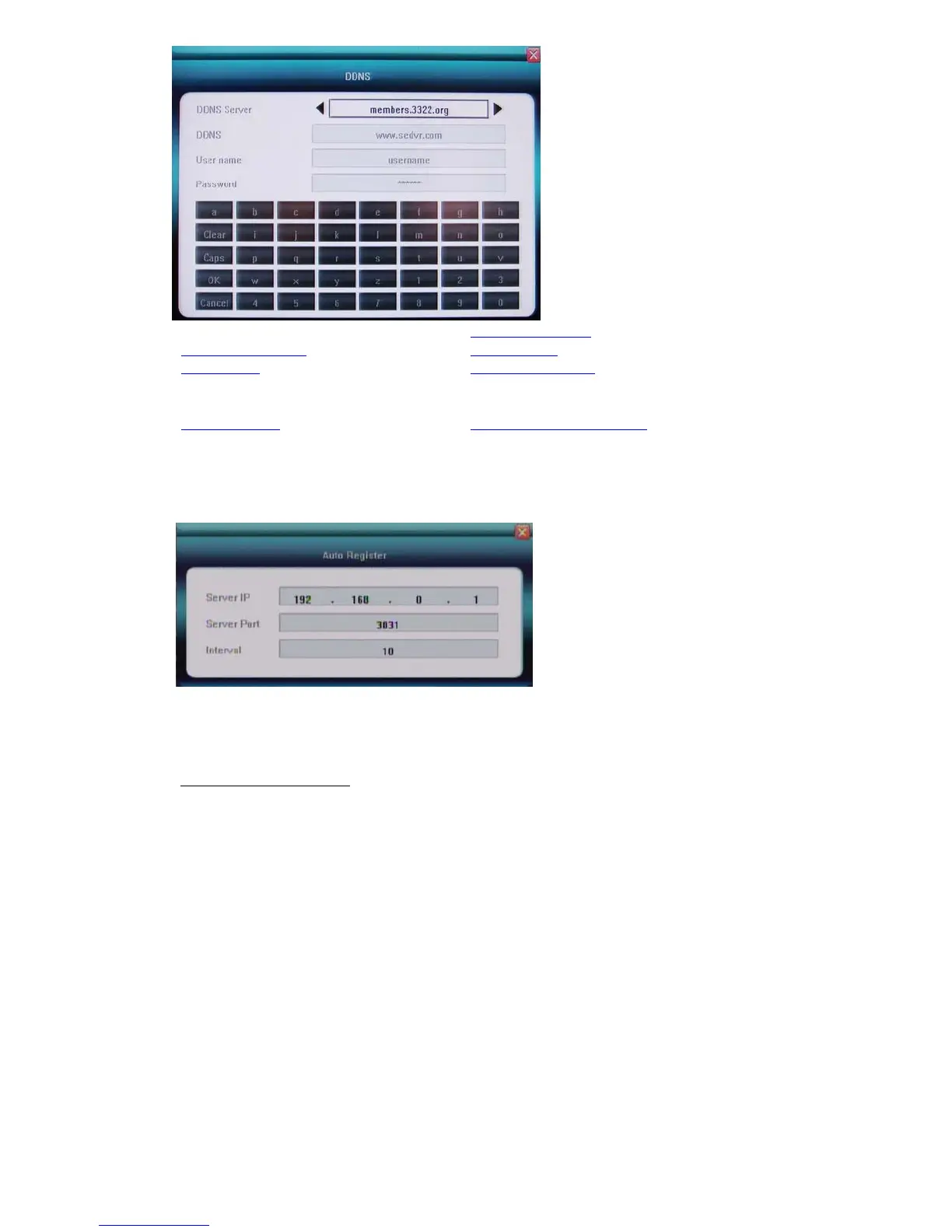
Auto Register
DVR can configure to automatically register to CMS, input CMS Server IP address, Server Port:
8003(default) and register time interval in seconds(register to CMS server if failed); it is not
necessary setup because you can add this DVR in CMS server manually.
File Sharing
Check to activate files sharing function, then able to visit video files in DVR HDD via network
neighborhood.
How to visit shared files:
Double click network neighborhood, input ftp://IP address, such as ftp://192.168.10.220 , to enter the
login page, type in the super authority “Admin” and password, the shared files can be accessible now,
click into folder of “videoout” to check video files
.
5.5.6 Email Server set up for Email notify
User can add multiple e-mail address of recipients for alarm, motion and video loss notification. Input
standard SMTP mail server IP address. Please make sure you have user account and password in
advance.



 To Next Page