- 34 -
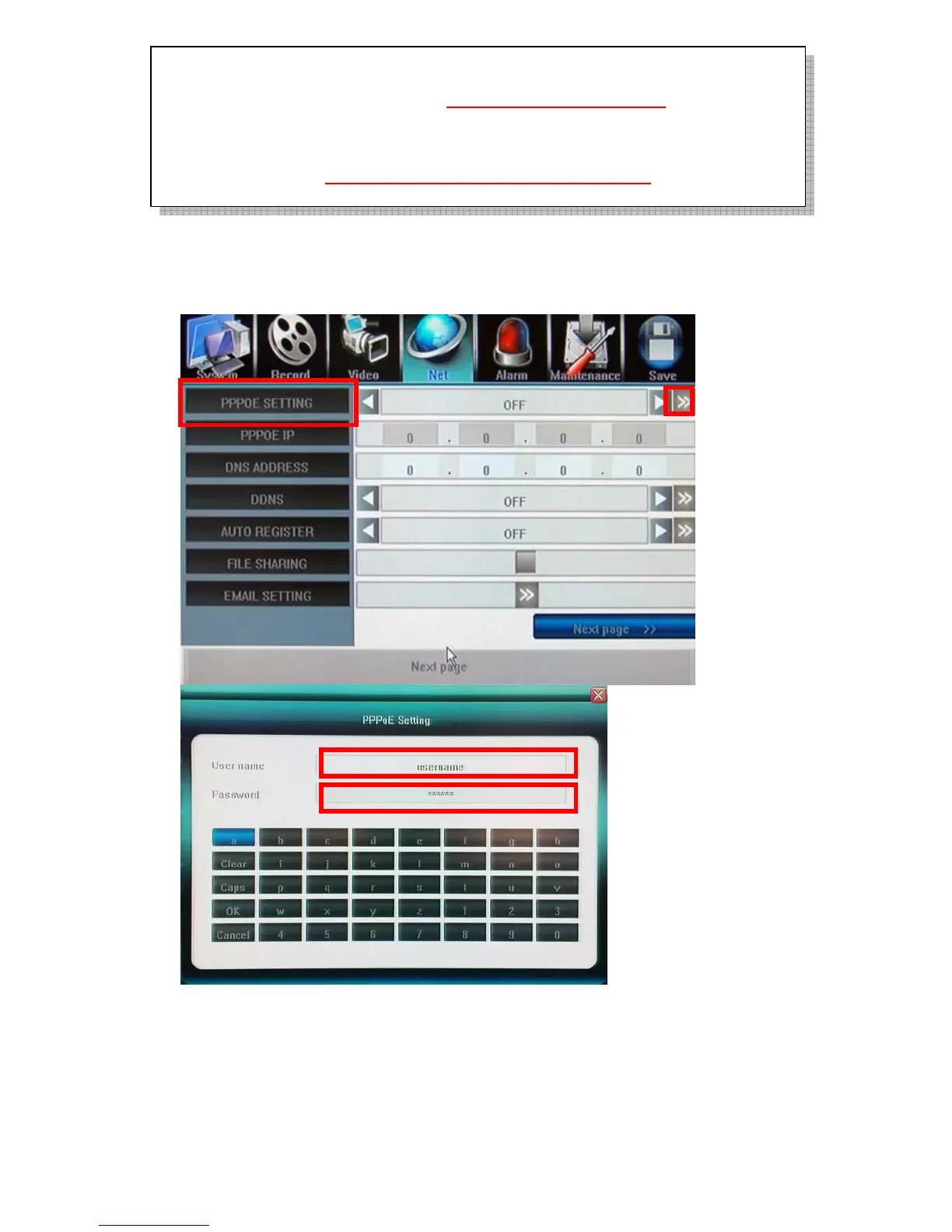
5.5.5 PPPoE/DDNS(Net- Second Page]
PPPoE Setting
Click 〖>>〗to open sub window and input ADSL account and password from Internet
Service Provider.
DDNS
Click 〖>>〗to open sub window and input DDNS account and password from DDNS Service
Provider. User must apply DDNS service account at first.
If DVR installed behind a Router to share a single public IP address. Be sure to configure
the “Port Forwarding” or “Virtual Server” for those three network port and Mobile
surveillance Port:7050; you may surf http://portforward.com
for more
information.
Http port:80, Command port:5050, Media port:6050 and mobile surveillance port:7050
must open/allow to upload to WAN interface if DVR installed behind a Firewall server; for
port no., please refer to http://www.iana.org/assignments/port-numbers
for more
information



 To Next Page