- 26 -
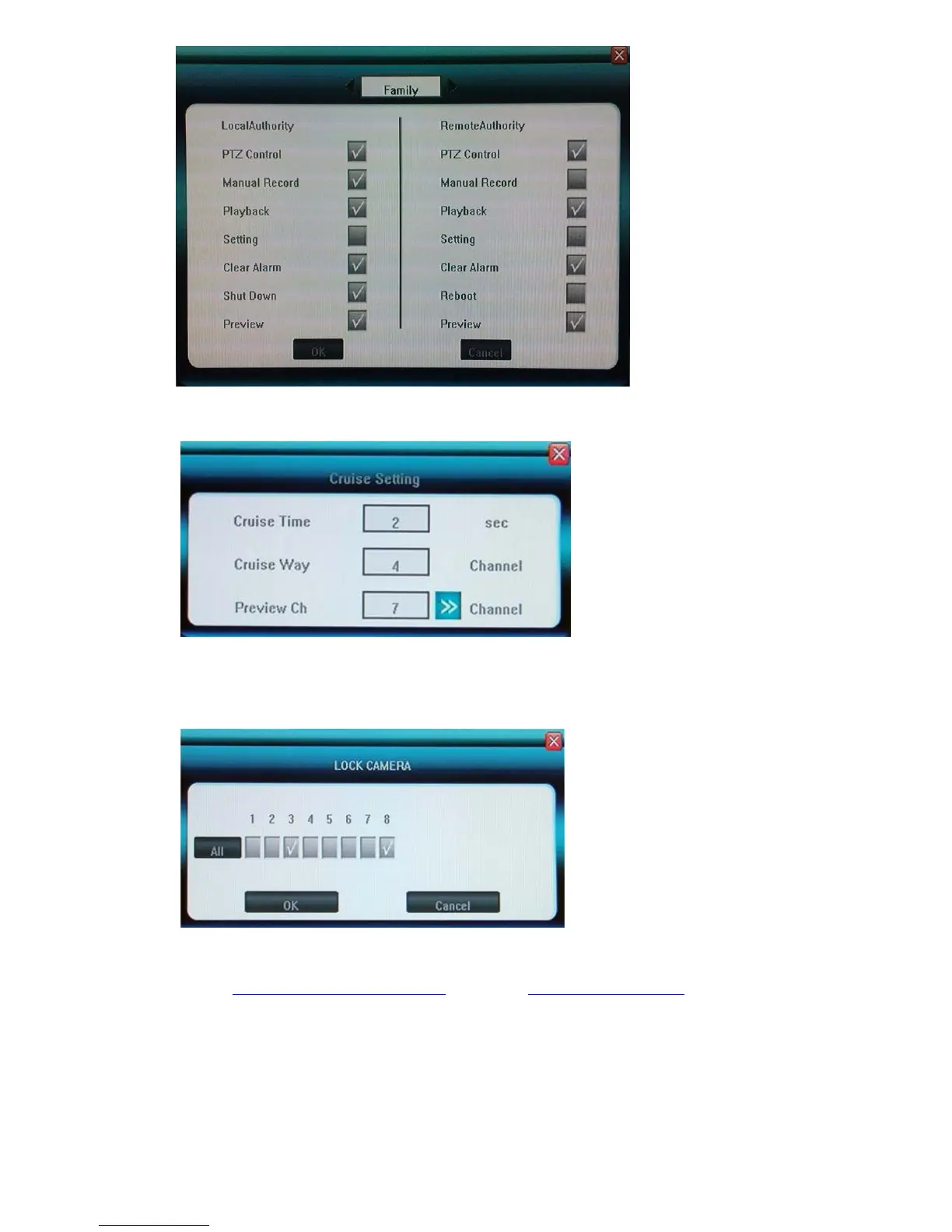
SEQ Display(Preview Cruise)
Set up the SEQ display (Cruise Way) for 4CH(1/4CH) and 8CH(1/4/9CH), and the time interval(Cruise
Way) in seconds between them, also choose the channels for Preview Cruise
DVR ID NUMBER
It is future growth, to set up the same ID number with RS422 Keyboard if you want to control DVR
from keyboard.
Lock Cameras(Cover Cameras)
Administrator [Admin] can cover cameras that user accounts cannot see locally and remotely.
5.2.9 Resource Management
Before set up the Chapter 5.3.4 Record Frame Rat and Chapter 5.3.7 Record Resolution for this DVR, you have
to assign the resource managements first as below : System -> Advanced Setting -> Resource Management



 To Next Page