- 36 -
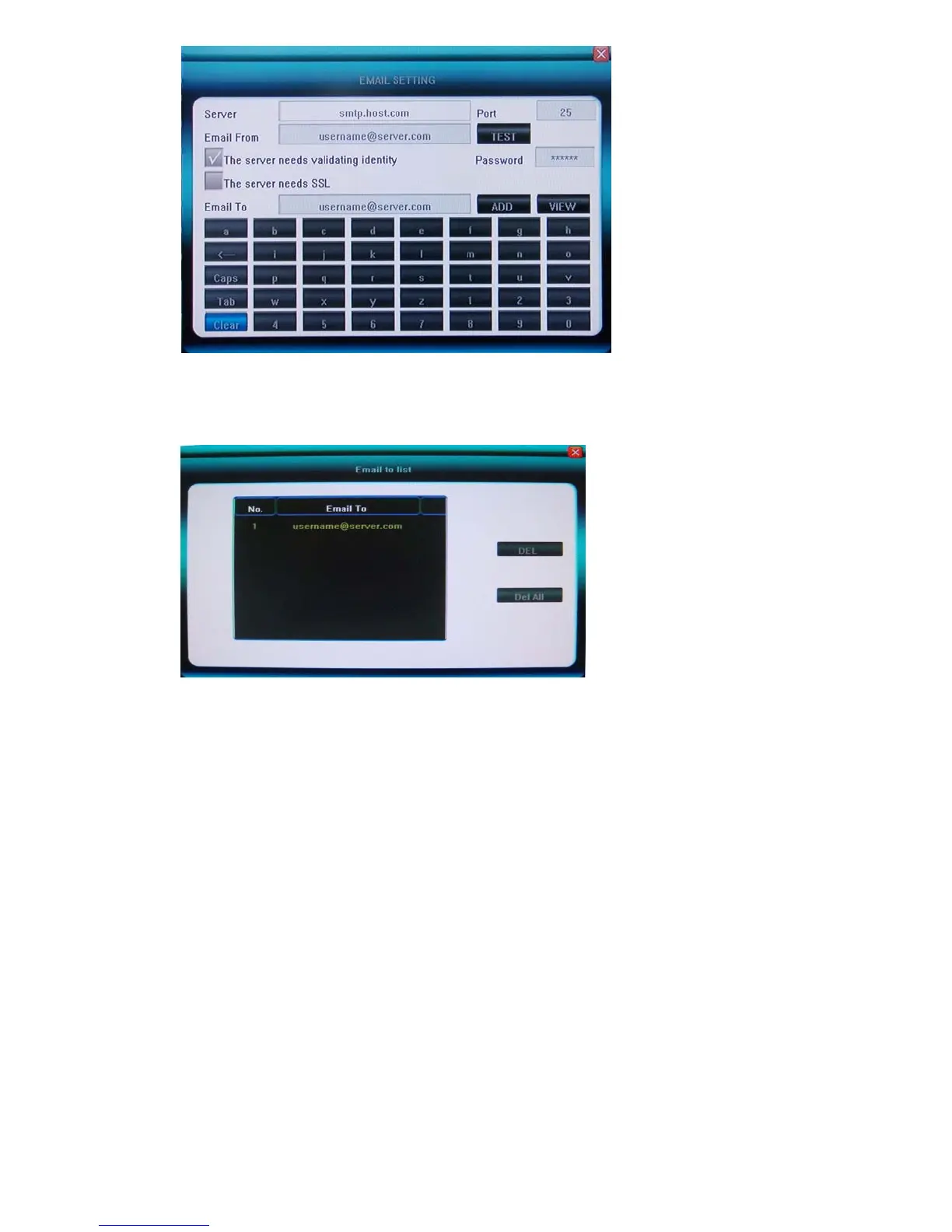
The Email To field indicates the recipients of alarm emails, and the Email From field indicates the
email account from which the message will be sent. You can input the Email To field and [ADD] it
into the list of recipients. You can [VIEW] the list of recipients in the Email to list, where you can
delete if no need any more. [SSL] option is necessary if you use Gmail.
You may use [ TEST] to test the Email to list while input, to make sure that they are communicated,
please remember the server information and Email From information must be corrected, and DVR
must be internet connected before [TEST]
5.5.7 UPnP and Mobile port(3 rd page in Net Setting)
Go to Net -> Next page -> Next page, you can see following
UPnP
Enable UPnP function if it connected UPnP router, no need to open the ports(port forwarding, port mapping)
inside the router, please note:
The UPnP function of the router connected must be enabled
The router must connect internet, not intranet
If still can not pass through the router, you may change the port no.(80, 6001, 6002, 6003)
and try again .



 To Next Page