- 33 -
Motion Detect Video Loss
Channel Name Setting – at most 16 characters, but only can display 11 characters
5.5 Net Setting
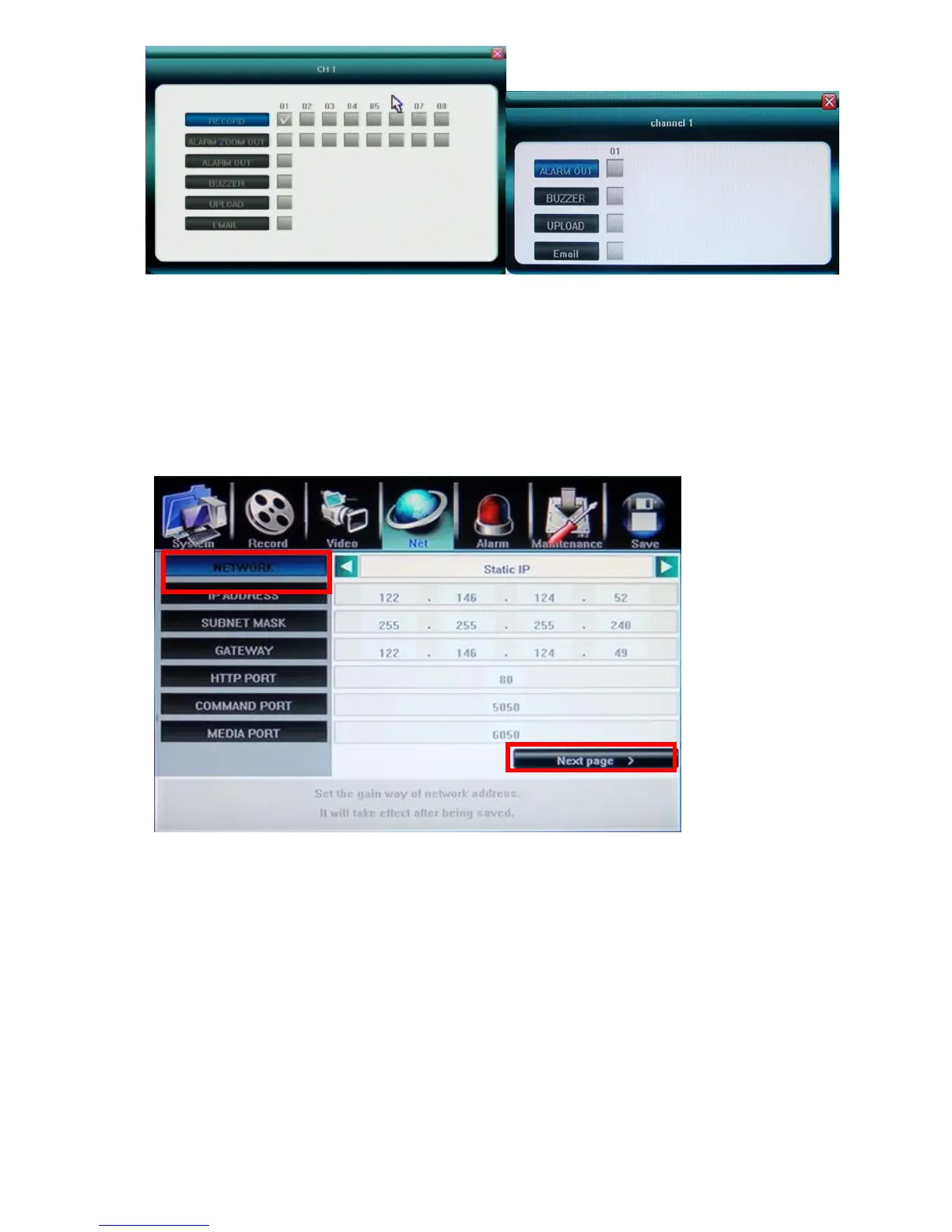
5.5.1 Network (Static IP/DHCP)
DVR support two methods to acquire IP address,
Automatic acquire IP address by DHCP client model.
Manual assign IP address by Static IP model.
PPPoE for ADSL dial-up network are supported, please click Next Page.
5.5.2 Http Port
By default is port:80, user can specify different port number.
5.5.3 Command Port
By default is port:5050, user can specify different port number.
5.5.4 Media Port
By default is port:6050, user can specify different port number.



 To Next Page