- 59 -
2.2 System Settings:
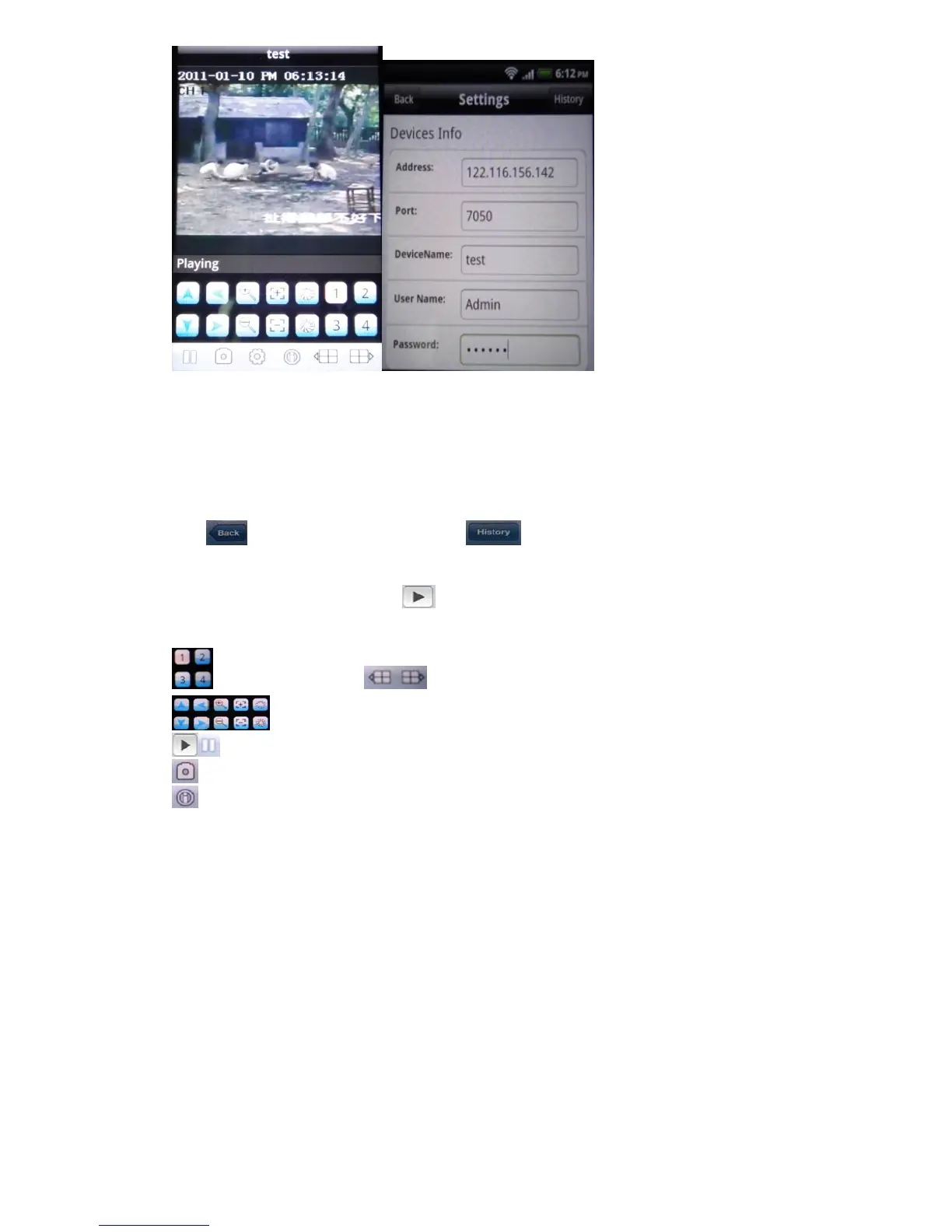
As the right photo for last page, you may set up the parameters as below:
Devices Info.:
Address: DVR IP address or DDNS
Port : Mobile Port [6003 by default]
DeviceName: Description of this DVR
User Name: Login User Name〖Admin〗by default
Password: Password [888888 by default]
Click
after setting to connect, or click to choose other DVR that ever connected.
2.3 The main display screen:
As the left photo for last page, click
icon to connect DVR immediately, after login DVR
successfully, user can watch the remote video from mobile phone; the other icon functions are as
follows:
switch channel,click to show another 4 channel list
Control PTZ camera direction, Zoom, Iris and Focus.
Play / Stop button
Picture Snapshot.
This software information



 To Next Page