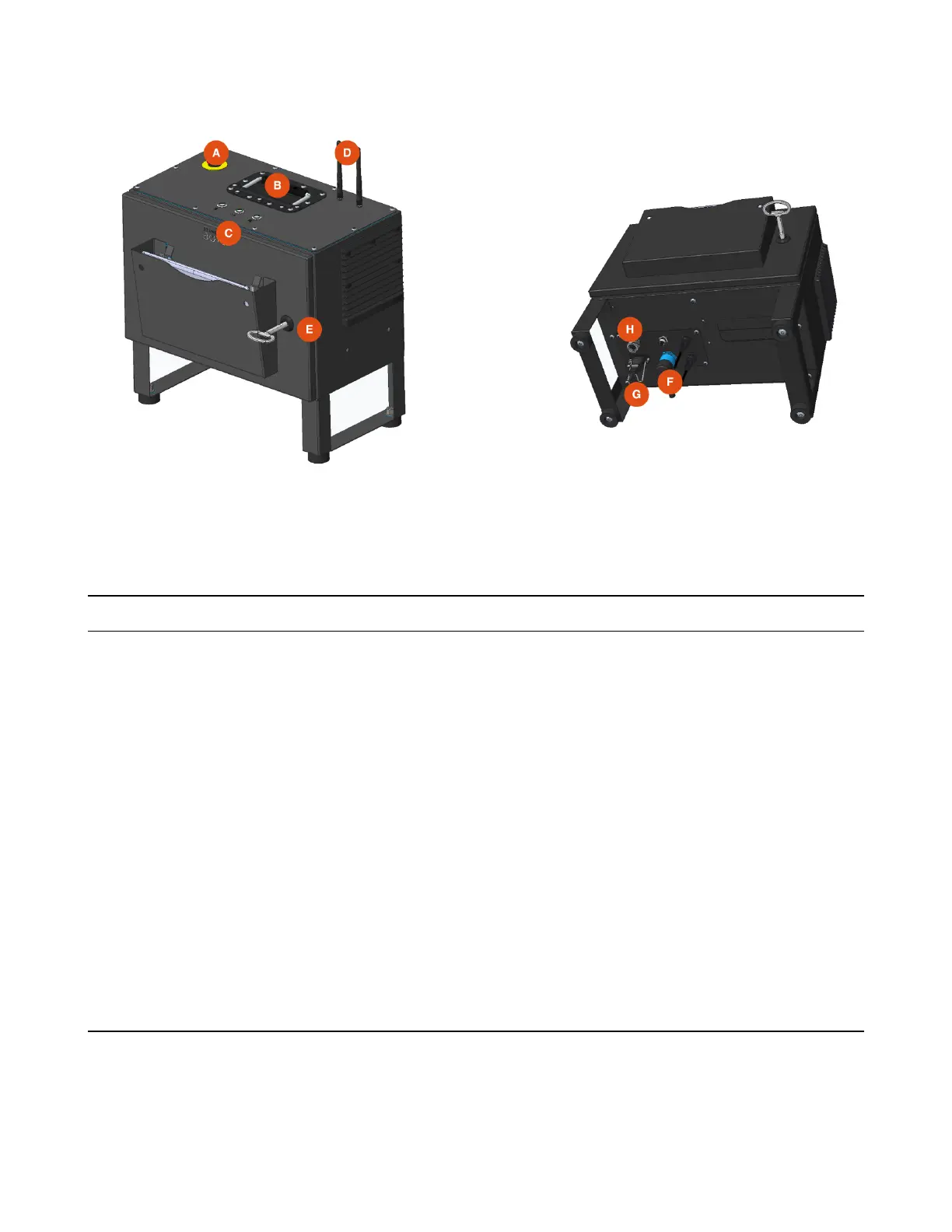
2.2 Control Box
There are several features to note on the control box:
Item Name Description
A E-Stop Pressing the E-stop button initiates an emergency (category 1)
stop, cutting power to the arm. Twist the button to reset it.
B Handle
C Button Controls Play, Pause, and Programmable button (unused)
D Bluetooth & Wi-Fi
Antennae
The R01 ships with two antennas that can be screwed into the
top to give the control box access to Bluetooth and Wi-Fi.
Bluetooth is used to pair the tablet.
E Lock & Key The RO1 includes a key that can be used to lock the control box
door.
F Arm data + power
connection
This links the control box to the arm. Power to the arm runs at
48V
G Power The control box accepts 120V through a power supply module
already certied to IEC 62368-1 and FCC EMI limits.
H Ethernet (RJ45) This can be used to communicate with other devices in the cell,
or to the tablet for programming.
10



 To Next Page