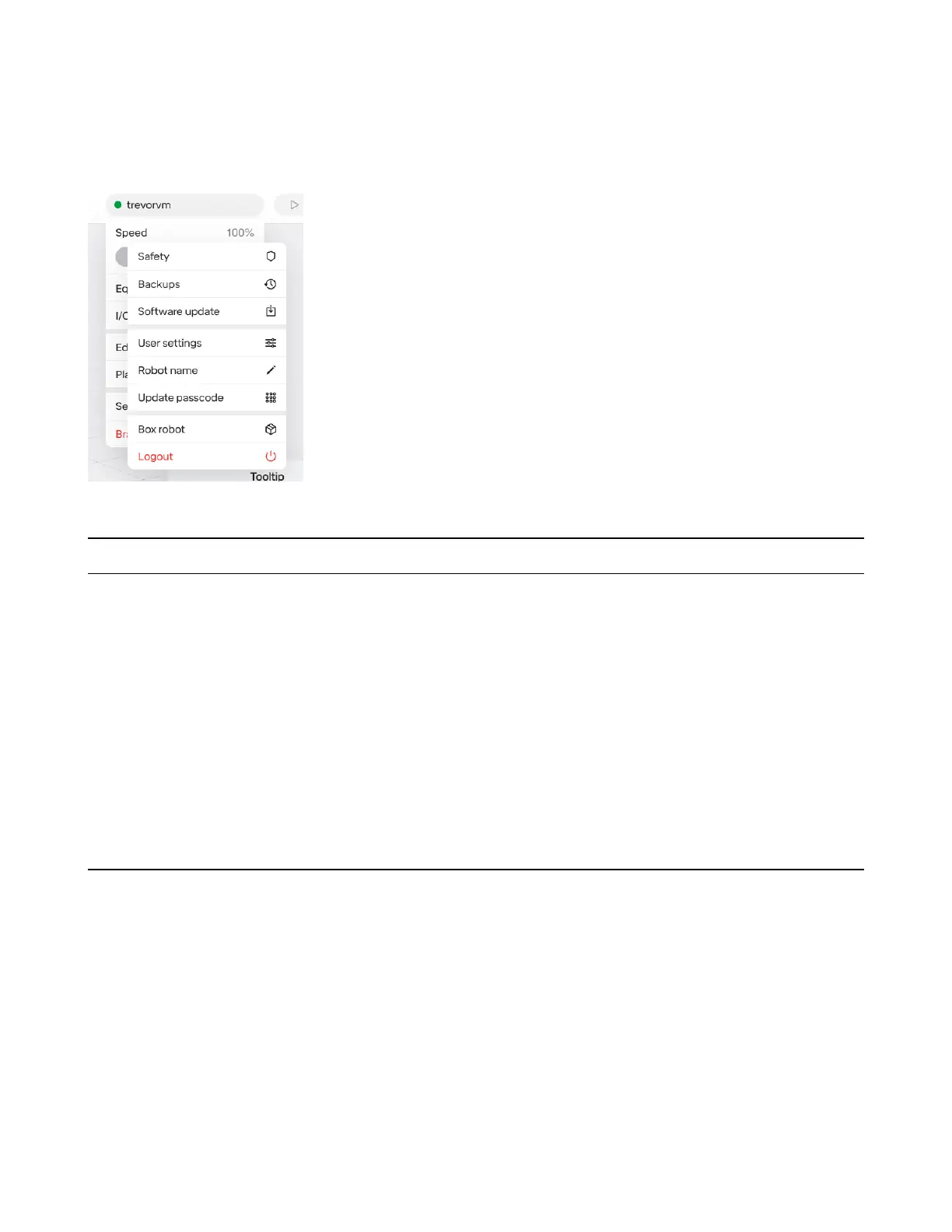
5.4 Robot Settings
Settings for the robot are accessed via the robot menu. User interface settings are accessed separately
via the hamburger menu.
The following options are available on the RO1:
Section Name Description
Safety Speed limits, conguration of safeguard devices connected to I/O ports, and
collision sensitivity settings
PIN Update the robot’s PIN
Robot Name Name displayed in UI to distinguish it from any other RO1s you may be using.
Software Update Allows checking for and installing any available software updates
Backups Allows making and restoring from backups via external disk connected to
USB
Interface Settings Allows switching between imperial and metric units for displaying lengths in
the UI
Box Robot Places robot into pose that allows it to t in Standard Bots’ provided foam
case in case it needs to be returned.
5.5 Singularities
A singularity is a conguration in which the robot end-eector becomes blocked in certain directions.
A robot is unable to maintain a constant velocity while passing one.
The RO1 handles this by never planning motion paths through singularities. If the robot is programmed
in a manner in which it will encounter a singularity, the UI will display a “Motion Planning Failed” error
and the robot will not attempt the movement.
/pagebreak
43



 To Next Page