2.5 Anti-Gravity Mode
The RO1 has functionality allowing the user to move the robot to a desired position by manually moving
the physical robot instead of jogging the robot with the pendant.
When Anti-Gravity mode is engaged, the robot will compensate for its own weight and set payload to
maintain its position without the brakes applied. Additionally, the robot will sense external feedback
from the user moving the robot and assist with moving in the desired direction. Provided the payload
is set correctly, the robot will move with minimal force applied by the user.
The procedure for using the anti-gravity mode is as follows:
1. Ensure you have the desired tooling connected to the robot.
2. Navigate to the Move Robot view on the user interface.
3. If the robot brakes are not currently applied, click the hexagon icon in the bottom right, then select
the “Brake Robot” button.
4. Set the payload to the current payload.
5. Save the payload.
6. Click “Unbrake Robot”.
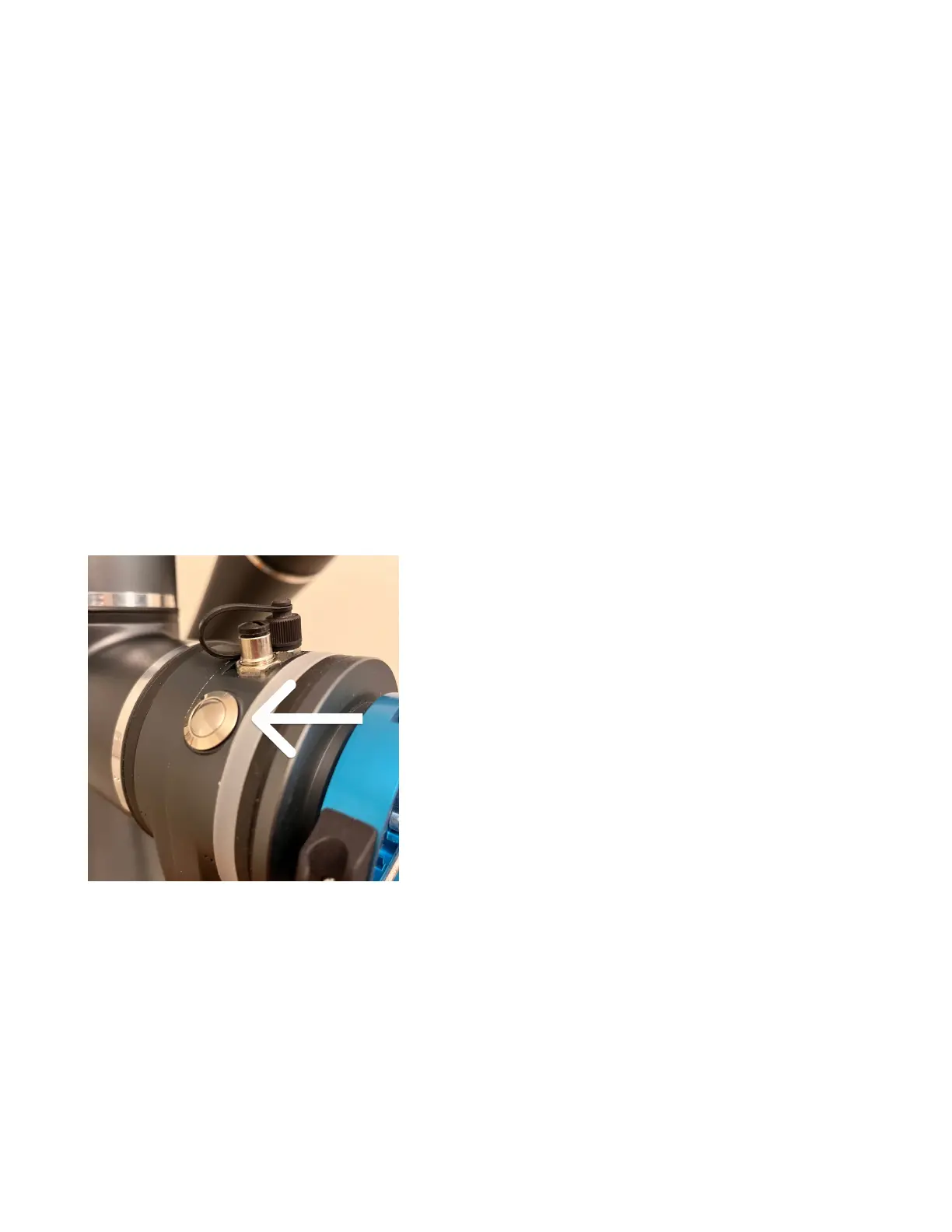
7. Depress the raised button on the end of the robot arm:
8. Gently manually maneuver the robot into the desired position while depressing the button.
9. In the “Move Robot” view, go to the Space area in the bottom left menu. The icon is a square.
10. Click the plus button to add a position.
11. Give the position a name.
12. Click “Set” to set the position to the current robot position.
The current robot position is now saved and ready to be used in the routine.
16



 To Next Page