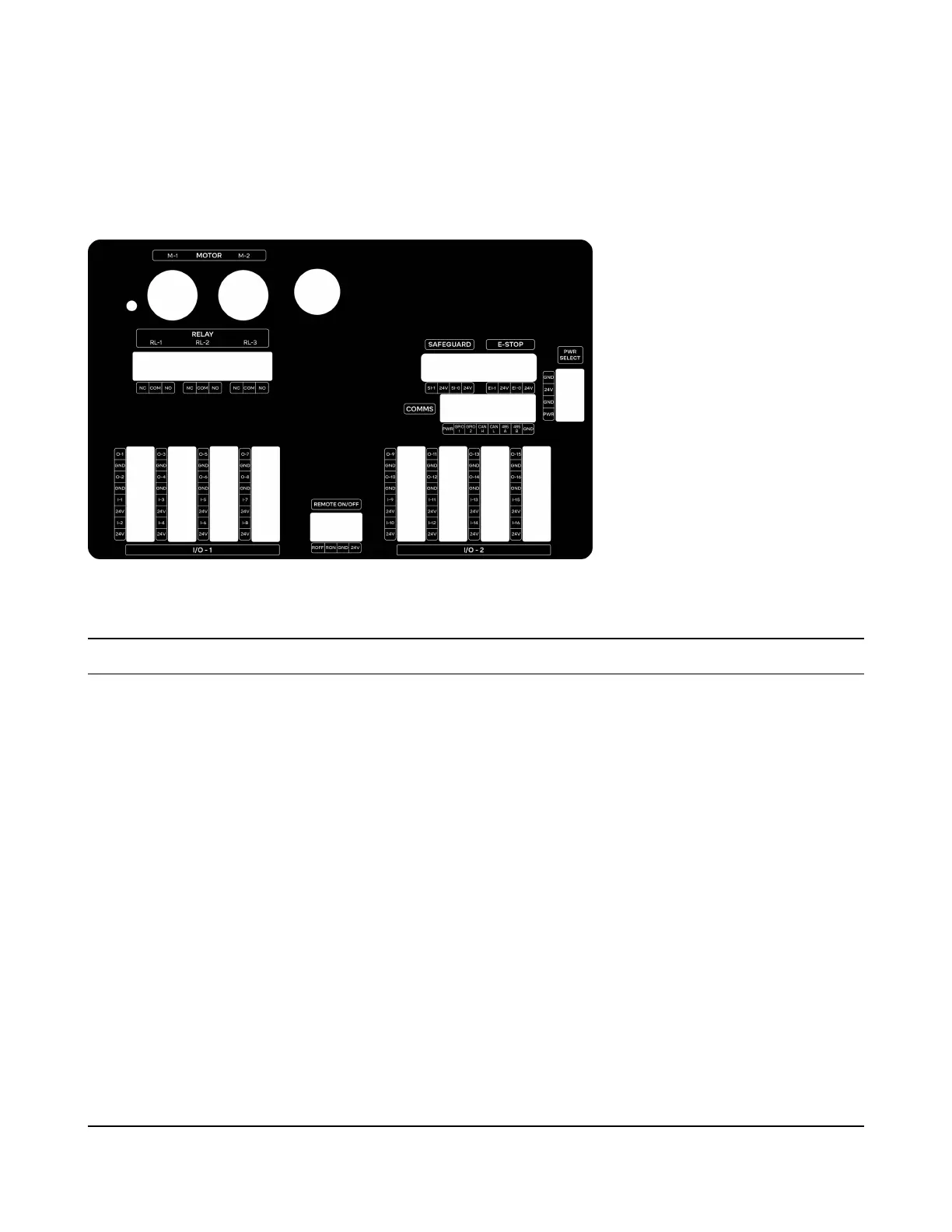
2.2.1 Front Panel
Inside the front panel are many ports that can be used to connect the robot to other equipment in the
cell:
Section Port Labels Description
I/O - 1 and 2 DI, 24V, GND This section includes 16 24V I/O ports which can be
used to control other equipment in the cell. They are
also safety-rated and can be used in pairs to activate
safety functions of the robot via the Safety I/O
feature.
Relay RL-1, RL-2, RL3 The relays can be closed to form a circuit and can be
used to control equipment in the cell.
Safeguard - Unsupported.
E-Stop - This can be hooked up to an external E-stop button.
When the input is low, it will force the robot to stop. If
no external E-stop button is in use, these ports should
have jumpers installed.
Motor: M-1, M-2 Unsupported.
Remote On/O ROFF, RON, GND, 24V Unsupported.
Comms PWR, GPIO 1+2, CAN H,
CAN L, 485 A, 485B
Unsupported. Future software will enable
communication with other equipment in cell over
serial ports.
11



 To Next Page