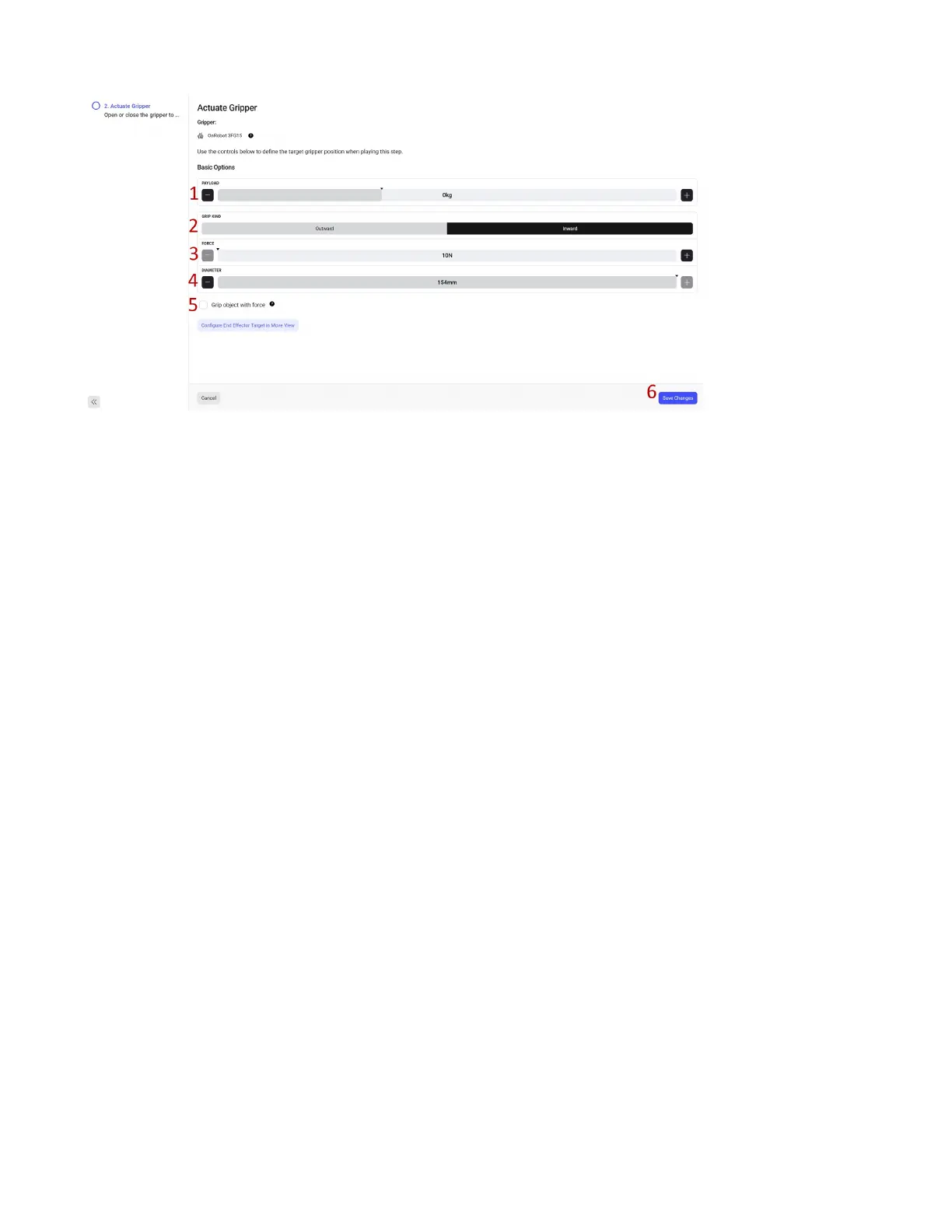
1. Set the PAYLOAD for this step. In our case 0 kg as we are opening.
2. Set the GRIP KIND. We will use an inward grasp (moving the ngers in to close on the outside of a
part).
3. Set the FORCE to grip with. We will leave at 10 as we are opening.
4. Set the DIAMETER, since we are opening, we will set it wide open.
5. If we want to close the tool with some force select the Grip object with force checkbox. Since we
are opening we will leave unchecked.
6. Click Save Changes.
58



 To Next Page