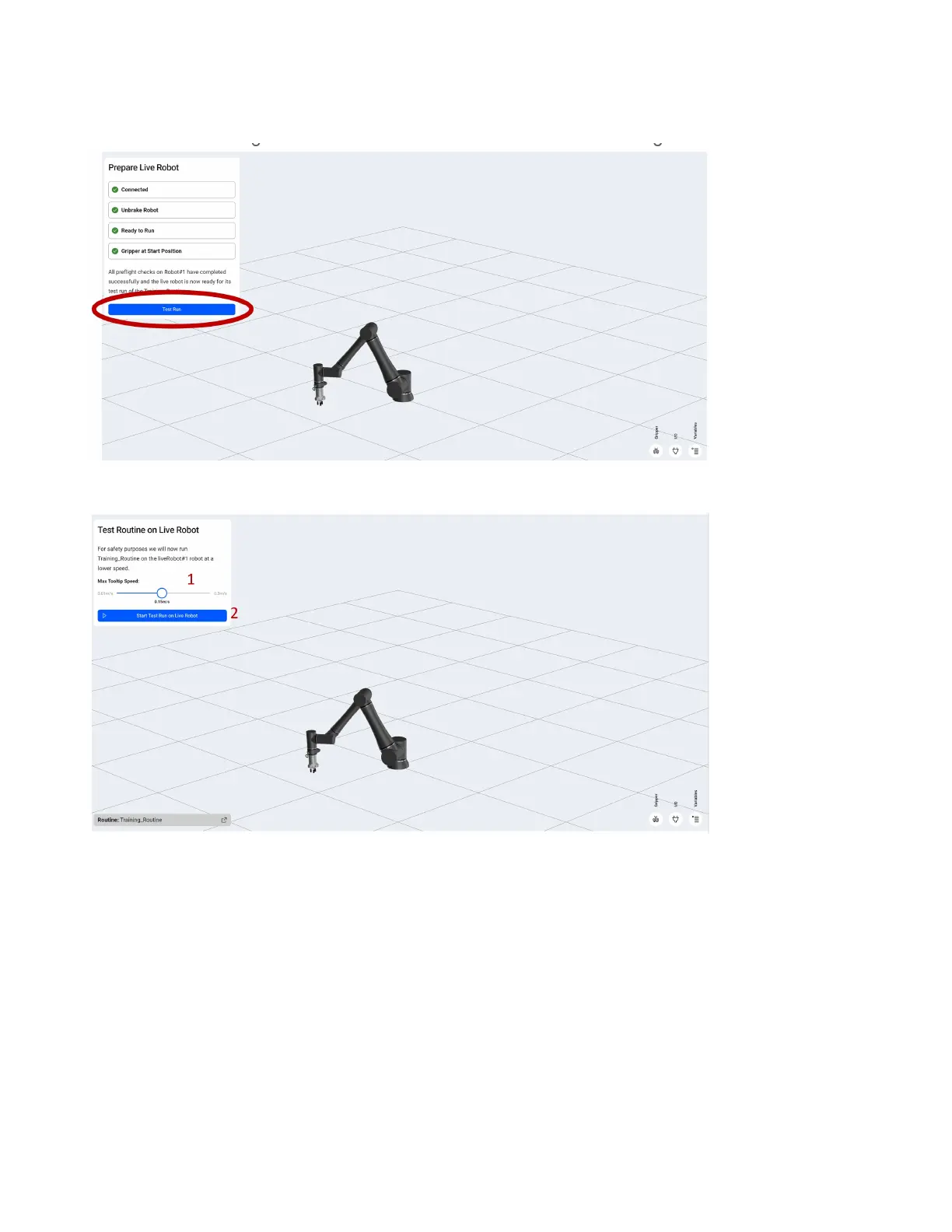
Ensure the tool is in an acceptable position based on the start of your program. In our case we start by
opening, so ensure the gripper is empty if you don’t want to drop the product.
Click the blue Test Run button.
1.Select the maximum speed you want the end of the arm to move for the initial run by setting Max
Tooltip Speed.
2.Click the Start Test Run on Live Robot button.
71



 To Next Page