- 12 -- 12 -
3
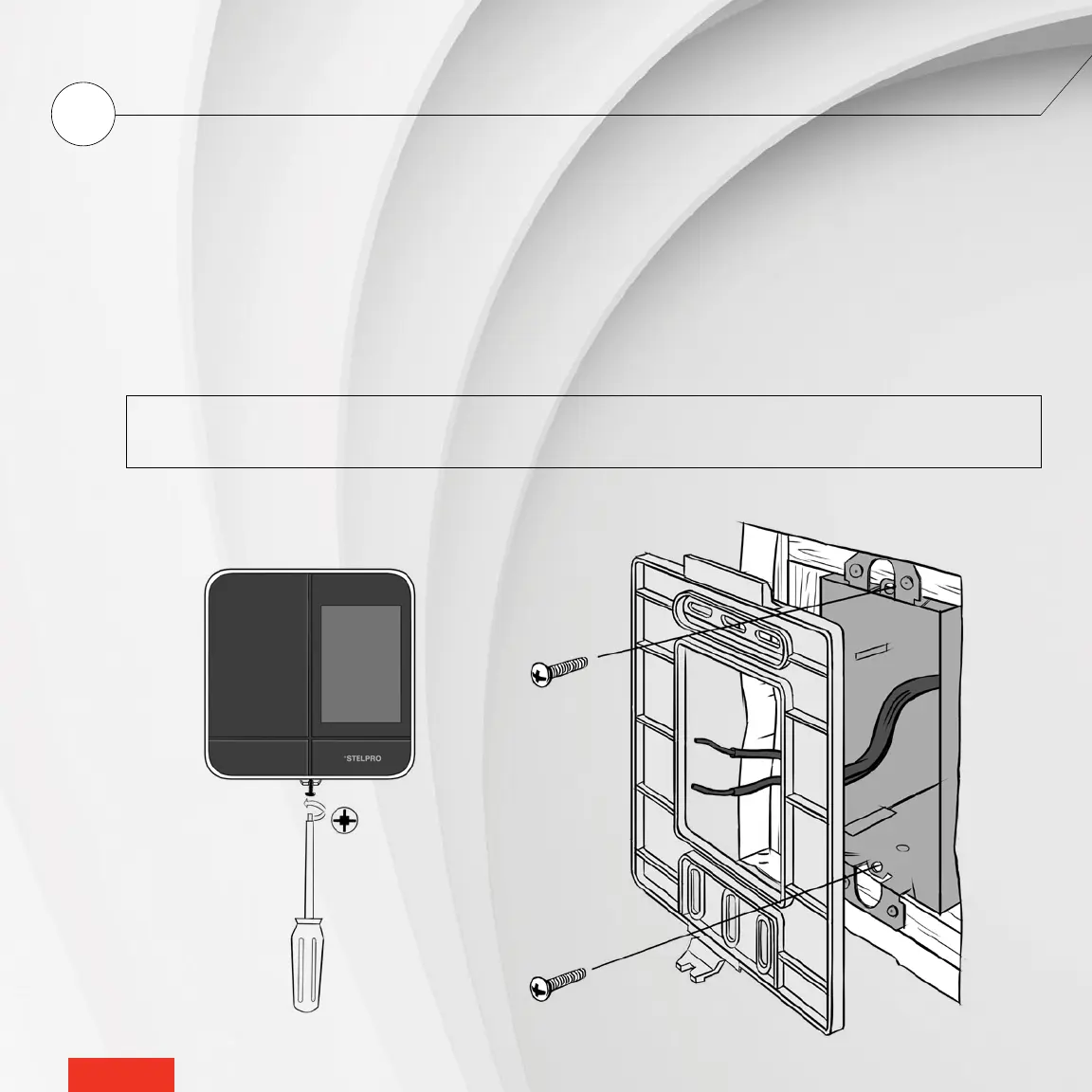
SECURE THE MAESTRO CONTROLLER • THERMOSTAT MOUNTING PLATE
Secure the MAESTRO controller
•
thermostat mounting plate to the electrical box using the screws supplied.
1 - Loosen the screw at the base of the MAESTRO controller
•
thermostat, without completely removing it, until the control-
ler
•
thermostat and the mounting plate are no longer holding together.
2 - Slide the mounting plate downward and then pull on it to separate it from the controller
•
thermostat.
3 - Using the mounting screws supplied (2), secure the MAESTRO controller
•
thermostat mounting plate to the electrical
box. Ensure the plate is perfectly straight so that the controller
•
thermostat is also straight.
4 - Pass the power supply wires through the large opening at the centre of the mounting plate.
NOTE: You can position the mounting plate either to the left, in the centre or to the right of the electrical box,
according to your needs. (See image below).



 To Next Page