- 21 -- 21 -
Without the MAESTRO app
The thermostat can be connected to the controller
•
thermostat even if the controller
•
thermostat is not linked to a Wi-Fi
network.
1 - On the controller
•
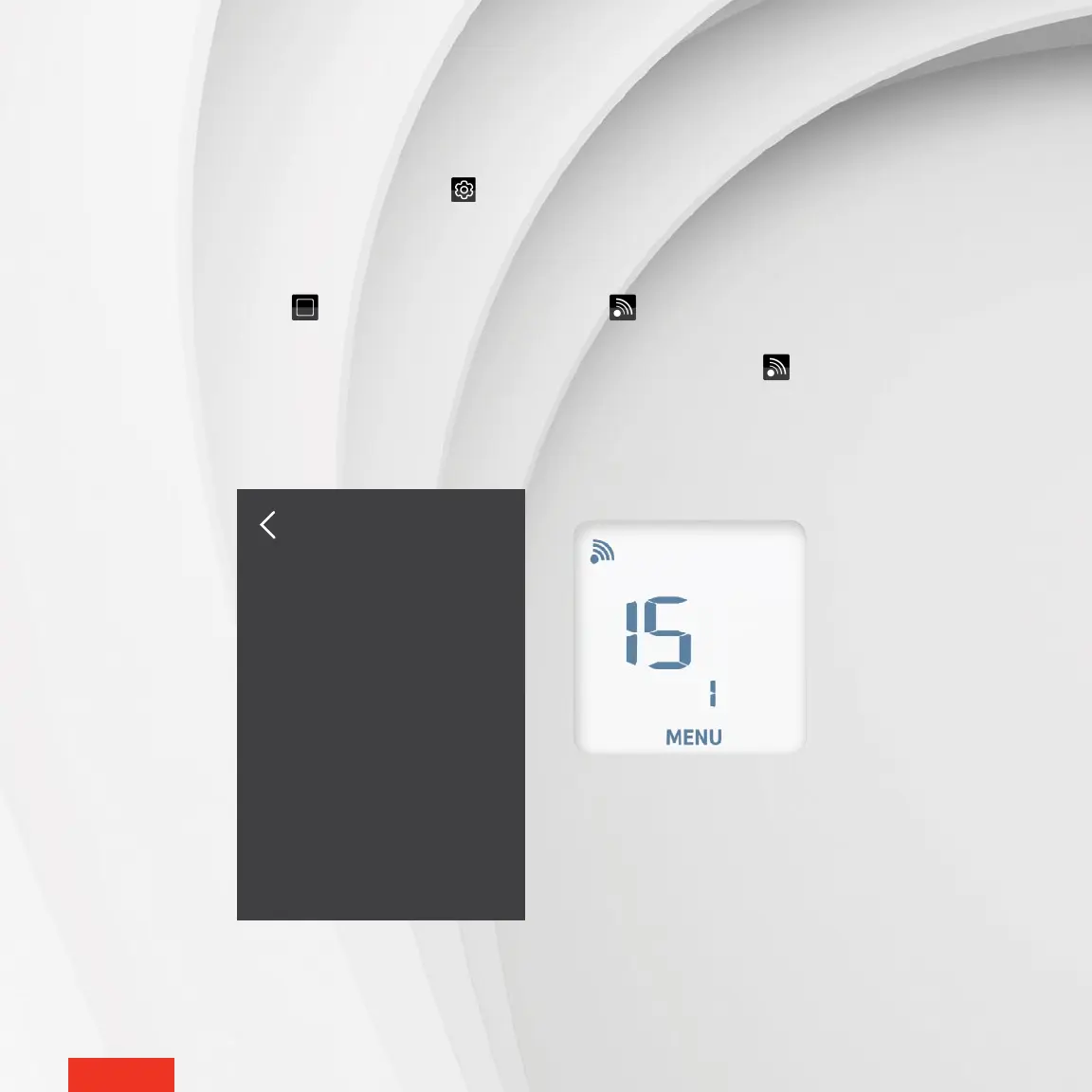
thermostat, access SETTINGS > ZIGBEE SETUP > ADD A NEW THERMOSTAT. The screen ADD A NEW
THERMOSTAT on the controller
•
thermostat will display the Zigbee channel being used.
2 - On the thermostat, access menu 1 and select the channel displayed by the controller
•
thermostat. You can also use the auto-
connect option (ON), but the connection may take more time.
3 - On the thermostat, tap the button to conrm the selection. The icon will blink rapidly while the thermostat searches
for the channel. The Zigbee channel will display them when the connection is established.
When the thermostat is connected to the controller
•
thermostat’s Zigbee network, the icon will appear on the home
screen.
If the thermostat does not detect a Zigbee network, an "Err" message will appear on the thermostat.
Put new thermostat
in pairing mode
on channel : 15
ADD A NEW
THERMOSTAT



 To Next Page