- 28 -- 28 -
TEMPORARILY MODIFYING THE SETPOINT TEMPERATURE
OF A GROUP OF THERMOSTATS
The purpose of groups is to link together several thermostats so that their temperature can be controlled simultaneously. For
example, you could create a group for all the thermostats in your home’s shared living spaces and another for those in the
bedrooms.
After creating a group with the MAESTRO app, you can then temporarily modify the setpoint temperature from the
controller
•
thermostat. This temperature will be applied until the status of the home changes or until an activity associated
with this group begins. The MAESTRO system will support a maximum of 8 groups.
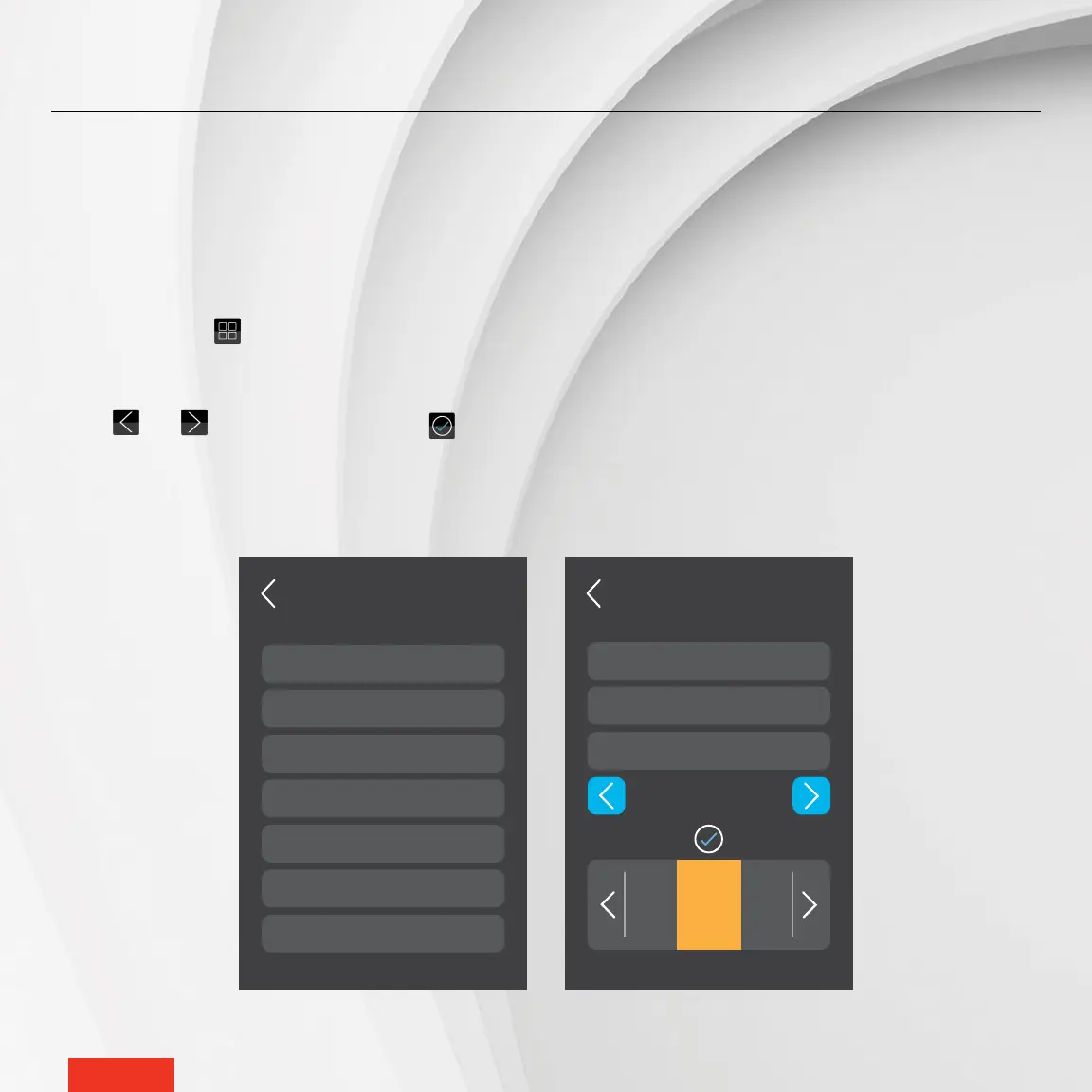
1 - Access GROUPS .
2 - Tap the group you want to modify. The group’s screen will display the list of thermostats associated with it and the dened
setpoint.
3 - Use and to adjust the setpoint. The icon will display to conrm the selection.
You must use the MAESTRO app to perform any other operation with the groups (create or delete groups, add a thermostat
to a group, remove a thermostat from a group, etc.).
72
74
75
66
63
Living spaces
Bedrooms
Bathrooms
Basement
Gym
Garage 50
57Cellar
GROUPS
GROUP SETPOINT
THERMOSTATS AMBIENT TEMP.
72
74
75
Kitchen
Living room
Dining room
Living spaces
SETPOINT
74 7573



 To Next Page