5-25
Operating Instructions Operator Manual 10083002
5.12.3 Guidelines for
Maximizing Video Image
Observe the following guidelines to aid in maximizing video imaging
effectiveness:
• Energize the light at medium setting on the control center and
position the lighthead approximately 39" (1000 mm) from the
surgical site.
• At the control center, zoom in or out (< or >) until the desired
image fills the viewing screen of the monitor.
NOTE: Zooming completely out causes image distortion within the
illuminated area.
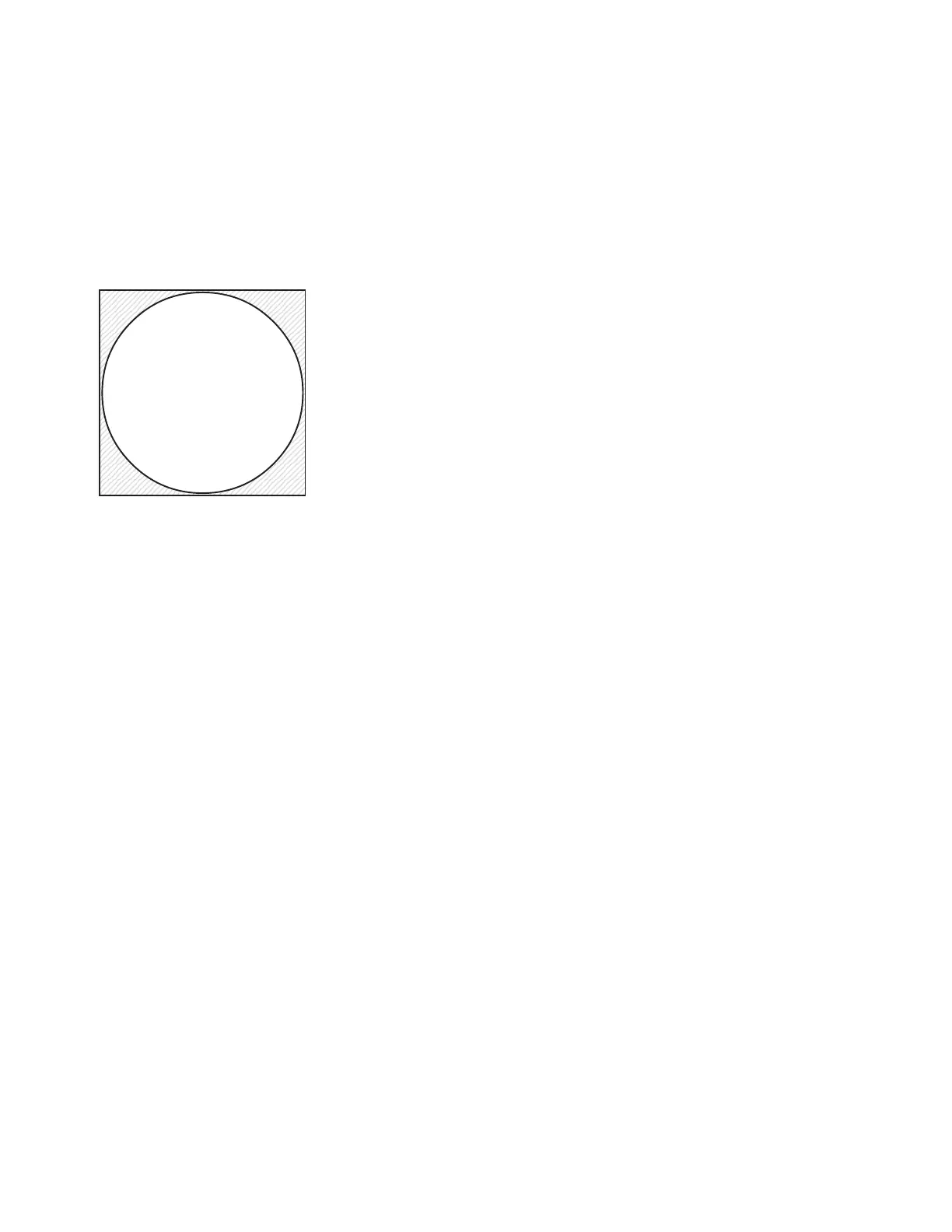
If the light pattern (white circle) does not fill the monitor’s screen
(shaded square), the image inside the pattern may be distorted.
Reposition the camera to orient the focal point (center of the desired
image) at the center of the viewing screen.
Adjust zoom and rotation as needed:
•The SD camera may be zoomed to the full 40x zoom (10x
optical, 4x digital) and rotation orientation adjusted as needed.
•The HD camera may be zoomed to the full 120x zoom (10x
optical, 12x digital) and rotation orientation adjusted as needed.
• Clockwise and/or counterclockwise orientation is adjusted by
using the curved arrow(s) on the hand-held control, the control
center or the optional foot control.
5.12.4 Engage Manual Focus As instruments are introduced to and removed from the surgical
field, the auto focus attempts to focus on the nearest object, possibly
causing the image to blur intermittently. To prevent this effect, once
the camera has been positioned and focused onto the surgical site,
the manual focus mode may be engaged to maintain image clarity
during the procedure.
For deep cavity illumination, it may be necessary to engage the
manual focus to focus beyond the nearest object (i.e., the surface
area surrounding the incision) so that the desired image can be
viewed clearly.
Position Light Pattern in Center of Video
Image to Avoid Distortion
1234567890123456789012345678901212345678
1
23456789012345678901234567890121234567
23456789012345678901234567890121234567
23456789012345678901234567890121234567
23456789012345678901234567890121234567
23456789012345678901234567890121234567
23456789012345678901234567890121234567
23456789012345678901234567890121234567
23456789012345678901234567890121234567
23456789012345678901234567890121234567
23456789012345678901234567890121234567
23456789012345678901234567890121234567
23456789012345678901234567890121234567
23456789012345678901234567890121234567
23456789012345678901234567890121234567
23456789012345678901234567890121234567
23456789012345678901234567890121234567
23456789012345678901234567890121234567
23456789012345678901234567890121234567
23456789012345678901234567890121234567
23456789012345678901234567890121234567
23456789012345678901234567890121234567
23456789012345678901234567890121234567
23456789012345678901234567890121234567
23456789012345678901234567890121234567
23456789012345678901234567890121234567
23456789012345678901234567890121234567
23456789012345678901234567890121234567
23456789012345678901234567890121234567
23456789012345678901234567890121234567
23456789012345678901234567890121234567
23456789012345678901234567890121234567
23456789012345678901234567890121234567
23456789012345678901234567890121234567
23456789012345678901234567890121234567
23456789012345678901234567890121234567
23456789012345678901234567890121234567
23456789012345678901234567890121234567
23456789012345678901234567890121234567
8
1234567890123456789012345678901212345678











 To Next Page