5-27
Operating Instructions Operator Manual 10083002
NOTE: LED ambient lights configured with LED light engines can be
provided with either green or white lights depending on the option
ordered.
5.14.2 Configuring and Using
the Ambient Light
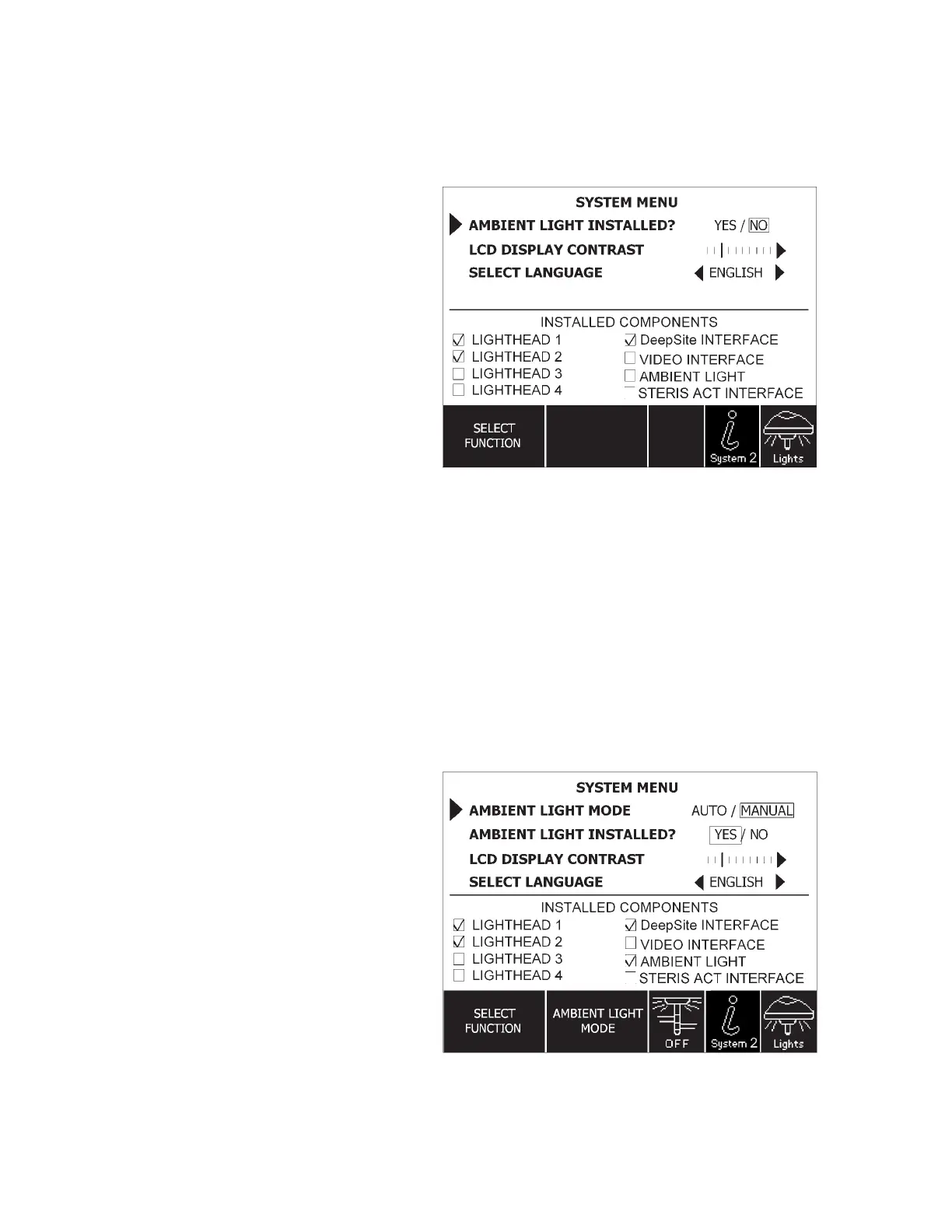
Once the ambient light fixture has been installed, it must be
configured for use with the lighting system. Refer to Figure 5-20.
1. Access the system menu by pressing the system menu button
on the control center.
2. Select “Ambient Light Installed?” and change to “Yes.”
• “Ambient Light Mode” selection should appear on the
system menu screen.
• Check mark should appear in the check box next to
“Ambient Light,” under “Installed Components” (near the
bottom of the system menu).
Figure 5-20. System Menu
Figure 5-21. Configure Ambient Light











 To Next Page