5-29
Operating Instructions Operator Manual 10083002
5.15 ACT Enabled
System
The Harmony Lighting System can be configured to operate using
voice activated controls or touch-panel displays. The STERIS-
provided portion of this system is an interface point between
Harmony system and the operating room control system. Refer to the
operating manual and technical specifications provided with the
Operating Room Control System (ORCS) for specific details.
NOTE: The lighting system must be ON when operating with
Operating Room Control System (ORCS).
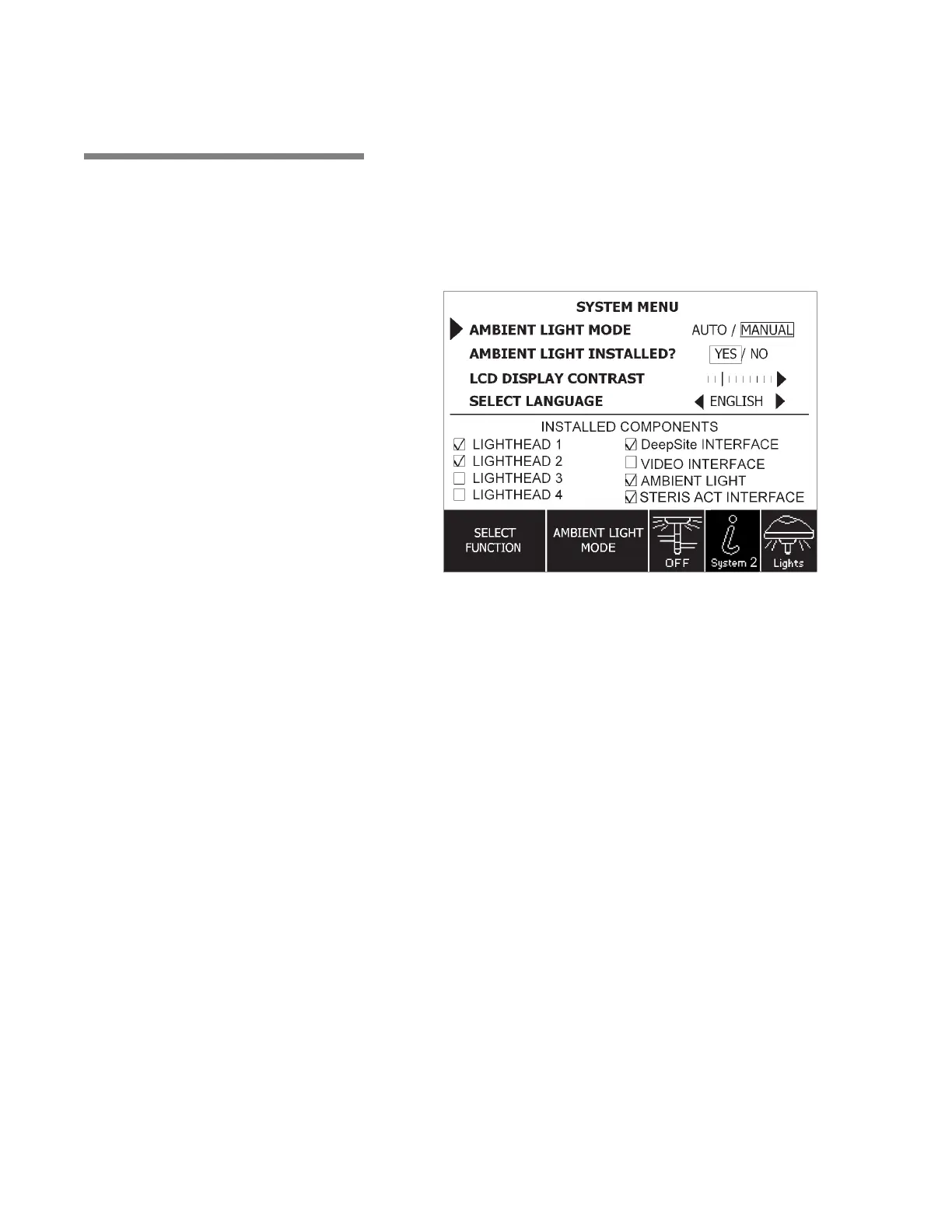
Verify system with STERIS ACT Interface configuration as follows:
1. Access the System Menu by pressing the System Menu button
on the control center. Refer to Figure 5-22.
2. “STERIS ACT INTERFACE” selection should appear on the
System Menu screen.
• Check mark should appear in the check box next to “STERIS
ACT INTERFACE,” under “Installed Components” (at the
bottom of the System Menu).
Figure 5-22. Activate ACT Enabled System











 To Next Page