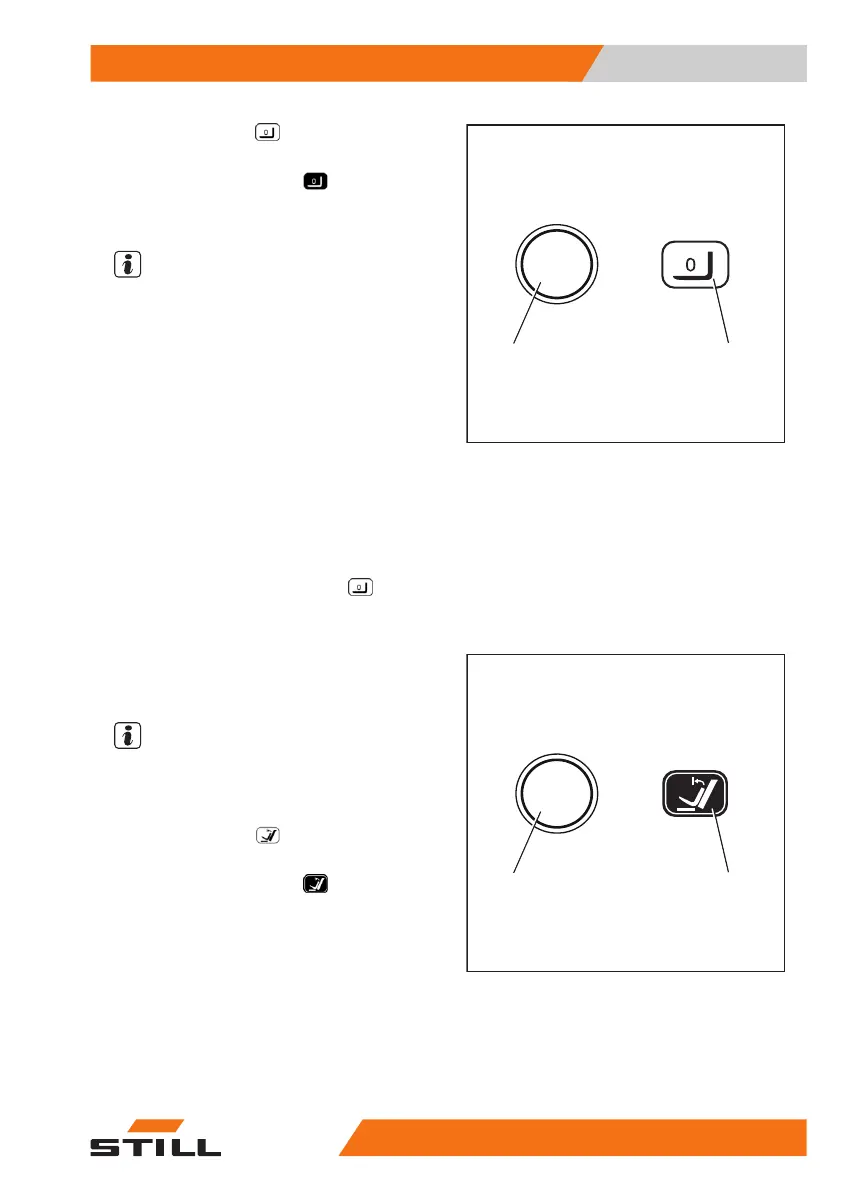
– Press the Softkey (1).
The zero adjustment of the load measurement
is switched on. The symbol
is displayed.
The message
LOWER FORKS
appears on the
display.
NOTE
During the following process, the fork carriage
must be lowered slightly and then stopped
abruptly. While doing so, the fork must not
touch the ground, otherwise the zero adjust-
ment will not be accurate. To stop the lowering
procedure quickly, release the operating de-
vice for lowering so that it jumps into the zero
position.
– Lower the fork carriage slightly and release
the operating device.
When the zero adjustment has been carried
out correctly, the value "0 kg" appears on the
display.
– The zero adjustment of the load measure-
ment is completed. The symbol
(2) is
displayed.
Checking the vertical lift mast posi-
tion (variant) for correct function
NOTE
The function check of the lift mast vertical po-
sition (variant) must be carried out every time
a truck is commissioned.
– Press the Softkey (1).
The comfort feature "lift mast vertical position"
is switched on. The symbol
(2) is dis-
played.
– Tilt the lift mast backwards.
The lift mast must tilt back fully and move gen-
tly as far as the end stop.
– Tilt the lift mast forward.
The lift mast must tilt forwards and stop in the
vertical position.
6210_003-071_V2
2
1
6210_003-067_V2
2
1
Operation
4
Checks and tasks before daily use
10357348011850 EN - 08/2020 - 12


 To Next Page