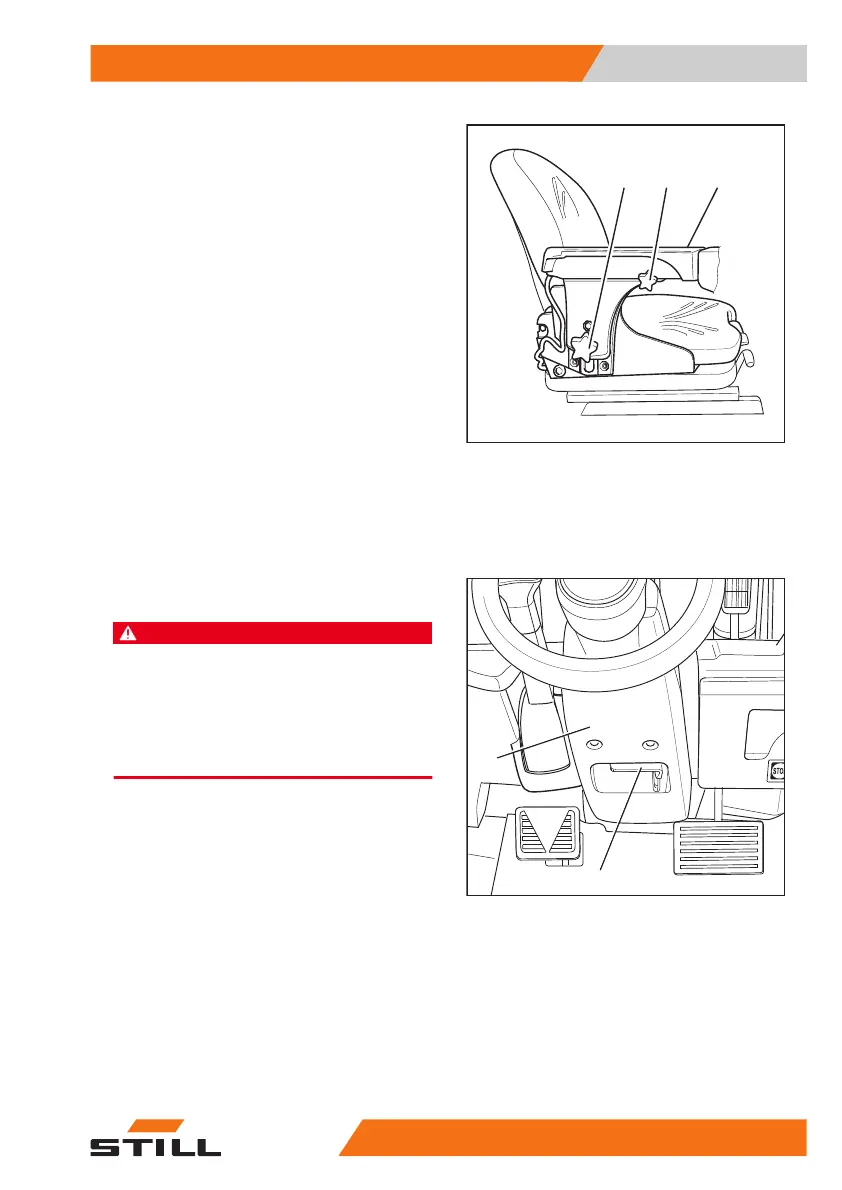
Adjusting the length of the armrest
– Release the star-grip handle (1) by turning it
anti-clockwise.
– Shift the armrest (2) into the desired posi-
tion.
– Tighten the star-grip handle by turning it
clockwise.
– Check that the armrest is firmly attached.
Adjusting the height of the armrest
– Release hand wheel (3) by turning it anti-
clockwise.
– Shift the armrest (2) into the desired posi-
tion.
– Tighten the hand wheel by turning it clock-
wise.
– Check that the armrest is firmly attached.
Adjusting the steering column
DANGER
Risk of accidents!
Adjusting the steering column during travel may
cause the truck to career out of control.
– Adjust the steering column only when the truck is
at a standstill.
– Ensure that the steering column is engaged.
– Press down and hold the lever (2) for steer-
ing column adjustment.
– Position the steering column (1) and re-
lease the lever.
When the steering column engages, the lever
snaps back to the initial position.
– Gently push and pull on the steering column
to make sure that the steering column is en-
gaged.
7331_342-001
3
1
2
6210_424-001
1
2
Operation
4
Checks and tasks before daily use
7757348011850 EN - 08/2020 - 12



 To Next Page