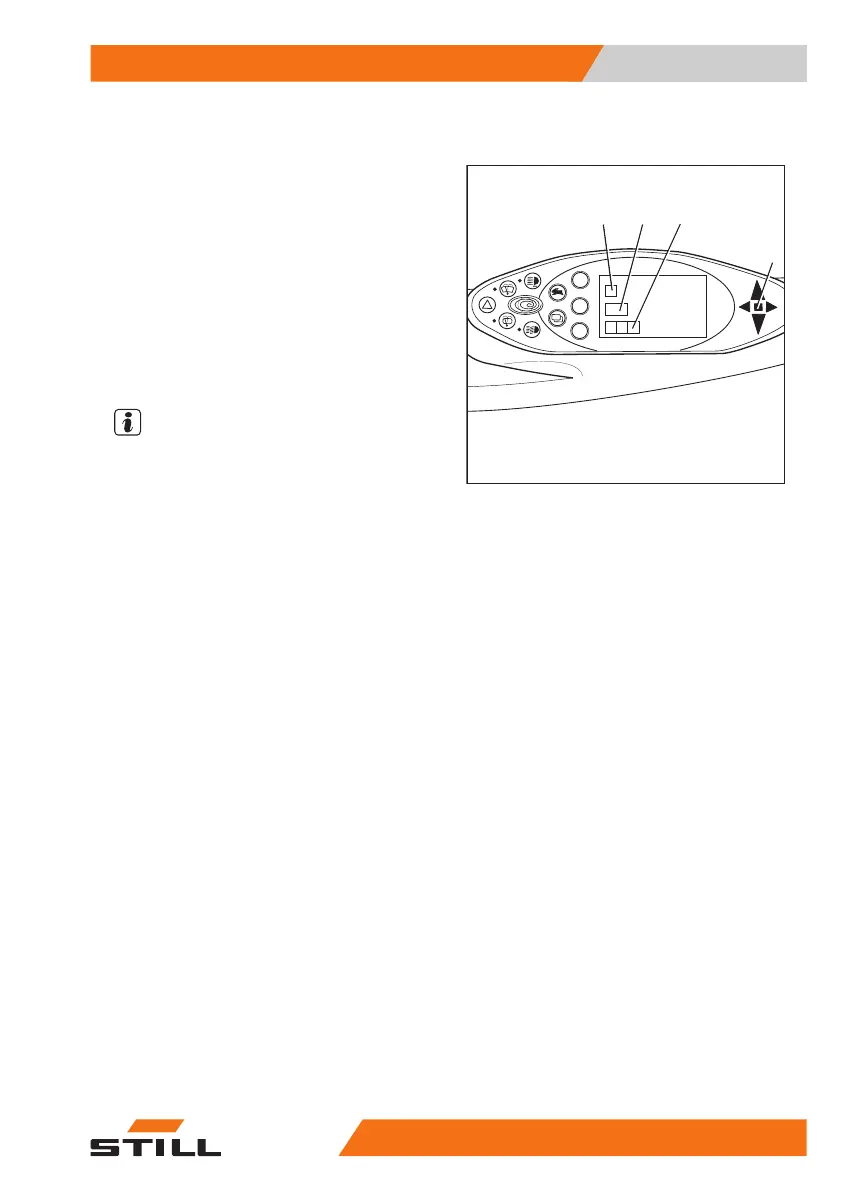
Display messages
Display content
On the display of the display-operating unit,
event-related messages may appear due to
certain truck conditions.
The following types of message may appear
individually or in combination:
●
A graphic symbol (2)
●
The message (3)
●
An error code (4) consisting of a letter and a
four-digit number
NOTE
Each time a message appears, the "Malfunc-
tion" display (1) also lights up.
Messages are always shown repeatedly and
for a certain period of time, according to the
event.
In the case of successive events, the respec-
tive messages are displayed one after another
on the display.
After a few seconds, the display will alternate
between the last shown operating display and
the message.
The frequency of alternation depends on the
type of event.
– If a message appears, follow these operat-
ing instructions.
Once the event is remedied, the message will
disappear.
If a malfunction continues to occur, the mes-
sage will continue to appear.
– Park the truck safely.
– Inform the authorised service centre.
Error code table
The table gives an overview of possible dis-
plays. In the "Comment" column you will find
information on how to proceed should any of
these messages appear.
8
9
0
6
7
4
2
1
3
5
7312_003-157
2
3
4
1
Operation
4
Display messages
25157348011850 EN - 08/2020 - 12



 To Next Page