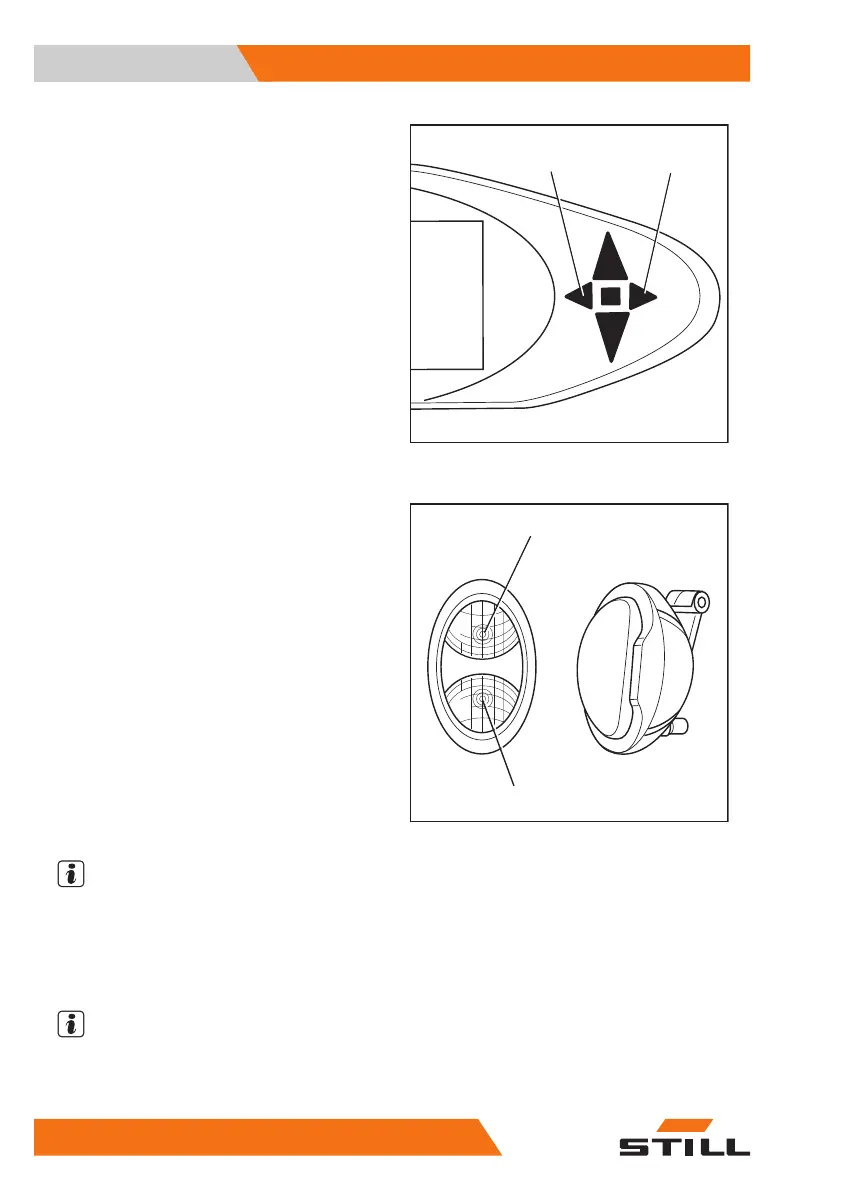
The turn indicators and the corresponding turn
indicator displays (2) or (3) flash.
– Switch off the turn indicators by moving the
turn indicator switch to the centre position.
Switching the double working spot-
lights on and off.
The double working spotlights are fitted up on
the front right and left on the overhead guard.
Each double working spotlight consists of an
upper working spotlight (2) and a lower work-
ing spotlight (3). The upper working spotlight
illuminates the working area at great lift
heights, the lower working spotlight illuminates
the working area directly in front of the truck.
Depending on the equipment, the upper work-
ing spotlights can be switched on/off automati-
cally or manually.
Switching the upper working spotlights
on/off manually
NOTE
The upper working spotlights can be switched
on/off independently of the lower working
spotlights. For information about switching on
the lower working spotlights, see the section
entitled "Switching the lighting on and off".
NOTE
This function is not available if the truck is
equipped with rear window heating.
23
5060_003-012_V2
6210_003-060
2
3
Operation
4
Auxiliary equipment
216 57348011850 EN - 08/2020 - 12



 To Next Page