Controlling attachments using a tri-
ple mini-lever
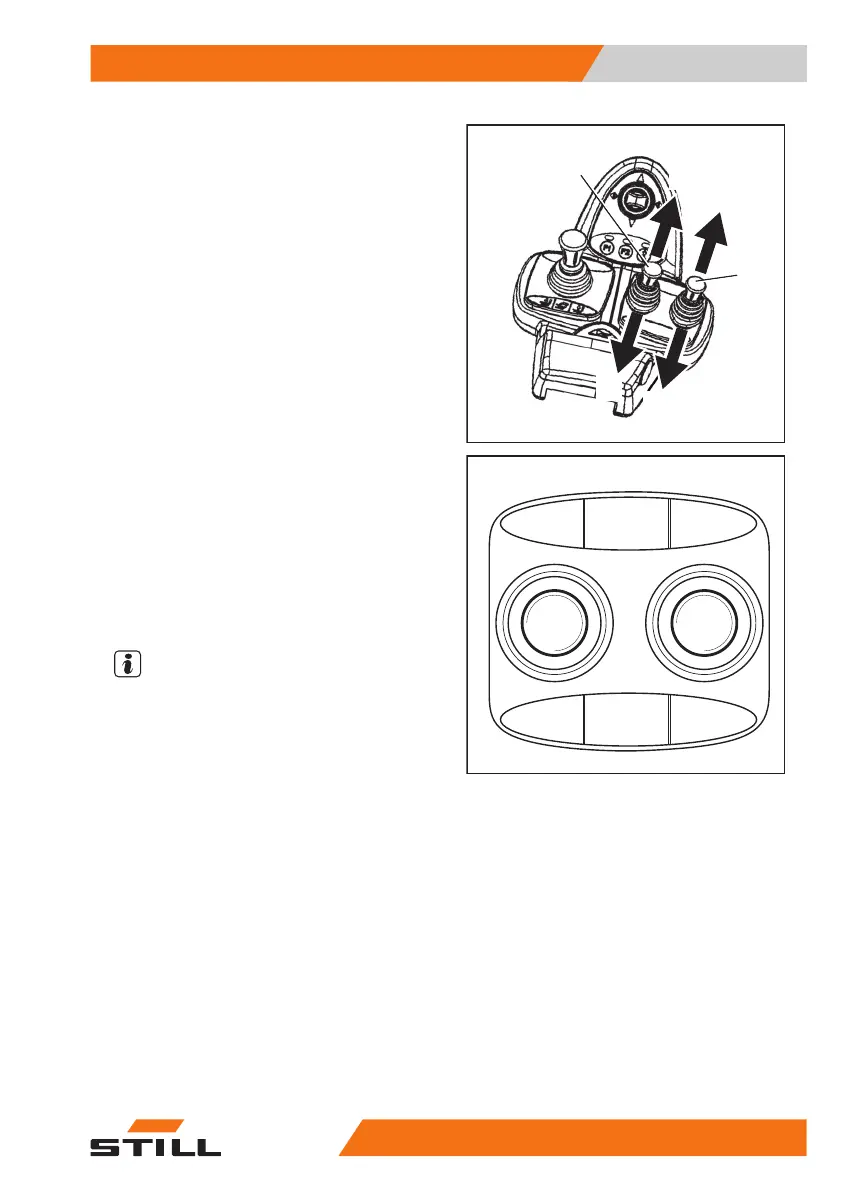
The attachments (variant) are controlled in this
version using operating levers (1) and (2).
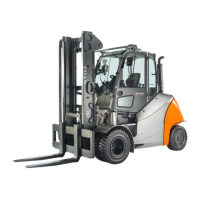
The pictograms on the operating levers show
the respective functions that are activated by
these levers.
This essentially involves the following:
– Move the operating lever (1) towards (A)
The attachment moves in accordance with the
pictogram in position (A).
– Move the operating lever (1) towards (B)
The attachment moves in accordance with the
pictogram in position (B).
– Move the operating lever (2) towards (C)
The attachment moves in accordance with the
pictogram in position (C).
– Move the operating lever (2) towards (D)
The attachment moves in accordance with the
pictogram in position (D).
NOTE
The pictograms are attached depending on
the pre-assembled attachment. If an attach-
ment with other functions is fitted, the picto-
grams must be checked for the correct repre-
sentation and changed if necessary.
– Contact the authorised service centre if re-
quired.
7325_003-039
A
C
B
D
2
1
5060_003-109_V2
AC
B
D
Operation
4
Attachments
19357348011850 EN - 08/2020 - 12


 To Next Page