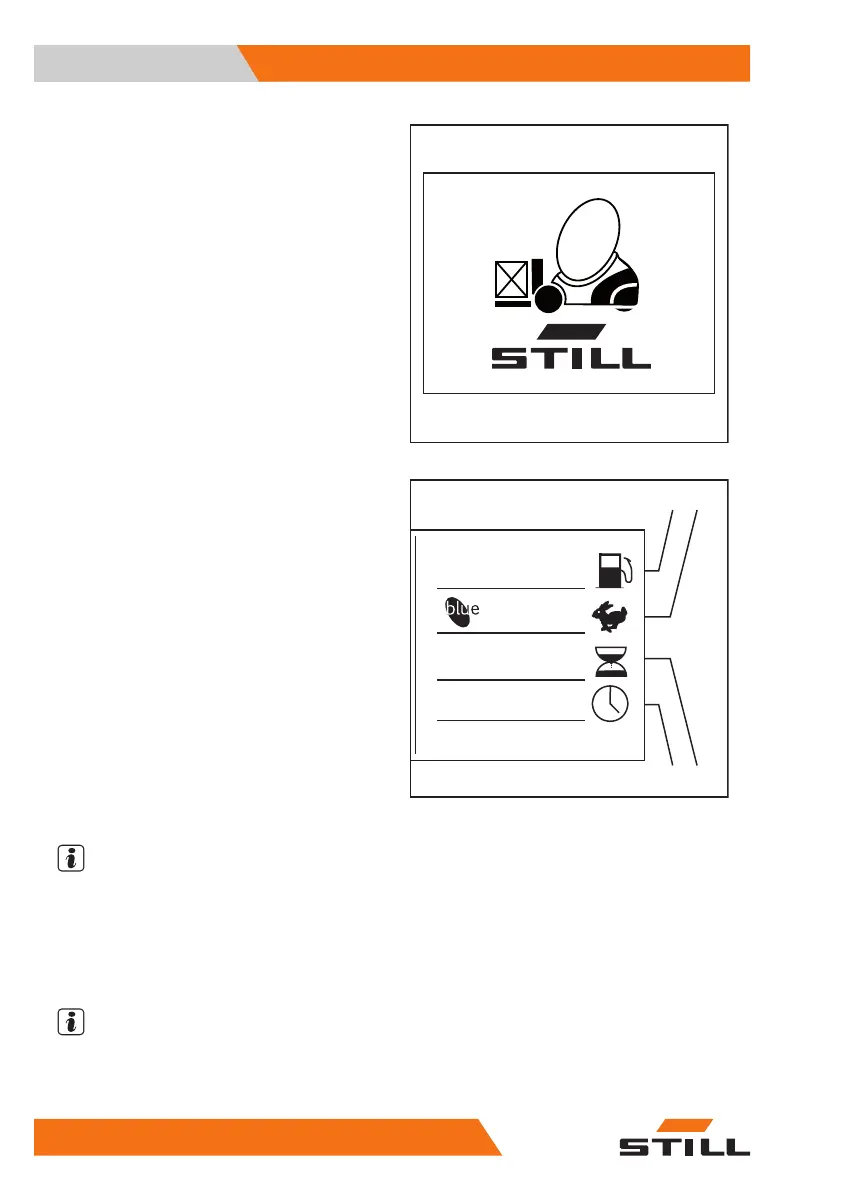
When the key switch is switched on, the dis-
play shows the welcome screen in the set lan-
guage until the truck controllers have fully
started up.
Standard display elements
1
Fuel level
If there is sufficient amount of gas availa-
ble, the indicator is not visible in the dis-
play field.
The
EMPTY
message will only appear
(flashing) in the display field shortly be-
fore the gas runs out.
2
Drive programme
The current drive programme (1–5) ap-
pears in the display field.
3
Operating hours
The operating hours appear in the dis-
play field.
4
Time
The current time appears in the display
field.
NOTE
Have all repair and maintenance work per-
formed by an authorised service centre. This
is the only way to permanently correct defects.
– Inform the authorised service centre when
the maintenance interval is reached.
NOTE
Additional information may appear on the dis-
play. If malfunctions occur, note the informa-
tion in the chapter entitled "Malfunctions".
2
234,7 h
12:15
1
2
3
4
Operation
4
Checks and tasks before daily use
80 57348011850 EN - 08/2020 - 12



 To Next Page