Installation and commissioning
Instructions for use • AIDA C WD310 • AAB272_EN_V2.0_12-2021_IFU_CE-MDR 28
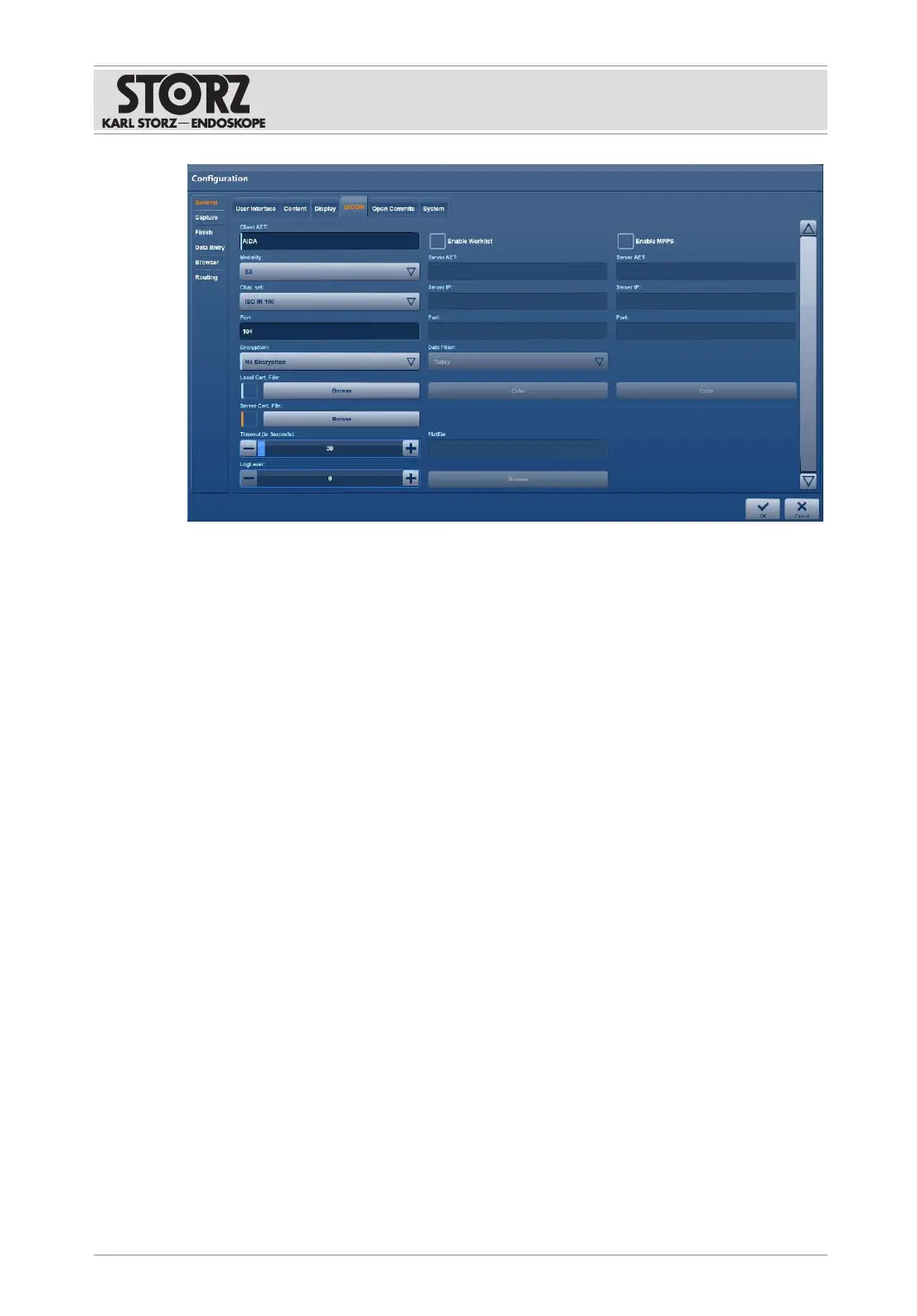
1. In the
Client AET
field, enter the AE title which was assigned to the AIDA C system by the
IT department.
2. Open the
Modality
drop-down menu and select a type:
ES:
endoscopy
US:
ultrasound
OT:
other
3. In consultation with the IT department, select a
Char. set
.
4. Leave the
LogLevel
as the factory setting.
5. Place a check mark next to
Enable Worklist
to allow access to a DICOM worklist.
ð The
Import DICOM Worklist
button is displayed on the user interface.
6. Enter the following in the fields:
Server AET:
AE title of the DICOM worklist server
Server IP:
IP address of the DICOM worklist server
Port:
port of the DICOM worklist server
7. Open the
Date Filter
drop-down menu and limit the date range displayed when searching
for patient data in the DICOM worklist:
None
: date range not limited
Today
: only display the patients in today's worklist
One Day
: plus or minus 1 day
Two Days
: plus or minus 2 days
Three Days
: plus or minus 3 days
8. Leave the
Timeout
as the factory setting unless it needs to be changed.
9. Tap the
Echo
button to test the connection to the DICOM server.
10. In the event of connection problems, contact the IT department.













 To Next Page