Installation and commissioning
Instructions for use • AIDA C WD310 • AAB272_EN_V2.0_12-2021_IFU_CE-MDR 39
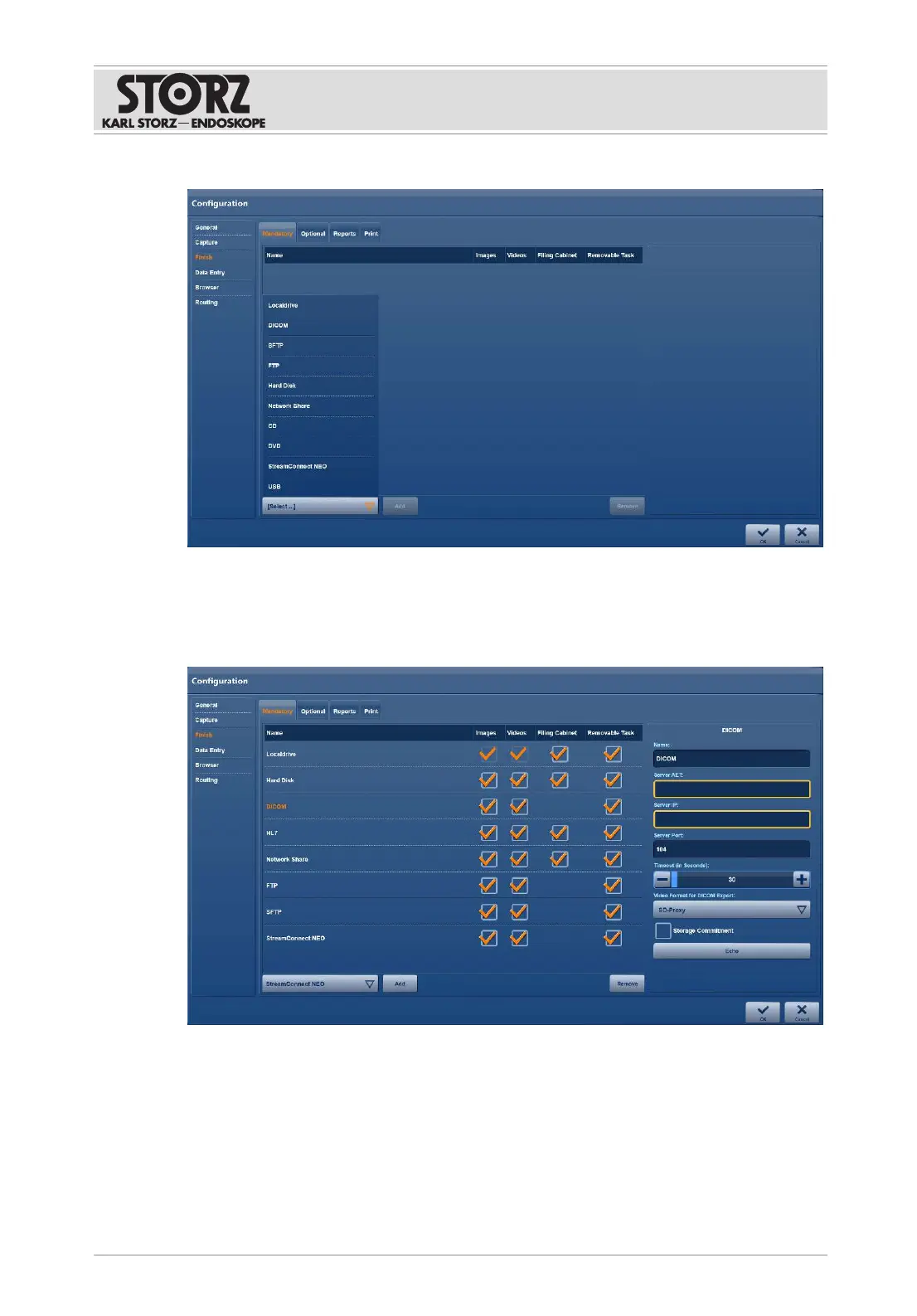
2. Open the
Select
drop-down menu and select a required destination.
3. Tap the
Add
button to add the selected destination to the list.
4. To delete a destination from the list, highlight it and tap the
Remove
button.
5. To allow data to be stored automatically, check the relevant checkboxes in the list. When
storing manually, all data is stored.
6. To enable data to be retrieved again for display and editing purposes, check the
Reference
checkbox.
7. To specify whether data in the
Open Tasks
module can be deleted, check the
Removable
Task
checkbox.
6.1.4.2 Required field
The
Mandatory
tab is used to specify the destinations for the data backup. When saving data
via the network, the accesses for this are also to be stated, e.g., DICOM or SFTP.













 To Next Page