Installation and commissioning
Instructions for use • AIDA C WD310 • AAB272_EN_V2.0_12-2021_IFU_CE-MDR 42
Report at the end of the procedure
1. For each destination (apart from the DICOM server), specify whether a data storage
report should be added as a PDF.
ð The
Template
field appears.
2. Select a template from the drop-down menu.
3. If the report is to be printed, select an additional layout from the templates.
4. Tap the
Print
tab to specify an alternative layout.
5. Check the
Use print layout
checkbox to use the alternative layout.
When printing an anonymous report, patient data may be mixed up.
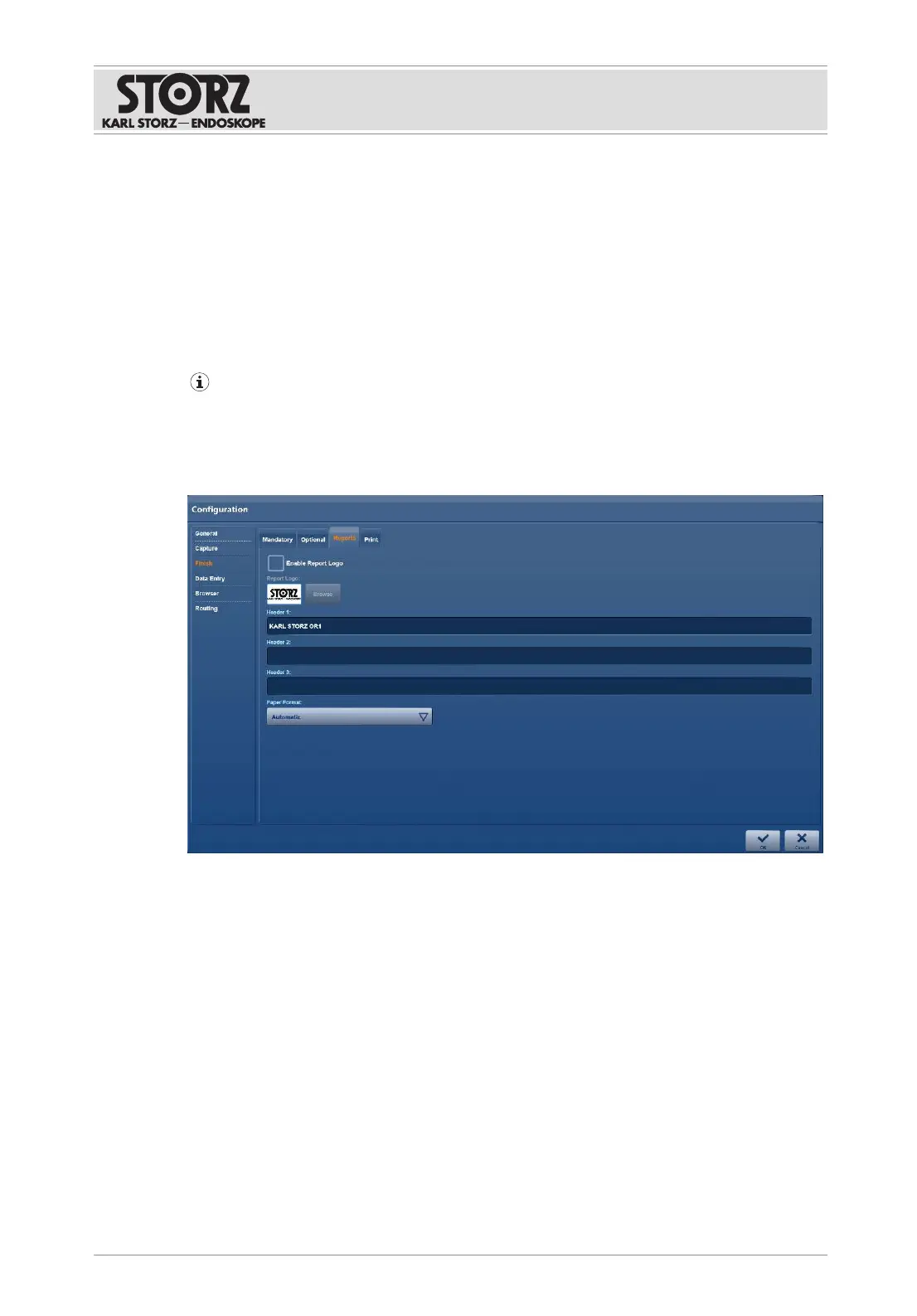
6.1.4.3 Reports
The
Reports
tab is used to set up the surgical report.
1. Tap the
Reports
tab.
2. Place a check mark next to
Enable Report Logo
to enable the watermark for the report.
3. Tap the button below
Report Logo
to select a logo.
4. In the
Header 1
field, enter a standard title for the report.
5. Add further headings in fields
Header 2
and
Header 3
.
6.1.4.4 Print
The
Print
tab is used to set up the settings for automatic printing.













 To Next Page