Installation and commissioning
Instructions for use • AIDA C WD310 • AAB272_EN_V2.0_12-2021_IFU_CE-MDR 44
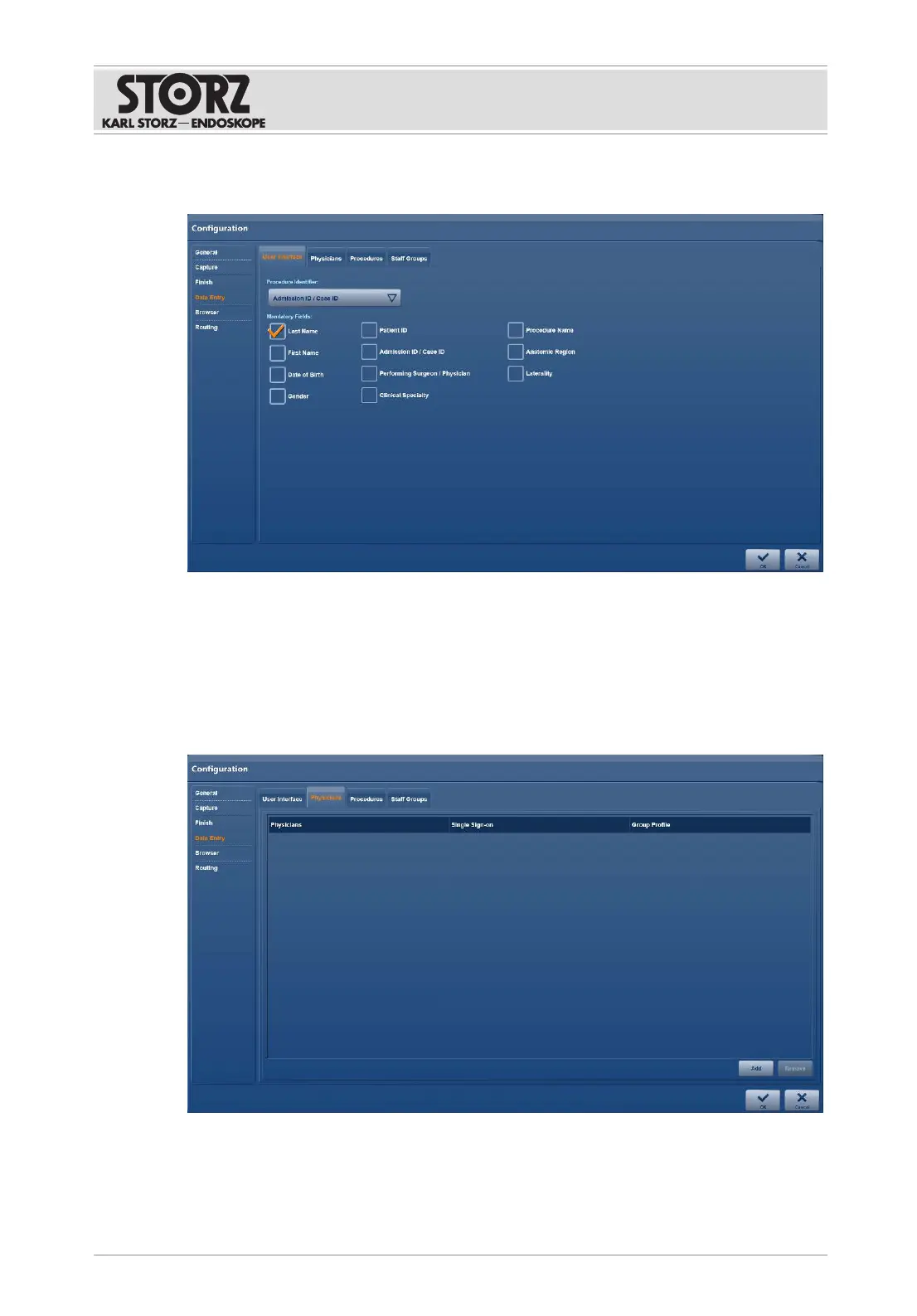
1. Tap the
Data Entry
menu.
ð The
User Interface
tab is displayed:
2. Open the
Procedure Identifier
drop-down menu and specify the date for primary
identification of the patient.
3. Specify the
Mandatory Fields
for documentation.
6.1.5.2 Physicians
The
Physicians
tab is used to enter available personnel resources (users). The group profile of
the attending physician can be managed.













 To Next Page