Installation and commissioning
Instructions for use • AIDA C WD310 • AAB272_EN_V2.0_12-2021_IFU_CE-MDR 45
Performing physician
1. Activate access control to the Filing Cabinet so that the performing physician can view
the documentation in the Filing Cabinet.
ð Once the performing physician has been selected for the current procedure, all profile
settings are loaded.
2. Specify the physician for the procedure when entering the outline data.
ð The default or group profile is linked to the performing physician.
ð The default profile is active if no performing physician is specified.
3. Switch to the
SuperUser
user role to view the procedures. Access control must be
activated.
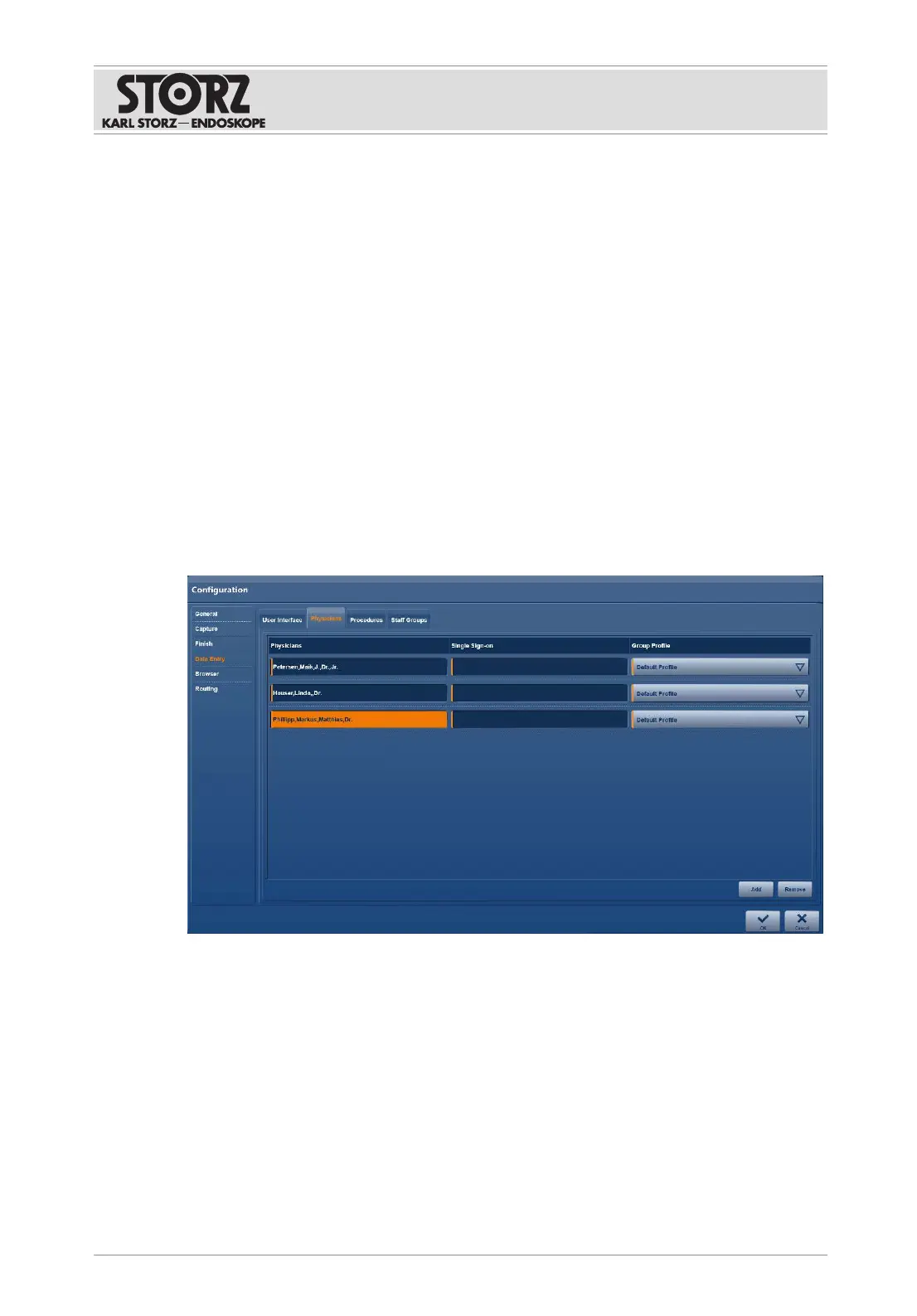
Adding a physician and assigning a group profile
1. Tap the
Add
button.
ð A new row for entering the data is inserted.
2. In the
Physicians
field, enter the physician data in a DICOM-compliant manner in the
specified order and separated by commas: last name, first name, middle name, title,
suffix.
3. If
StreamConnect
is used: enter the username in the
Single Sign-On
field to create a
StreamConnect export directory.













 To Next Page