32
02.11
Strapex SMA 20
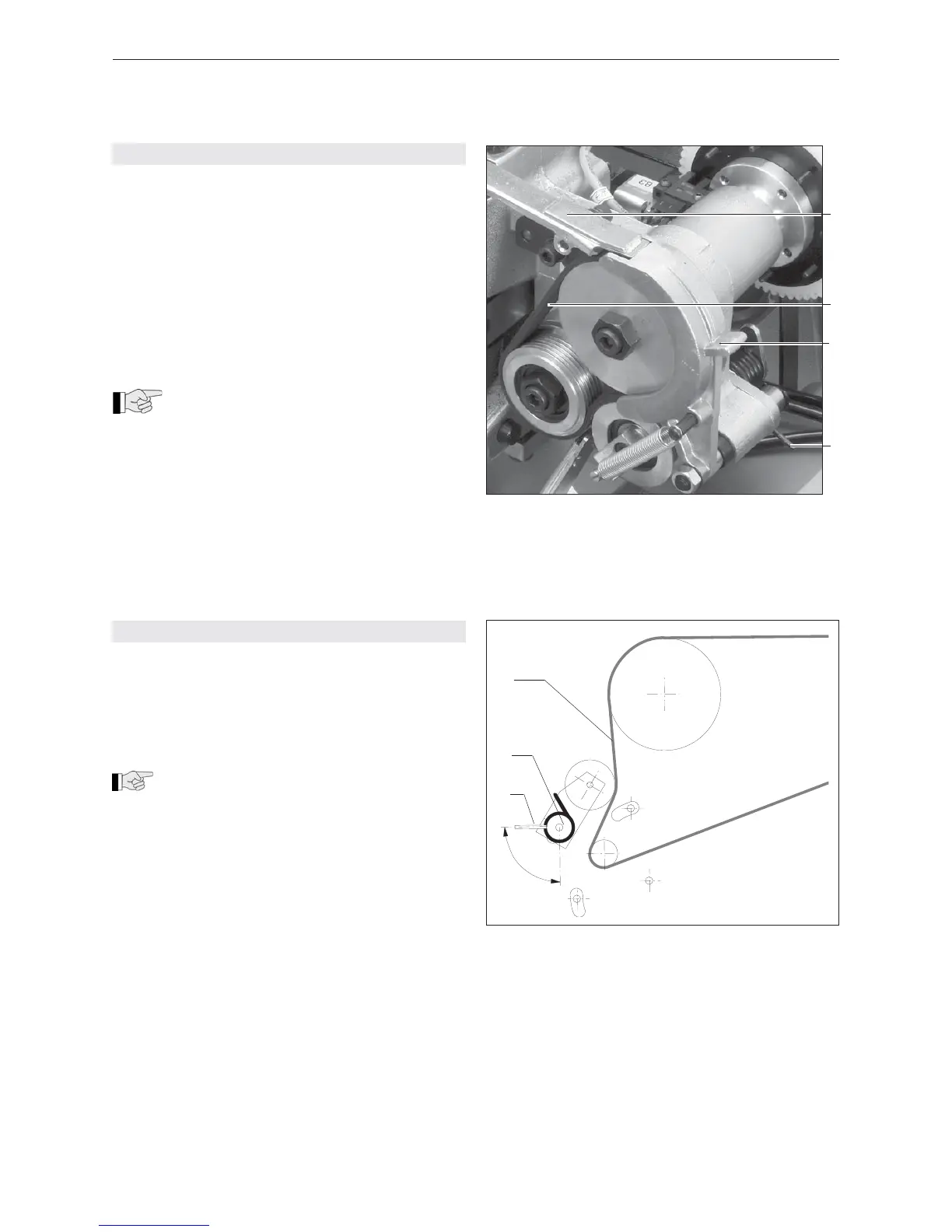
Fig. 16
1 Strap channel
2 Tension belt
3 Slide fl ap
4 Torsion spring
8.5 REPLACE TENSION BELT
Remove
– Toggle switch (3/6) on.
– Activate push-button „Reset“ (3/2).
– Open table top.
– Swivel back slide fl ap (16/3).
– Hook out torsion spring (16/4) on the opposite side
of the tension roller.
– Undo a cylinder screw and remove strap channel
(16/1).
– Remove tension belt (16/2) (by simultaneous tur-
ning of the sprocket) and replace.
Install
When installing the new tension belt take
care that the tension belt rests in its full
width on the two ribbed disc-wheels.
– Fit strap channel (16/1) with cylinder screw.
– Close slide fl ap (16/3) and attach torsion spring
(16/4).
– Close table top.
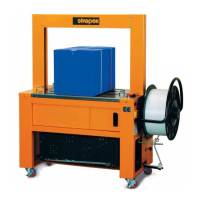
8.6 REPLACE/TIGHTEN DRIVE BELT
Remove
– Open table top.
– Slightly loosen hexagon screw (17/2) and relieve
tension of drive belt (17/3) with sleeve (17/1).
– Remove drive belt and replace.
Install
When installing the new drive belt take care
that the drive belt rests in its full width on the
two ribbed disc-wheels.
– Turn sleeve (17/1) until the correct belt tension has
been reached. The drive belt is correctly tensioned
if the sleeve is horizontal.
– Tighten hexagon screw (17/2).
– Close table top.
Fig. 17
1 Sleeve
2 Hexagon screw
3 Drive belt


 To Next Page