Objet350 User Guide 5 Using Objet Studio
DOC-17001 Rev.G 5-85
TrayPreview
TheTray Preview paneldisplaysthebuildtrayviewofthejobselectedinthe
Job QueueortheHistorylist.
Onaserver,youcanopenanenlargedpreviewwindowbyclickingonthe
Tray Previewdisplay(see"AdditionalServerFeatures"onpage5-94).
Waste
IfyoumovethemouseovertheWastedisplay,theamountofwasteinthe
containerisdisplayed.
Setting the
Printer
Connection
Whenyourprinterisinstalled,theservercomputerisconnectedtothat
printer.Normally,thereshouldbenoreasontochangethisconnection.
Occasionally,however,youmayneedtoresettheconnection,toconnectthe
servertoanotherprinter,ortouseObjetStudioinoff-linemode(withouta
printerconnection).
Toset(orchange)theprinterconnection:
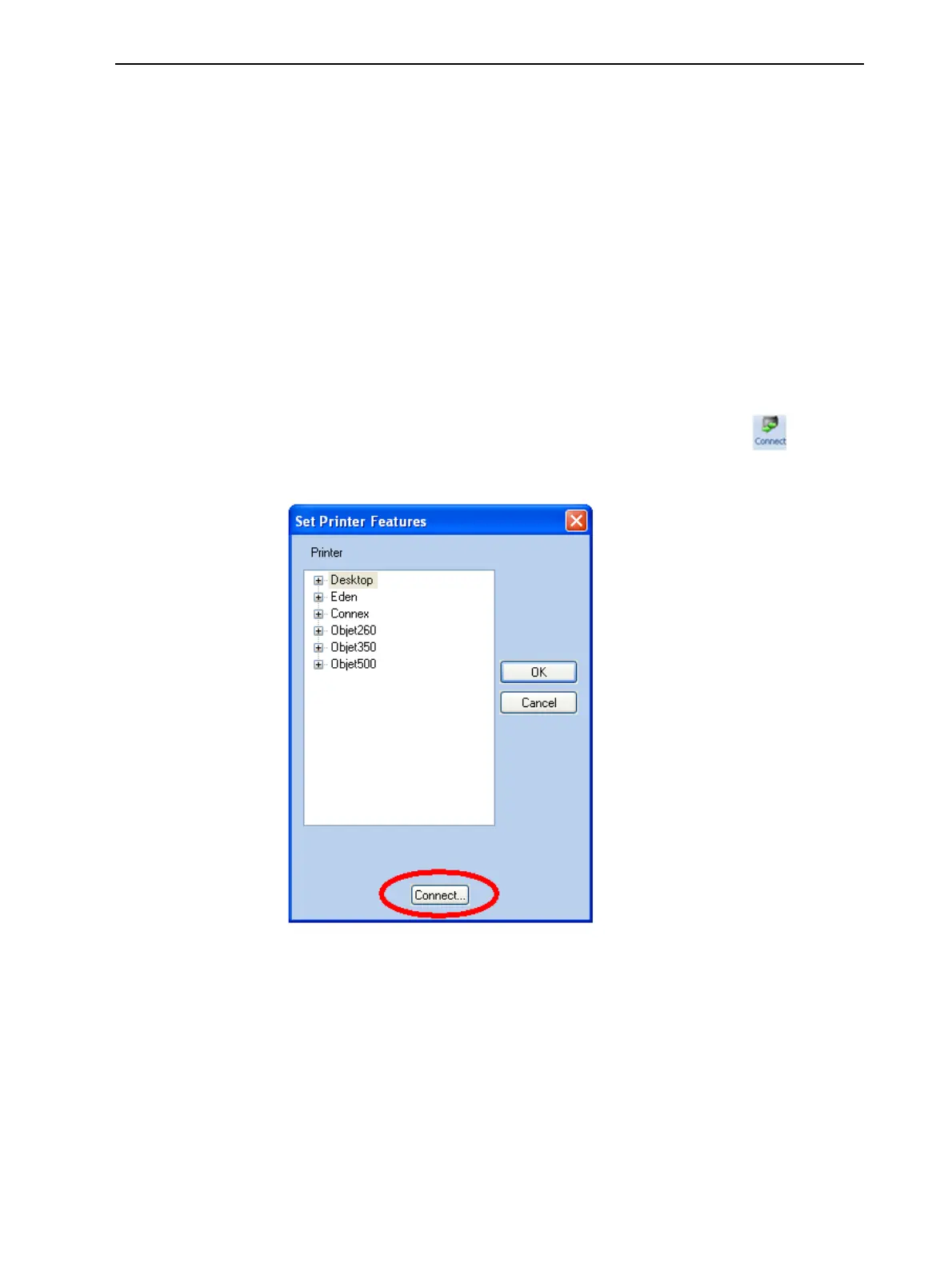
1. OntheJob Managerribbon,inthe3D Printergroup,click .
2. IntheSet Printerdialogbox,clickConnect.
Figure5-105Connectingtoaprinter(A)













 To Next Page