Objet350 User Guide 5 Using Objet Studio
DOC-17001 Rev.G 5-93
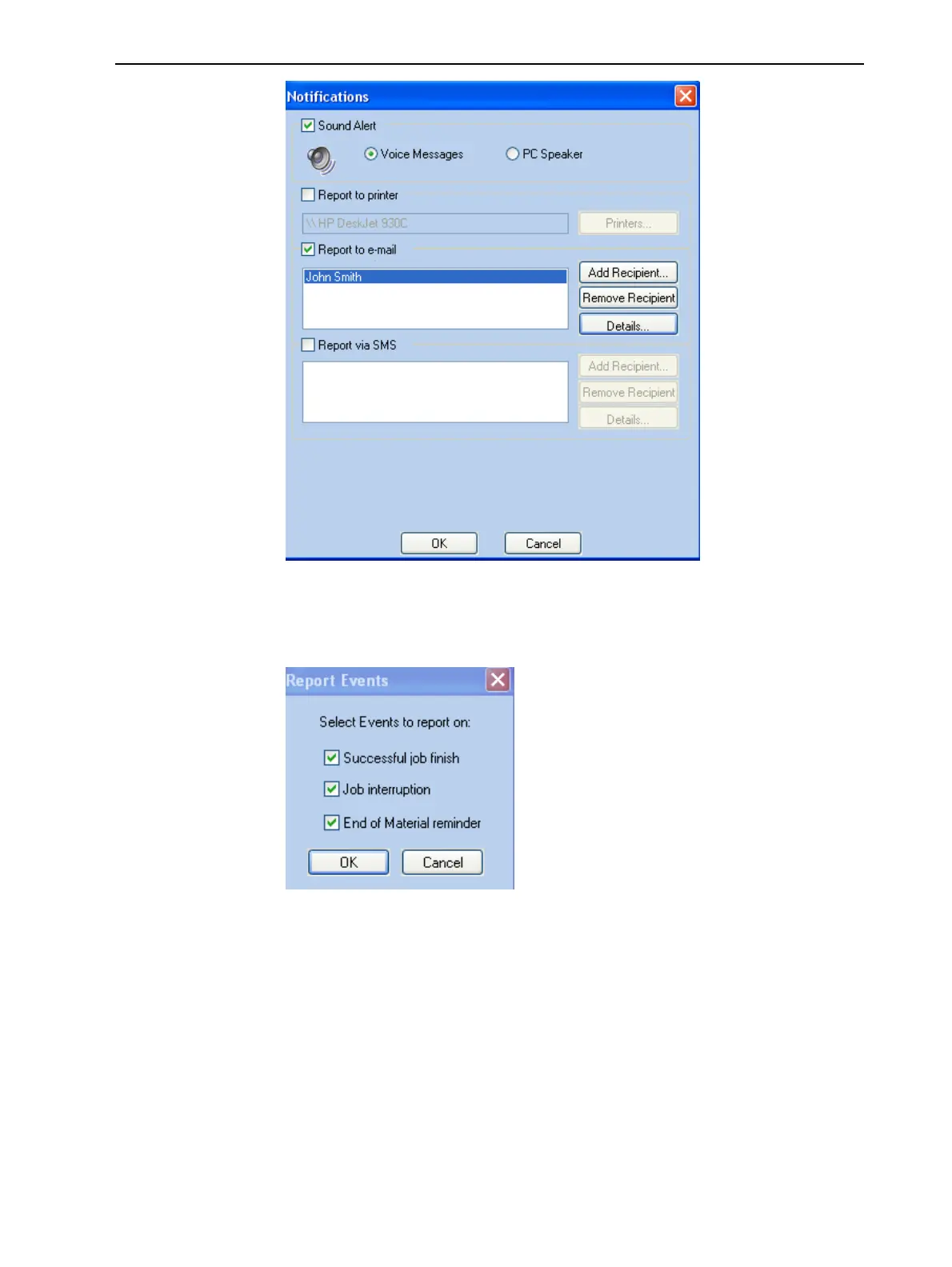
Figure5-117Notificationsdialogbox(clientworkstation)
2. Setthedesiredreportingoptions.
3. ClickDetails.
Figure5-118Eventselectionforalerts
4. IntheReports Eventsdialogbox,selectthealerteventsandclickOK.
5. IntheNotificationsdialogbox,clickOK.
Printing from
the Jobs
Queue
IfthereisajobintheJobsQueue,itissentautomaticallytotheStratasys
PolyJetprinter—aslongasitison,thereisaconnectiontotheprinter,and
theprinterisonline.
Chapter6describesstartingandoperatingtheprinter.













 To Next Page