Objet350 User Guide 6 Operating and Maintaining the Objet350 3DPrinter
DOC-17001 Rev.G 6-34
3. Performthepatterntest.
Iftheresultsofthepatterntestarestillpoor:
➢ Optimizetheprintheadsandreplacefaultyprintheads,ifnecessary(see
"Optimizing(Calibrating)PrintHeads").
Cleaning the
Roller Waste
Collector and
Inspecting the
Roller Scraper
Therollerwastecollectorremoveswastematerialscrapedfromtheroller.
Suctionremovesthiswastetotheprinter’swastecontainer.
Thisassemblyshouldbecleanedweeklytopreventablockageinthetubes
leadingtothewastecontainer,sothatwastematerialdoesnotoverflowinto
theprinter.
Tocleantherollerwastecollector:
1. Prepare—
❒ M2.5andM2Hex(Allen)keys
❒ disposablecleaninggloves
❒ isopropanol(IPA—isopropylalcohol)orethanol(ethylalcohol)
❒ cleaningcloth
❒ cottonswabs(Q-tipsorsimilar)
2. Putonthegloves.
3. RemovetherightUV-lampassembly:
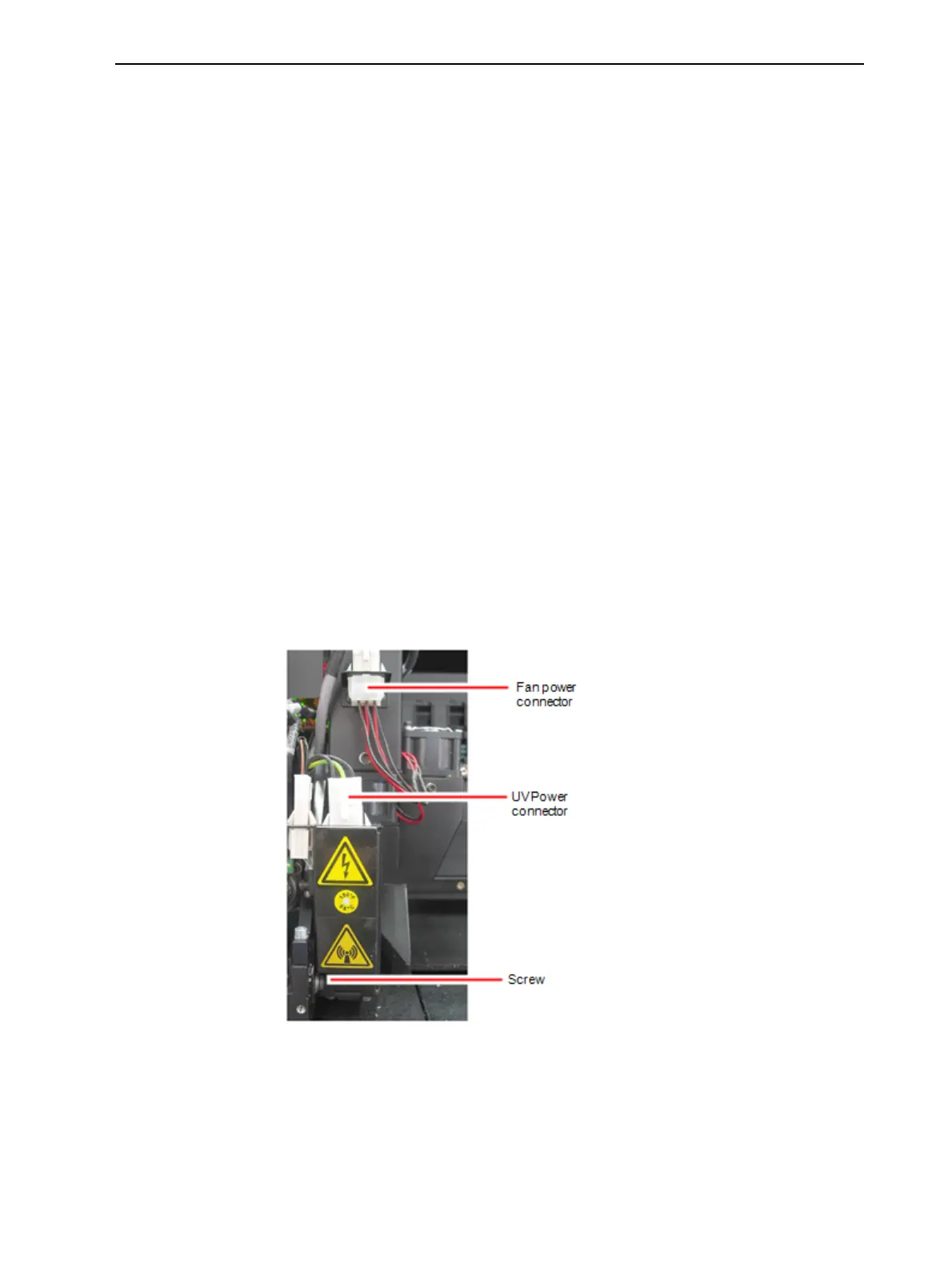
a. DisconnecttheUVpowercableandthefanpowercable.
Figure6-36DisconnectingtherightUVassembly
b. RemovethescrewthatsecurestherightUVlamp,andthenpulland
liftuptheUVlamp.













 To Next Page