Objet350 User Guide 6 Operating and Maintaining the Objet350 3DPrinter
DOC-17001 Rev.G 6-33
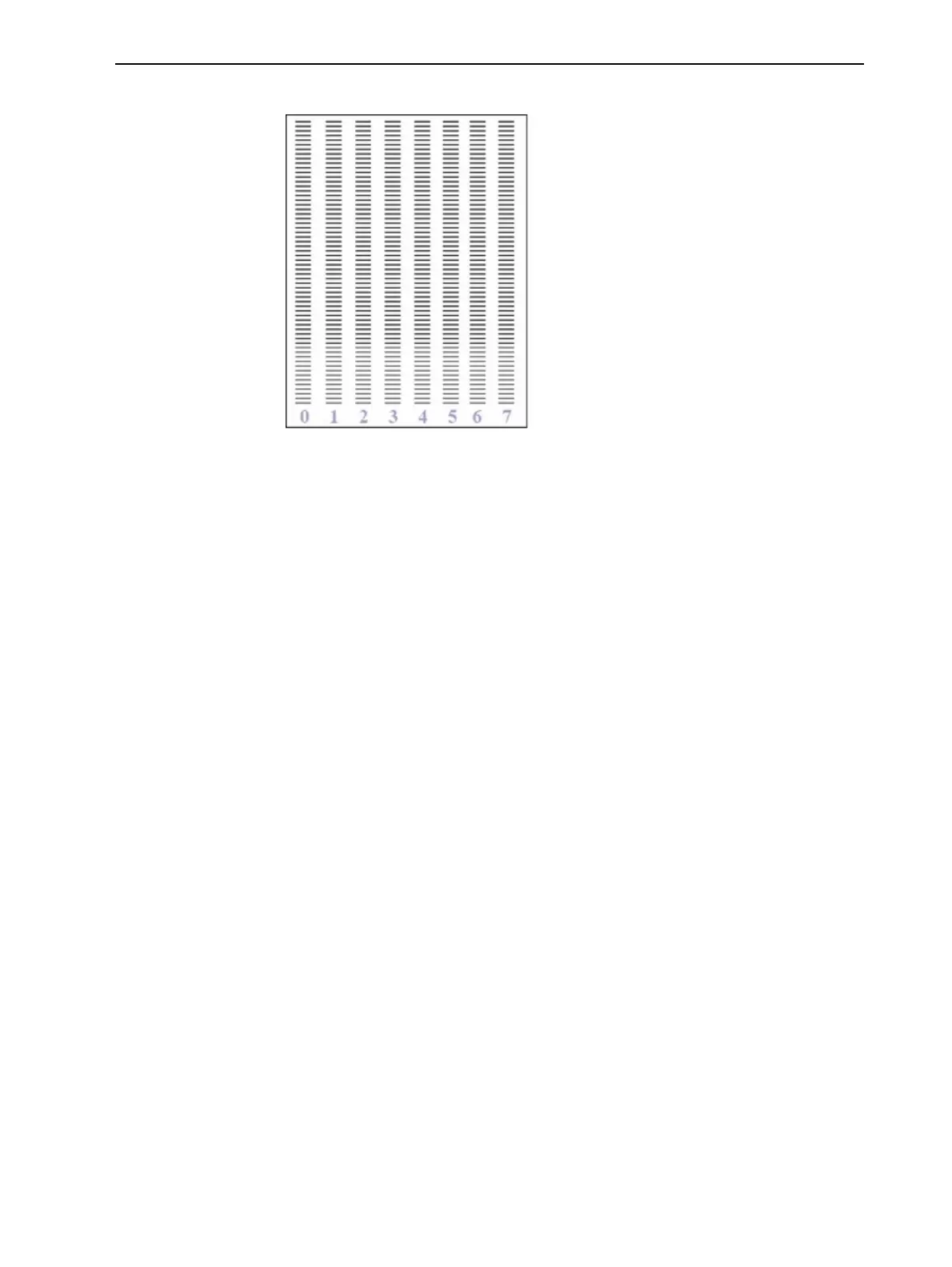
Theprinterprintsaseriesoflinesonthetestpaper(seenextfigure).
Figure6-35SamplePatternTest
6. Carefullyinspectthetestpapertoseeiftherearemissinglines.
Toomanymissinglines,especiallyiftheyareinthesamearea,indicates
thatthequalityofprintingwhenproducingmodelswillbepoor.Ifthisis
thecase,see"ImprovingPrintQuality"below.
Note: Acceptablemodelqualityissubjective,anddependsonthetypeand
scale(size)ofthemodelsproduced.Asarule,however,morethan10
missinglinesinoneareaofacolumnisconsideredunacceptable.
Improving
Print Quality
Ifyoususpectthatprintqualityispoor,performthepatterntest(see"Pattern
Test"onpage6-32).Iftheresultsarepoor,usethefollowingprocedureto
improveprintquality.
Iftheresultsofthelastpatterntestarepoor:
1. FromtheOptionsmenu,selectPurgeSequence,orpressF4.
2. Intheconfirmationdialogbox,clickYes.
TheprintheadsarepurgedofModelandSupportmaterial,andthewiper
removesexcessmaterialfromthem.
3. Repeatthepurgesequence.
4. Performthepatterntest.
Iftheresultsofthepatterntestarestillpoor:
1. Manuallycleantheprintheads(see"CleaningthePrintHeadsandthe
Roller"onpage6-26).
2. Performthepurgesequence.
3. Performthepatterntest.
Iftheresultsofthepatterntestarestillpoor:
1. Carefullycleantheprintheadsagain,makingsurethereisnoresidueleft
onthem.
2. Performthepurgesequence.













 To Next Page