Objet350 User Guide 6 Operating and Maintaining the Objet350 3DPrinter
DOC-17001 Rev.G 6-12
Changing the Printing Material
Beforeproducingmodelsusingadifferenttypeofprintingmaterialthanis
currentlyinstalled,runtheMaterialReplacementwizardtoflushtheprint
blockandfeedtubes.
YoushouldcarefullyplanprintingmodelswithdifferentModelmaterialsto
avoidunnecessarywasteofthematerialscurrentlyloaded.Theamountof
materialflusheddependsontheflushingcyclechosenandifyouare
replacingoneormoreModelcartridges.
TheMaterialReplacementwizardsuggeststhebestslotlocationsfor
placingdifferentmaterialcartridges,basedonthematerialscurrentlyin
thesystem.Thisensuresminimumflushingofmaterialscurrentlyloaded.
Toreplacetheprintingmaterialwiththewizard:
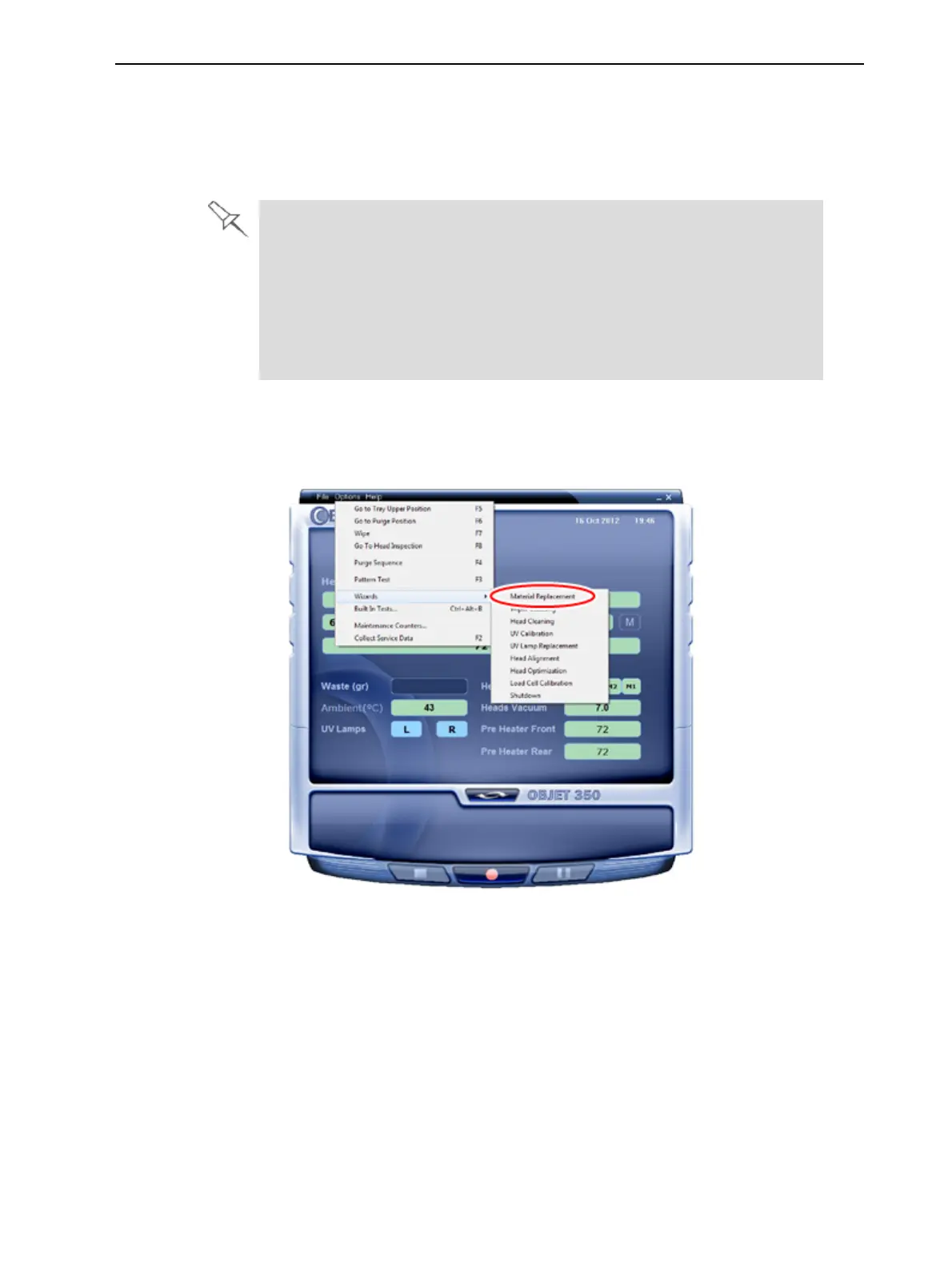
1. StarttheMaterialReplacementwizardfromtheOptionsmenu.
Figure6-8StartingtheMaterialReplacementwizard
2. Intheopeningscreen,clickNext.
3. Iftheprintercoverisnotclosed,ascreenappears,promptingyoutoclose
thecover.ConfirmthatitisclosedandclickNext.













 To Next Page