Objet350 User Guide 3 Introducing the Objet350 3D Printing System
DOC-17001 Rev.G 3-3
Work Configurations
TheObjet3503Dprintingsystemcanbesetupasasingle-stationsystemor
asamulti-stationsystem.Whenconnectedtoalocalcomputernetwork,the
systemcanservemultipleusers.Insuchconfigurations,eachuser
workstation(client)preparesfilesforproduction.Aserver,typicallynextto
the3Dprinter,sendsjobstotheprinterforproduction.
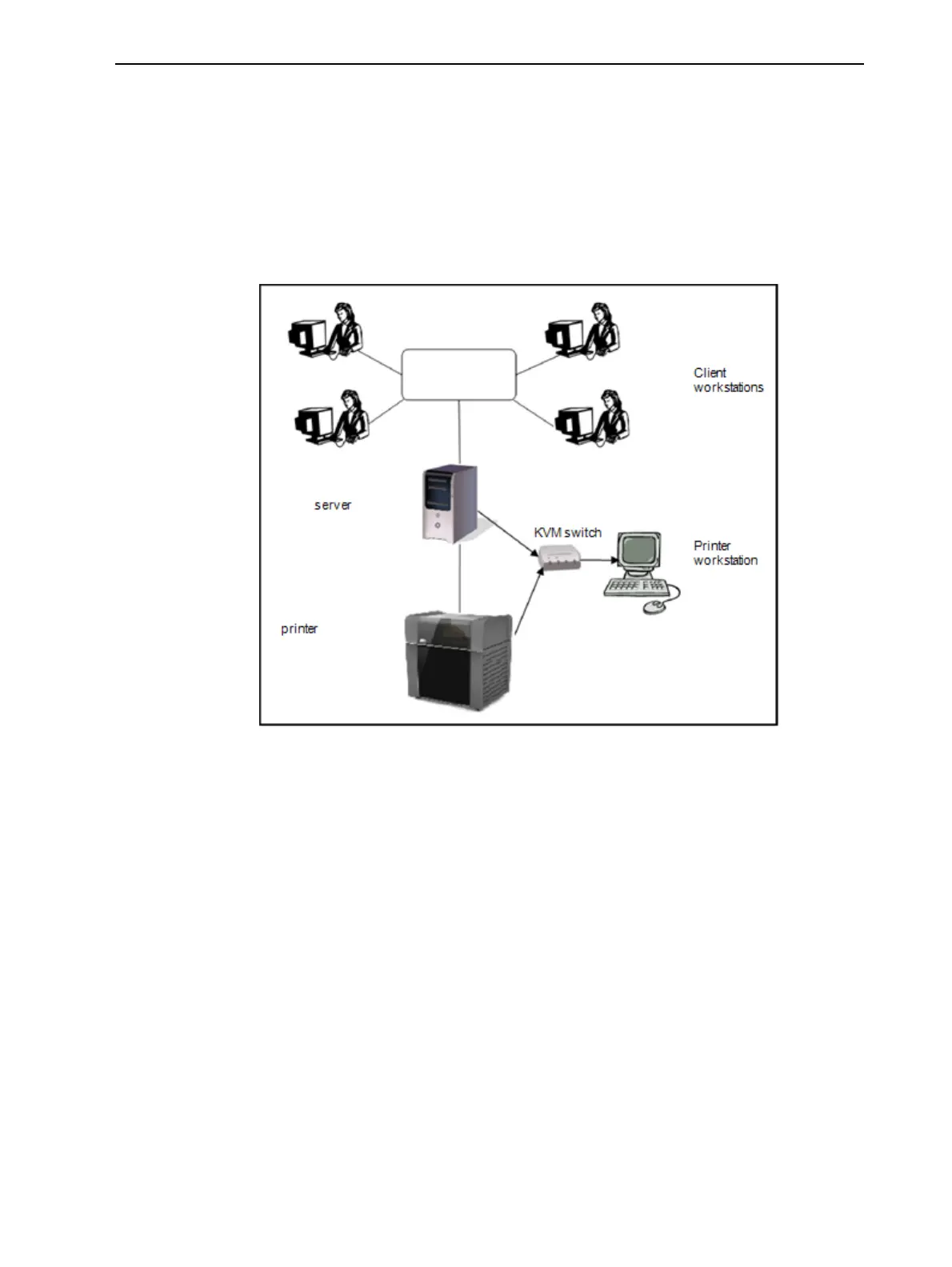
Figure3-2showstheprintersetupinamulti-clientconfiguration.
Figure3-2Multi-clientnetworkconfiguration
Whenjobsaresenttotheprinter,JobManager,ontheservercomputer,
arrangesthemaccordingtotheirpriorities,model-materialtype,andother
factors.Inmulti-workstationconfigurations,theoperatoroftheserver—
typicallytheproductionadministrator—hastotalcontroloverthejobssentto
theprinter,andcanprioritizejobs,deletejobs,reviewjobhistoryandreprint
jobs.













 To Next Page