Objet350 User Guide 5 Using Objet Studio
DOC-17001 Rev.G 5-97
SchedulingJobs
Youcanschedulejobstobeprintedatafuturetime.Forexample,youcan
configureObjetStudiotostartlongprintingjobsinthelateeveningandearly
morninghours.
Toscheduleajob:
1. SelectajobintheJobs Queue,andclick onthepop-uptoolbar.
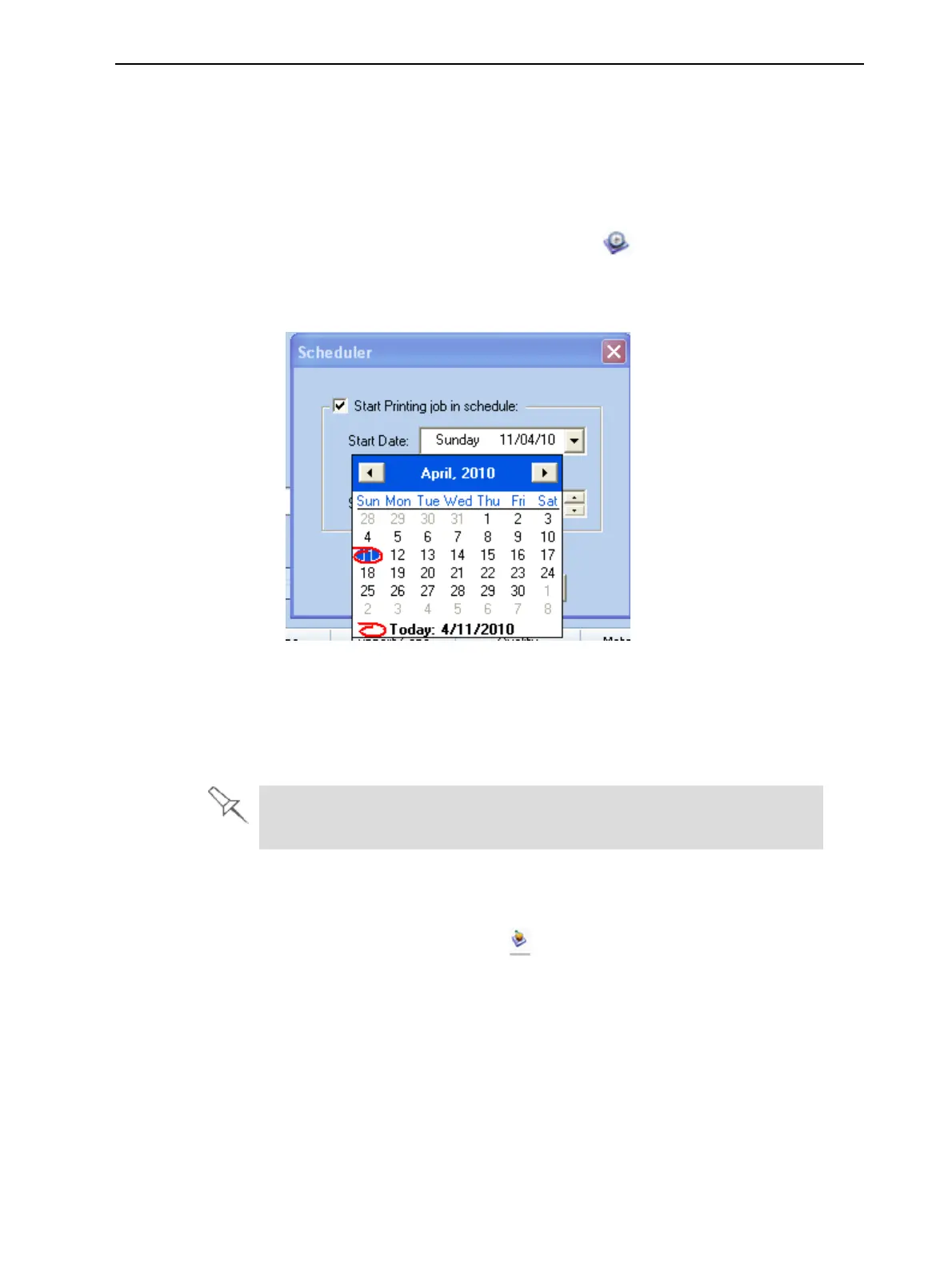
2. IntheSchedulerdialogbox,settheStartDateandStartTimeforthejob.
ClickontheStart Date arrowtoopenacalendar.
Figure5-121Schedulerwithcalendardisplayed
3. ClickOK.
ExportingJobs(objzf)
Youcansaveprintjobsascompressedfiles.
Foranexplanationofobjzffiles,see"SavingandImportingBuildTrays"
onpage5-67.
Toexportaprintjob:
1. Selectajob.
2. Onthepop-uptoolbar,click .
3. IntheSave Asdialogbox,selectafolder.
4. ClickSave.













 To Next Page