Objet350 User Guide 6 Operating and Maintaining the Objet350 3DPrinter
DOC-17001 Rev.G 6-15
Ifyoucontinue,youmustcompletethematerialreplacementprocess
beforeyoucanproducemodels.Toreplacematerialcartridgesatanother
time,clickCancel.Ifyoucontinue(byclickingOK)andyoudonot
completetheprocess,youwillneedtorunthewizardagainbefore
producingmodels.
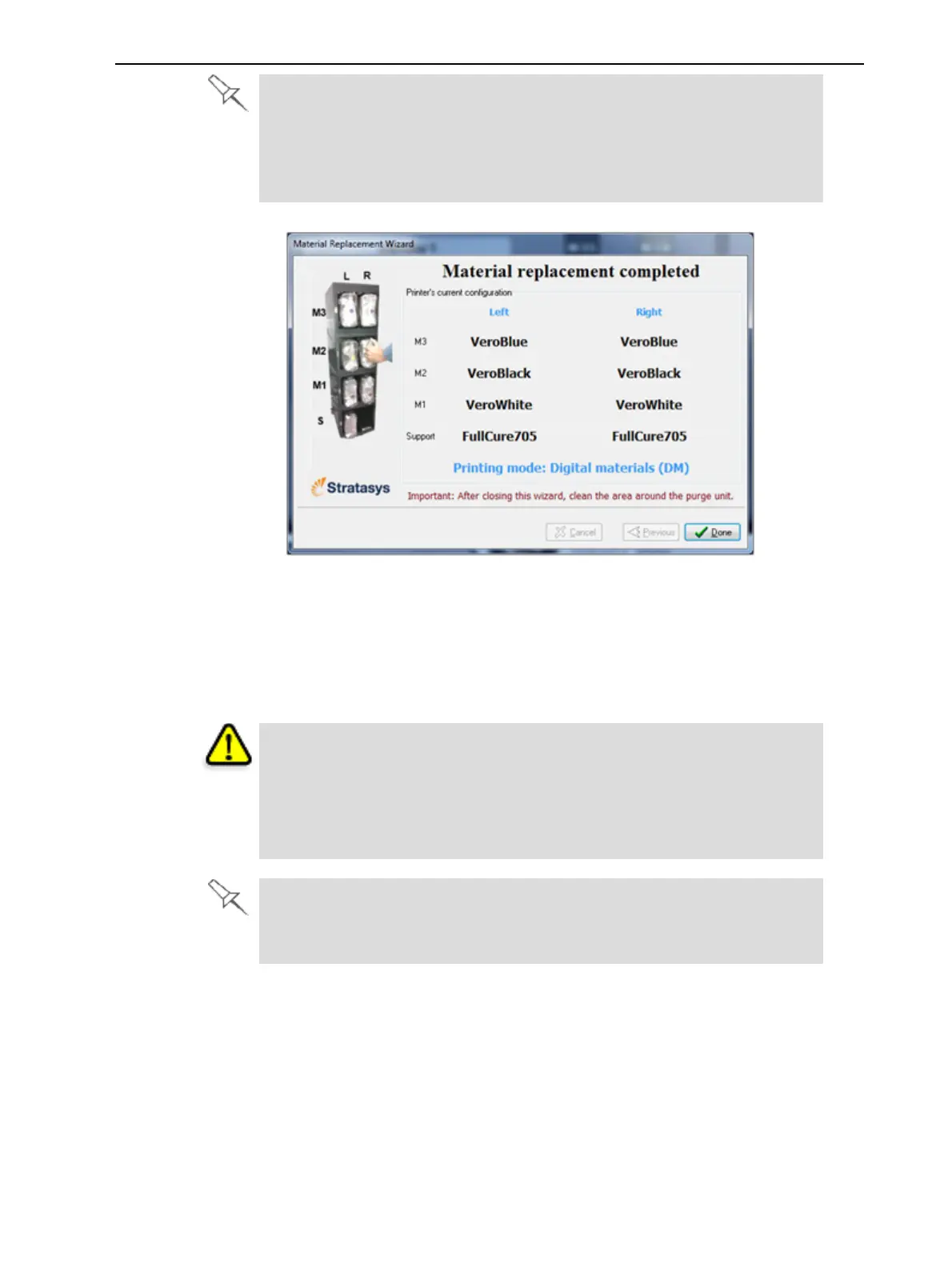
Figure6-11Finalwizardscreen
13.ClickDonetoclosethewizard.
Theprinter-controlapplicationisautomaticallyupdated,andtheinterface
displaysthenewmaterial(s).ObjetStudio(ontheservercomputer)isalso
updatedanddisplaysthenewmaterial(s).
14.Inspecttheareaaroundthepurgeunitandcleanit,ifnecessary.
Caution
Disposeofallmaterialcartridgesinaccordancewithallapplicablelaws
andregulations.Ifnecessary,thecartridgescanbedisassembledfor
recycling.Ifthisisdone,protectthepersonhandlingthecartridgesfrom
directexposuretouncuredresins.
AfterchangingthetypeofSupportmaterial(SUP705/706),runtheHead
Optimizationwizard.See"Optimizing(Calibrating)PrintHeads"onpage
6-43.













 To Next Page