Objet350 User Guide 6 Operating and Maintaining the Objet350 3DPrinter
DOC-17001 Rev.G 6-46
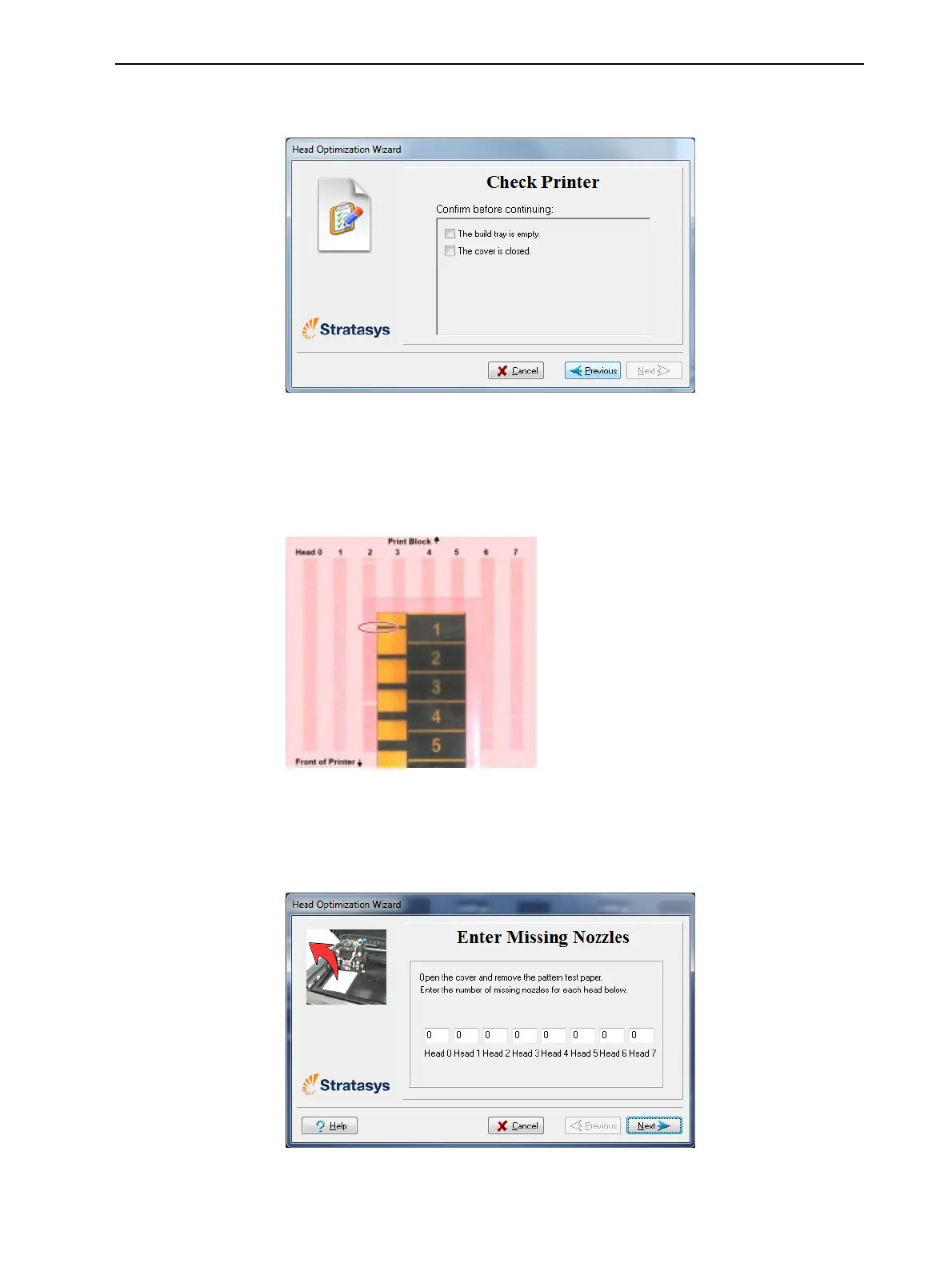
9. Whenthefollowingscreenappears,tapeasheetofpinkpapertothe
surfaceleftofthebuildtray,closethecoverandclickNext.
Figure6-58Preparationsconfirmation
TheprinterprintsaframeonthebuildtrayandthenprintsthePattern
Test.
10.WhenthePatternTestisprinted,carefullyinspectit,usingtheMissing
NozzlesRulertoseeiftherearemissinglines.
Figure6-59InspectingthePatternTest
Eachmissinglinerepresentsafaultynozzleintheprinthead.
11.Inthefollowingwizardscreen,enterthenumberofmissingnozzlesfor
eachprintheadandclickNext.
Figure6-60Enter Missing Nozzlesscreen













 To Next Page