Use of machine
192
Verti-Mix SF / Verti-Mix Double SF Version 06.12
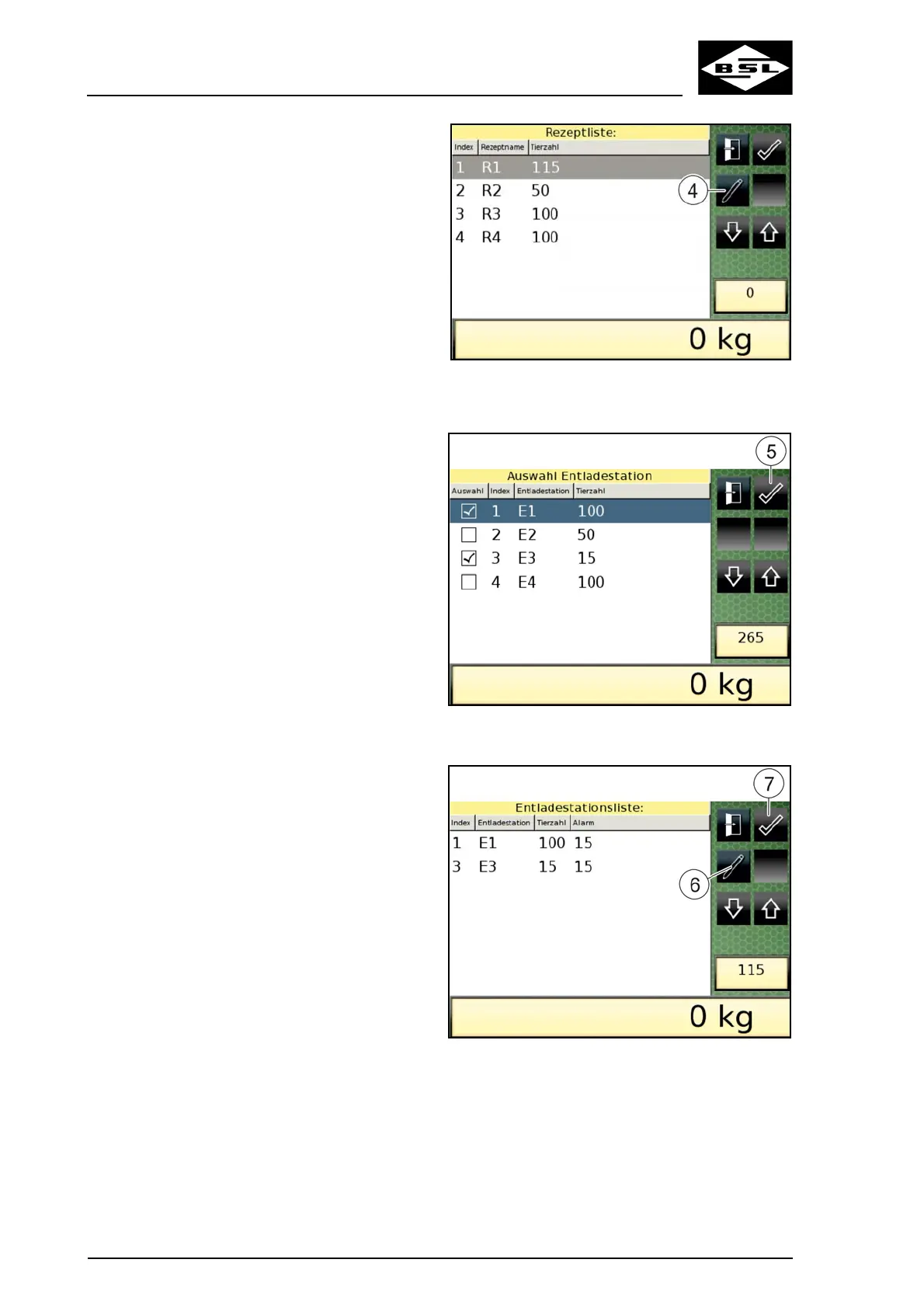
3. Touch the respective line on the display to
select the desired recipe. Scroll through by
means of the arrow keys if necessary.
The selected line is highlighted by means of
a blue background.
4. Modify the settings of the discharge
station(s) of the selected recipe if
necessary.
4.1 Press the "Change entry data" key (4).
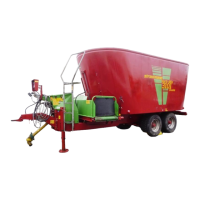
The "Discharge station options"
display (Fig. 170) appears.
Fig. 169
4.2 Add or deselect discharge stations to
adapt your list of options..
Selected discharge stations are ticked.
4.3 Press the "Confirm" key (5) to confirm
your entry.
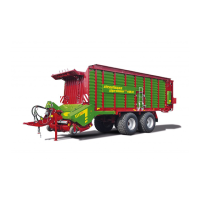
The "List of discharge stations" display
(Fig. 171) appears.
Fig. 170
4.4 Select the discharge station to be
modified.
The selected line is highlighted by
means of a black background.
4.5 Press the "Change entry data" key (6).
The "Recipe overview - Discharge
stations" display (Fig. 172) appears.
Fig. 171



 To Next Page